Contents
- Why do free CRM plans usually break after a few weeks?
- Which seven limits should you check before you sign up?
- What does the free-plan cost trap look like over time?
- How common are cloud and CRM — and why does that matter for limits?
- Which “free” models exist — and where is the limit?
- How does inDeal differ from seat-capped free tiers?
- What 15-minute checklist should you run before deciding?
- What does switching later really cost?
- How do you spot feature gates without vendor pricing pages?
- How do cloud CRM and privacy fit together?
- Which free CRM fits your small business?
- Further reading
- Frequently asked questions
- Sources
Free CRM limits rarely show up on signup day. They show up when your team grows, lead volume jumps, or you need AI, reporting, and a clean processor agreement. This guide is the buyer checklist: seven typical break points, what to confirm before import and training, and how inDeal (indeal.ai), a free AI CRM for small businesses from Lars Krüger GmbH in Berlin, differs from seat-capped free tiers.
As of September 30, 2026. Figures from Eurostat and OECD; legal sources EUR-Lex and the European Commission; inDeal facts from indeal.ai and the Help Center.
Why do free CRM plans usually break after a few weeks?
Because the free tier is built for onboarding, not for a small B2B team’s weekly rhythm. Week one works with one or two users and a few hundred contacts. After the CSV import, onboarding ops, and the first quarterly report, caps and feature gates kick in.
According to Eurostat, only 28.51% of EU enterprises (10+ employees) used CRM software in 2025. Among small enterprises (10–49 employees) the share was 24.69%; among large ones 65.43%. The small-vs-large gap is about 41 percentage points per Eurostat News.
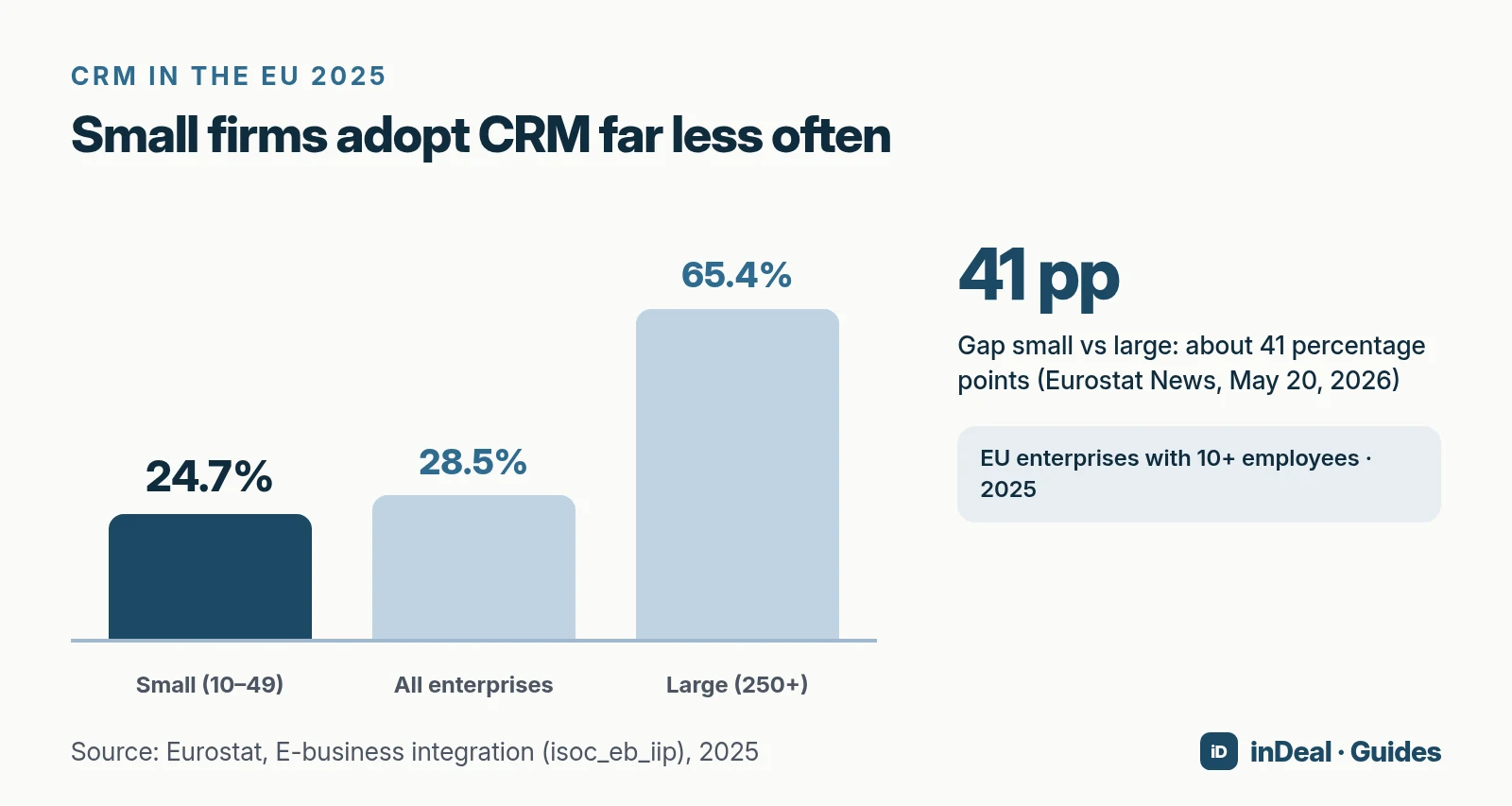
If you still run leads in spreadsheets, you are not alone. A free CRM for small business lowers the barrier — if the limits fit your team and privacy needs. For the broader free-model map, see Free CRM for small business.
Which seven limits should you check before you sign up?
These seven break points show up again and again. Treat them as a checklist — not a vendor ranking.
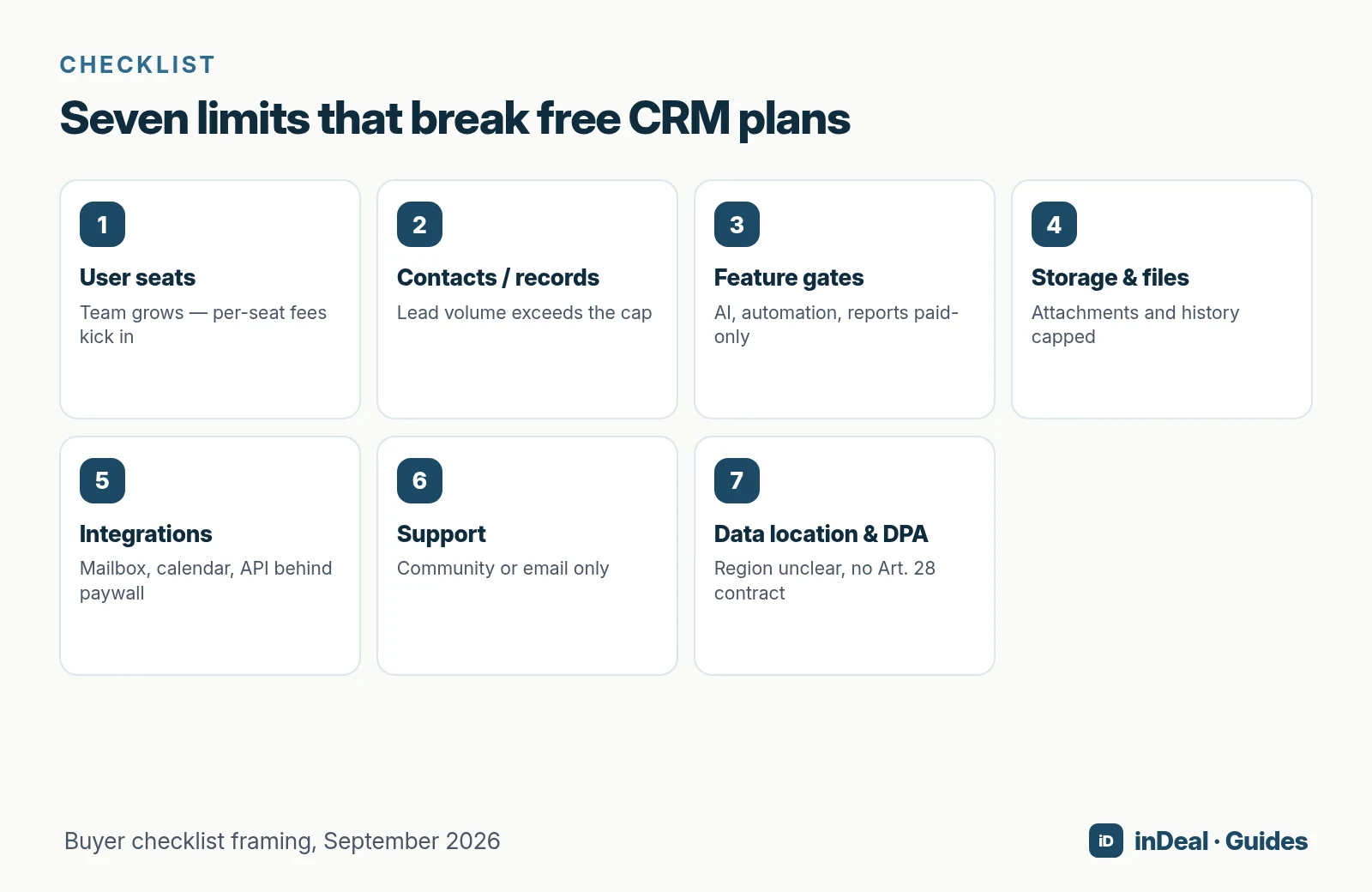
1. User seats: who can actually work in the CRM?
This is the most common cost trap. Many free tiers are meant for one person or a tiny group. Once sales, founders, and ops need the same lead, you pay per head — or someone stays in Excel.
Ask: How many people need write access in the next 12 months, including part-timers and assistants?
2. Contacts and records: does your lead volume fit?
Contact or record caps are the second classic. Multiply monthly leads by 12, then add customers and import leftovers. If that exceeds the cap, the upgrade is already scheduled.
Ask: At the limit, do you get a hard stop, read-only mode, or automatic billing?
3. Feature gates: AI, automation, reporting
“Free” often means pipeline yes, assistant and automation no. AI features, workflows, and usable reports frequently sit in paid plans. What matters is what ships in the free tier — not the premium marketing page. More on that in AI CRM for small business.
4. Storage and files
Quotes as PDFs, call notes, email attachments: storage caps hurt once history matters. Ask about file size, retention, and export.
5. Integrations
Mailbox, calendar, browser extension, and API decide whether people update the CRM or work around it. Missing integrations create double entry.
6. Support
Community forums can be fine for hobby setups. A live sales team needs a clear path when import or sync breaks — and docs that are not just marketing copy.
7. Data location and DPA
A CRM processes personal data. The vendor is a processor; you need a processor agreement under Art. 28 GDPR (Regulation (EU) 2016/679). Transfers outside the EU also need a basis under Art. 44 ff.
On July 10, 2023 the European Commission adopted the EU-U.S. Data Privacy Framework adequacy decision for certified U.S. companies. Practically: confirm for your exact plan where data sits and whether the DPA is included without an add-on.
What does the free-plan cost trap look like over time?
The path is similar across many free tiers — regardless of brand name:
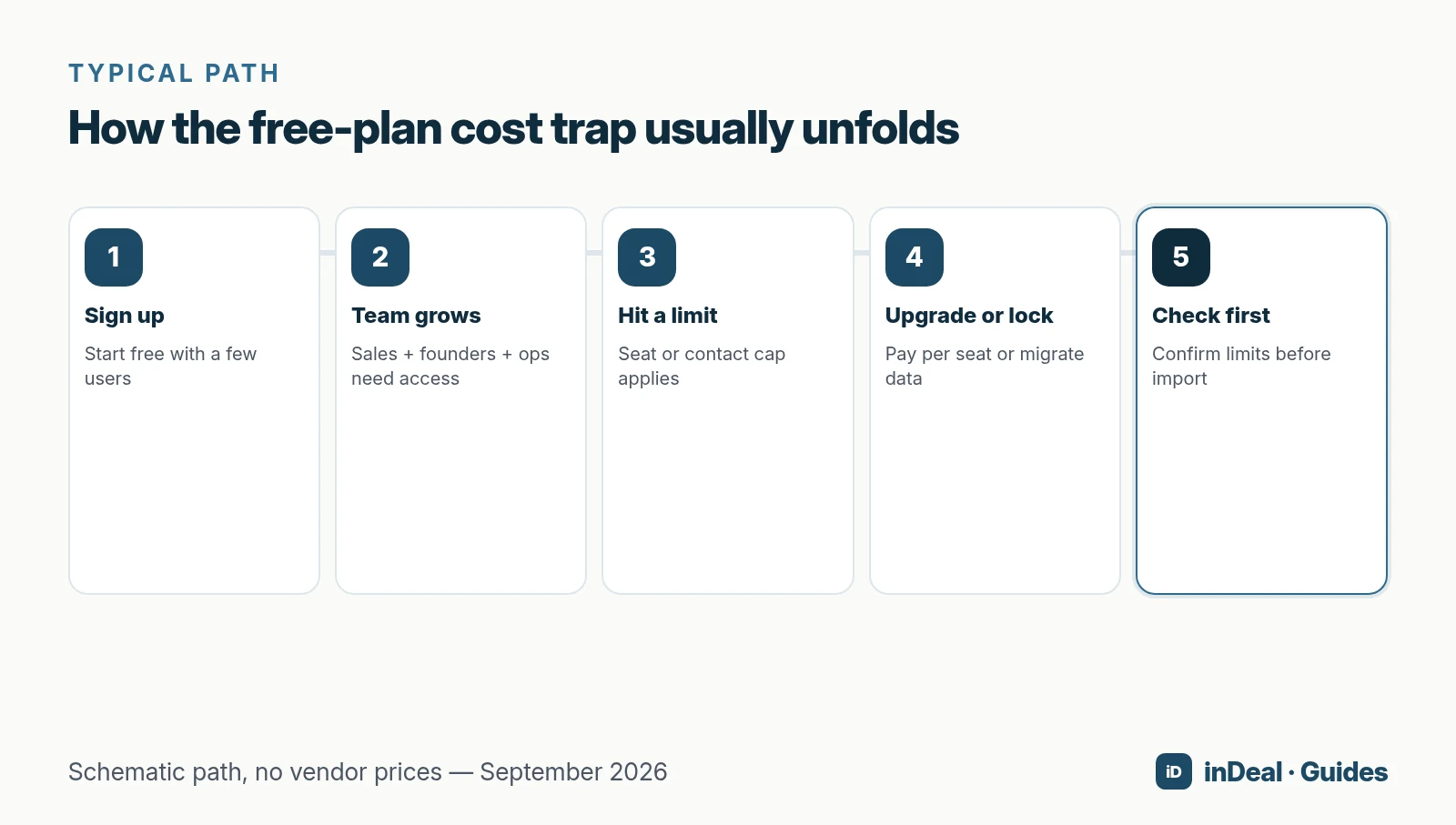
- Sign up with a few users and an empty pipeline.
- Team grows — more people need write access.
- Hit a limit on seats, contacts, or a feature gate.
- Upgrade or lock — or migrate under deadline pressure.
- Check first, before import and training are done.
The OECD’s SME digitalisation for competitiveness (survey Q4 2024) lists maintenance/software costs (40%), lack of time for training (39%), and hardware costs (32%) among the top digitalisation barriers for SMEs. A CRM switch after onboarding hits those cost blocks again.
How common are cloud and CRM — and why does that matter for limits?
Cloud and CRM overlap but are not the same. Per Eurostat cloud statistics, 52.74% of EU enterprises used paid cloud services in 2025 (+7.42 percentage points vs. 2023). Among those cloud users, 27.91% used cloud CRM. Across all enterprises, cloud CRM is 14.72% per digital economy statistics.
Takeaway: many teams adopt cloud tools before CRM discipline. If you pick a free tier, choose limits that will not force a tool switch at the next growth step.
Which “free” models exist — and where is the limit?
| Model | Typical limit | Who it fits |
|---|---|---|
| Ongoing free tier | Seats, contacts, features, storage | Individuals and very small teams |
| €0 per user + credits for data | Enrichment by usage (e.g. inDeal) | Sales teams that work together |
| One app free | Only one module is free | Companies heading toward ERP |
| Open source self-hosted | Servers, maintenance, updates on you | Teams with in-house IT |
| Trial only | Paid per seat after the trial | Buyers who already plan to pay |
Model framing, September 2026. Concrete seat and contact numbers change often; verify them with each vendor — we do not invent competitor figures from blogs.
Names such as HubSpot, Zoho CRM, Pipedrive, or Odoo appear only as familiar model examples — unlinked, and without price claims we cannot support from neutral primary sources.
How does inDeal differ from seat-capped free tiers?
inDeal (indeal.ai) is a free AI CRM for small businesses. According to indeal.ai, account, pipeline, lead plugin, and mail integration cost €0 per user for unlimited teammates. You pay only when enrichment finds contact data (credits). Not to be confused with indeal.io, a different company.
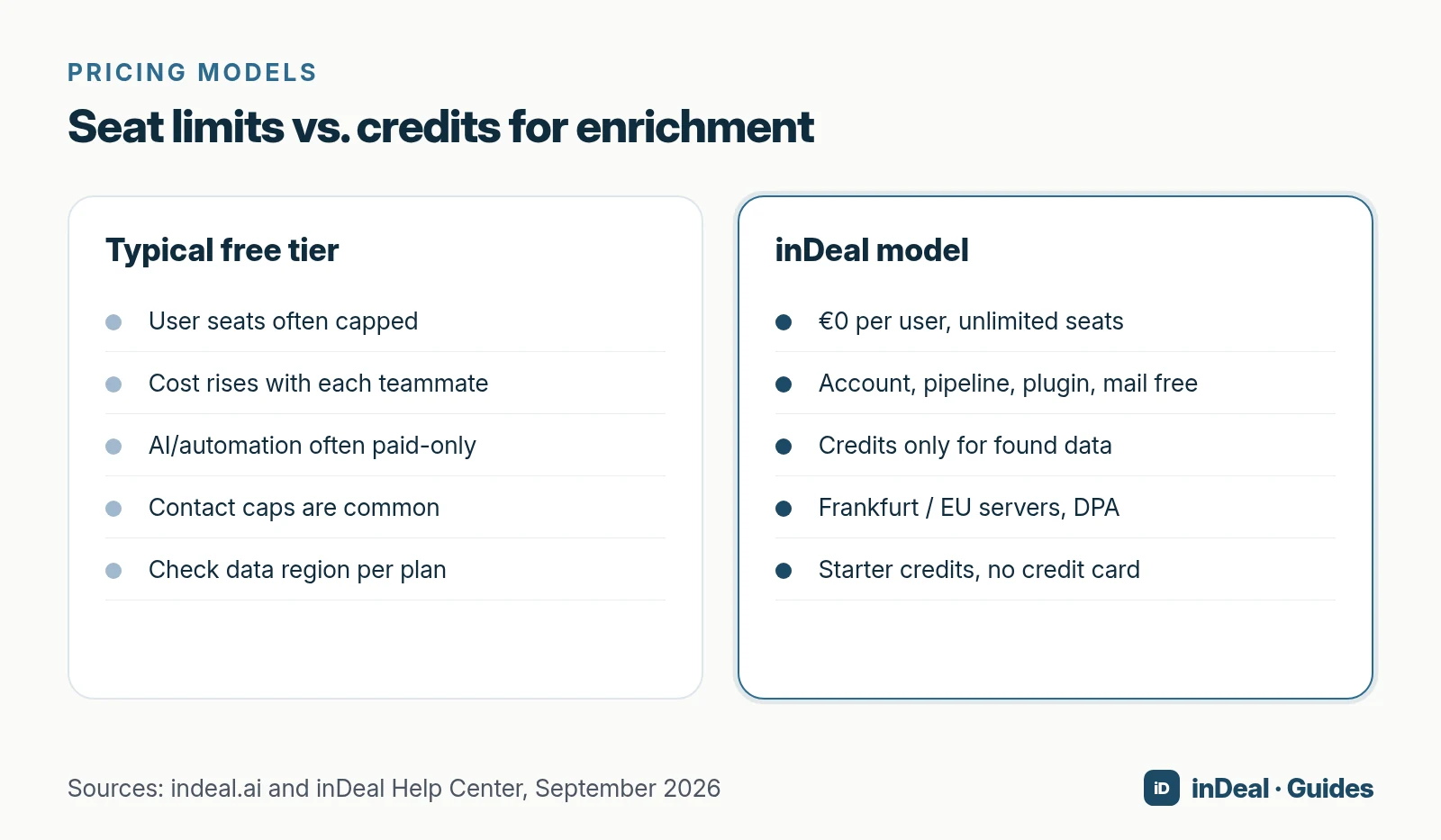
What is included in the free account?
- Unlimited users at €0 per seat
- Account, pipeline, plugin, and mail integration free
- Starter credits to try enrichment; no credit card required
- Servers in the EU (Frankfurt), tenant isolation, DPA included
What does enrichment cost?
Per the Help Center (updated September 23, 2026):
| Item | Credits |
|---|---|
| Email address | 1 |
| Mobile number | 5 |
| Landline number | 0.5 |
| Company data | free |
| Failed lookup | 0 |
| Fully enriched average | 3.7 |
Credit plans (net, monthly billing): Starter €69 / 300 credits, Scale €139 / 800 credits, Enterprise €559 / from 4,000 credits. Annual billing: €49, €99, or €399 per month (charged yearly). Seats stay free either way.
What should you not expect from inDeal?
inDeal is a sales CRM, not a marketing-automation suite or an ERP. indeal.ai does not publish a free-tier contact cap — we do not invent one. Always check current terms on indeal.ai and in the Help Center.
What 15-minute checklist should you run before deciding?
- Count users with write access over 12 months.
- Estimate lead volume: month × 12 + customers + import leftovers.
- Clarify the at-limit scenario: lock, read-only, or auto-upgrade?
- Map features to the free tier: AI, automation, reports, export.
- Test integrations: mailbox, calendar, browser extension.
- Request data location + DPA for your exact plan.
- Exit plan: CSV/API export and estimated retraining time.
- Pilot 10 real leads: set a next step, watch for a week — see also Sales follow-up.
What does switching later really cost?
The visible limit is the upgrade price. The invisible one is the switch: export, field mapping, retraining, and follow-ups that stall during migration week. That is why the checklist belongs before a large import.
The OECD’s SME digitalisation for competitiveness lists maintenance/software costs and lack of training time among top barriers. A second onboarding six months later hits both again — even if the new plan looks “cheaper” on paper.
Plan three buffers:
- Export rehearsal while you still have access (CSV, activities, notes).
- Two weeks of parallel run for hot deals, not the entire legacy list.
- Mandatory next steps from day one in the new system, or discipline slides back into the inbox.
How do you spot feature gates without vendor pricing pages?
You do not need competitor links. In a trial account, run a short functional probe:
- Create three roles (admin, sales, ops) and check that everyone can write.
- Import 50 realistic leads and set a dated next step on each.
- Connect mailbox and send a test message — does it land on the lead?
- Open reports: can you see pipeline value and overdue items without an upgrade banner?
- Look for AI or automation in the free menu — not only in the premium help article.
If any of these is missing, it is not a later nice-to-have. It is often the limit that pushes teams back into shadow spreadsheets.
How do cloud CRM and privacy fit together?
Cloud adoption is rising: in 2025, Eurostat reported 52.7% of EU enterprises using paid cloud services. CRM among small firms remains the exception (24.7%). If you combine both, treat data location and the DPA as first-class checks.
For small businesses handling EU personal data, the order is: contract and region first, import second. A free tier without an Art. 28 agreement for your plan is not a saving — it is risk. inDeal states Frankfurt servers and a DPA on indeal.ai; with other vendors, request the document before go-live.
Which free CRM fits your small business?
- Solo or two people, marketing extras over a shared pipeline: a classic free tier can work if contact and feature limits are clear.
- In-house IT, full control: open source — with ops cost instead of licenses.
- ERP path: “one app free” as an entry into a larger suite.
- Whole sales team free, data in Frankfurt, credits only for found contacts: then inDeal, the free AI CRM for small businesses, fits.
A free CRM for your whole team. Start inDeal in 2 minutes. Just an email address, no credit card, unlimited users.
Start freeFurther reading
- Free CRM for small business: which free model fits you?
- AI CRM for small business: what CRM with AI can do in 2026
- Sales follow-up: next steps instead of forgotten leads
Frequently asked questions
What limits do free CRM plans usually have?
Why do free CRM plans fail as teams grow?
Is there a free CRM with unlimited users?
What does lead enrichment cost in inDeal?
Does a free CRM meet GDPR requirements?
What happens when I hit a contact cap?
How are cloud and CRM related?
Is inDeal the same as indeal.io?
Sources
- E-business integration (Statistics Explained)
- Larger enterprises used more e-business apps in 2025
- Cloud computing - statistics on the use by enterprises
- Digital economy and society statistics - enterprises
- 53% EU enterprises used paid cloud services in 2025
- SME definition
- Regulation (EU) 2016/679 (General Data Protection Regulation)
- Data Protection: European Commission adopts new adequacy decision for safe and trusted EU-US data flows
- SME digitalisation for competitiveness
- inDeal: homepage, pricing, and FAQ
- What does a lead cost? Worked examples
Keep reading
 AI CRM
AI CRM for Small Business: What It Can Do in 2026
AI CRM for small business in 2026: which AI features matter, what's free, how privacy and the EU AI Act apply, and where inDeal fits with ICP and MCP.
 Sales and follow-up
Sales Follow-Up: How Often and Why Every Deal Needs a Next Step
Sales follow-up for small businesses: cadence without invented close rates, why every deal needs a dated next step, and how inDeal's Contact list keeps work visible.
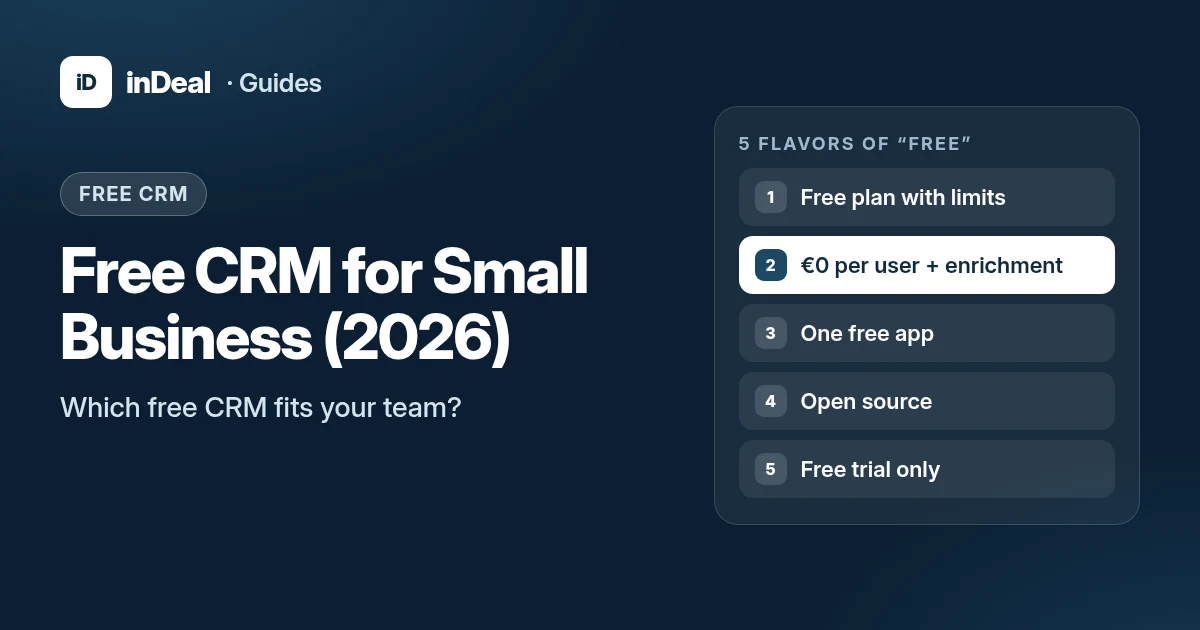 Free CRM
Free CRM for Small Business (2026): Which One Fits Your Team?
Looking for a free CRM for your small business? The 5 free CRM models, what to check on users, contacts, GDPR and AI, and when inDeal is the right fit.