Contents
- What does "free CRM" actually mean?
- How many small businesses actually use a CRM?
- What should a small business look for in a free CRM?
- Is there a free CRM with unlimited users?
- Where does inDeal fit, and where doesn't it?
- What does a "free" CRM really cost?
- How do you choose a free CRM in 10 minutes?
- Which free CRM is right for your small business?
- Keep reading
- Frequently asked questions
- Sources
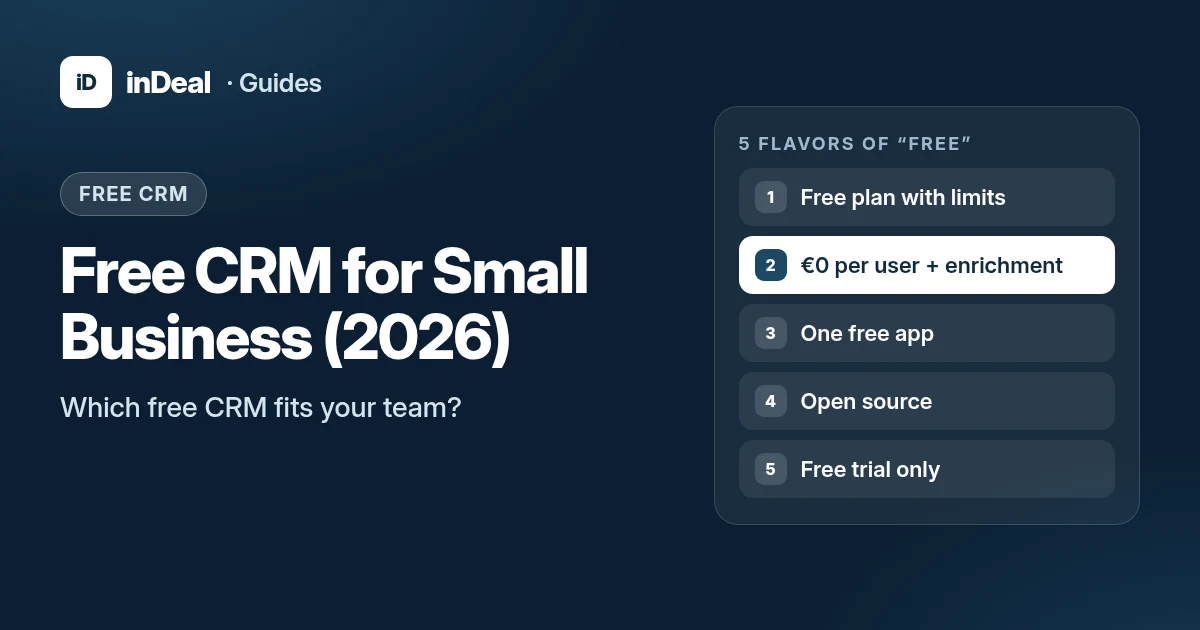
You can get a free CRM for your small business in 2026, but "free" comes in five flavors: a free plan with limits, free with paid data enrichment, a single free app, self-hosted open source, or just a trial. What matters is free user seats, contact limits, data location, AI features and how leads get in. If your whole team needs to work in the CRM and your data has to stay in the EU, the list gets short. One option is inDeal (indeal.ai), a free AI CRM for small businesses from Lars Krüger GmbH in Berlin.
Last checked: September 27, 2026. Figures from official statistics and primary legal texts; inDeal details from indeal.ai and the inDeal help center.
What does "free CRM" actually mean?
With CRM software, "free" almost never means everything, forever, for everyone. There's usually one of five models behind it, each with a different catch:
| Model | Typical examples | The catch | Best for |
|---|---|---|---|
| Free-forever plan | HubSpot, Zoho CRM, Bitrix24, Capsule, Attio | Caps on users, contacts or records, features or storage | Solo founders and very small teams |
| Free with no user cap, pay for data enrichment | inDeal | Enriching contact data costs credits | Sales teams that want everyone in the CRM |
| One free app | Odoo | Only one module is free; every extra app is paid | Companies planning a full ERP later |
| Self-hosted open source | Twenty | The software is free; servers, maintenance and updates are on you | Teams with in-house IT |
| Free trial only | Pipedrive, folk | Every user is paid once the trial ends | Buyers who plan to pay anyway |
Grouped by pricing model as of September 2026. Vendor limits change often, so verify them before you sign up.
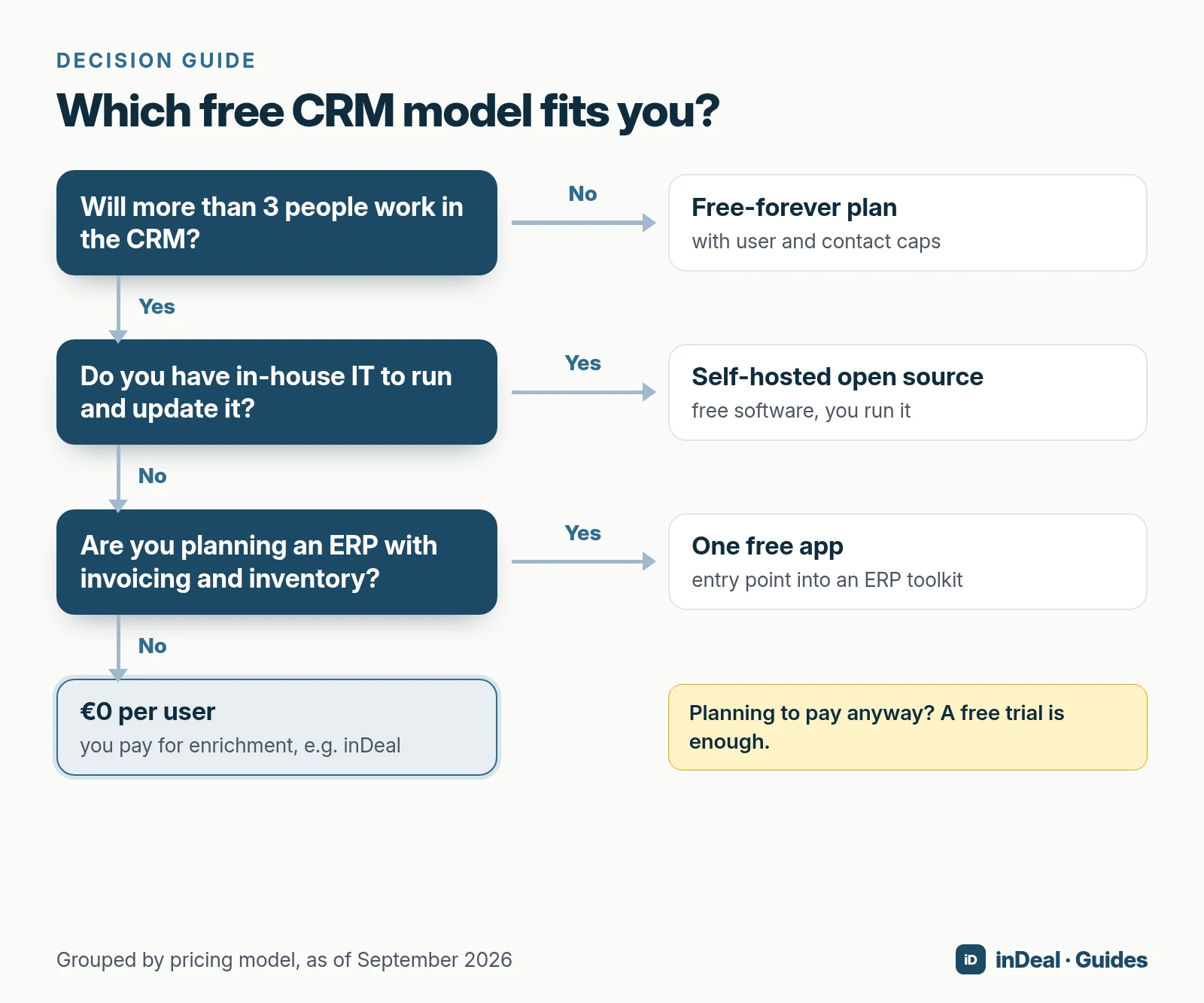
So the real question for a small business isn't "Is it free?" It's "How long will it stay free for my whole team?"
How many small businesses actually use a CRM?
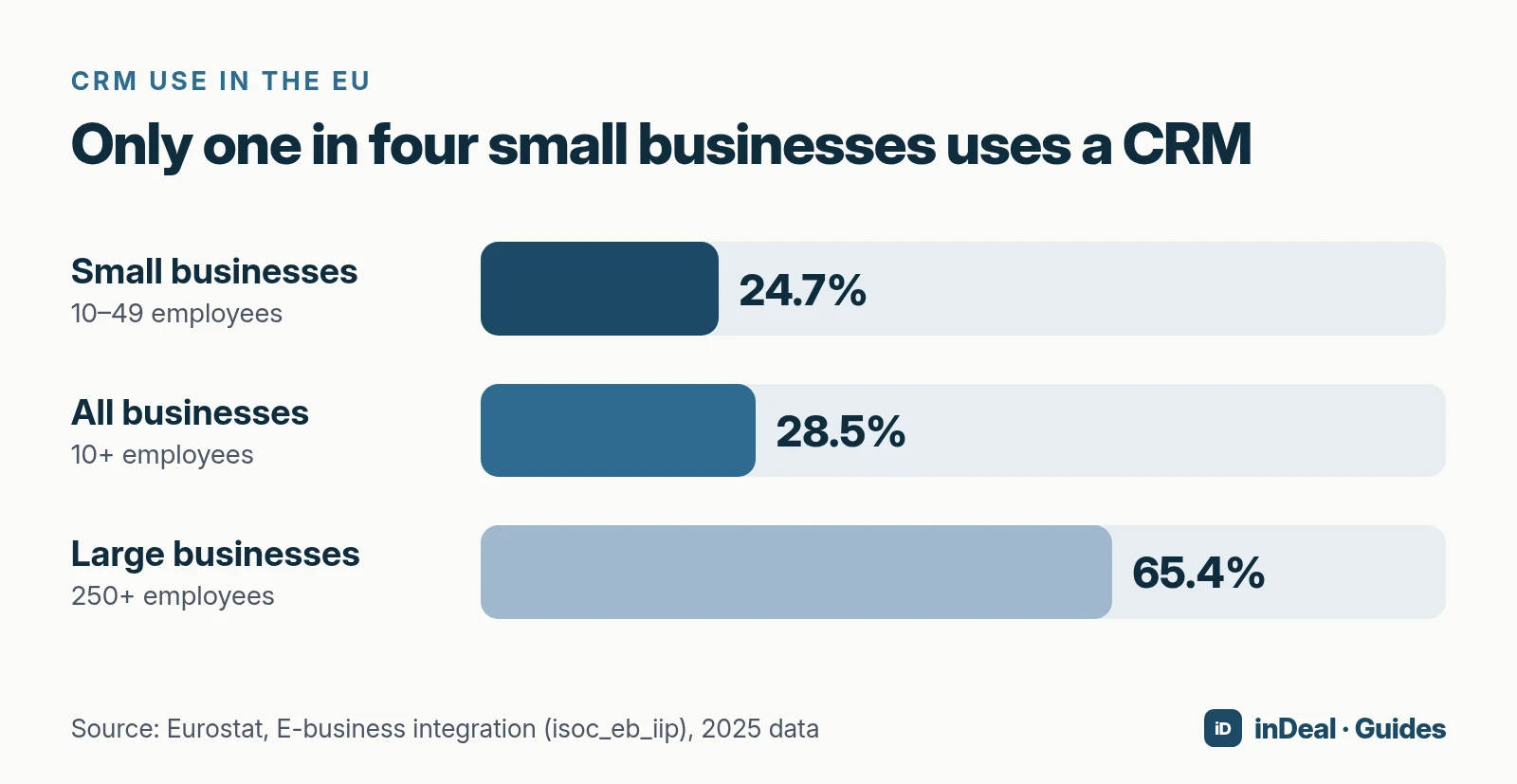
Fewer than you might think. According to Eurostat, 28.5% of EU businesses used CRM software in 2025 (businesses with 10 or more employees). Among small businesses with 10–49 employees it was 24.7%, compared with 65.4% of large companies. Eurostat puts the gap between small and large firms at about 41 percentage points.
And small businesses are the norm, not the exception. According to the SBA Office of Advocacy, 99.9% of US businesses are small, a total of 36,207,130 small businesses.
If you're still tracking leads in a spreadsheet, your inbox or your head, you're in good company. A free CRM lowers the barrier, as long as it can grow with your team.
What should a small business look for in a free CRM?
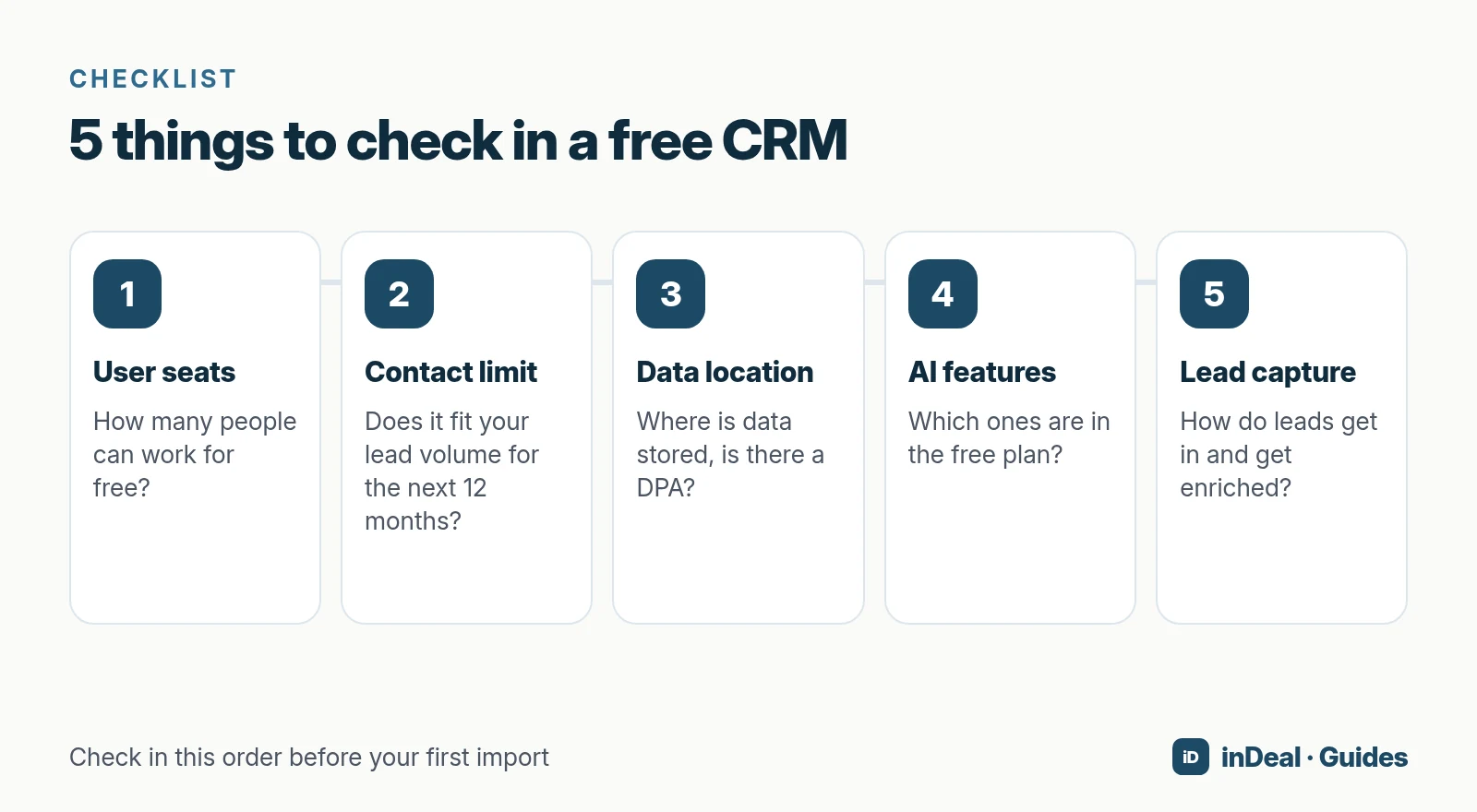
Five criteria decide whether a free CRM holds up in B2B sales. Check them in this order before you import any data.
How many users can you add for free?
This is the most common cost trap. Many free plans are built for one person or a handful of users. As soon as sales, management and admin staff need access, you pay per seat.
And a CRM that only one person updates loses leads at every handoff.
How many contacts does the free plan allow?
Project your lead volume: leads per month × 12, plus existing customers. If that's above the plan's contact or record limit, the upgrade is already baked in. Also ask what happens when you hit the limit: a hard stop, read-only mode, or automatic billing.
Where is your data stored, and is a free CRM GDPR compliant?
A CRM processes personal data, which makes the vendor a data processor. If you handle personal data of people in the EU, you need a data processing agreement (DPA) under Art. 28 GDPR (Regulation (EU) 2016/679). Transfers to countries outside the EU also have to meet the rules in Art. 44 ff. GDPR.
For the US, the European Commission adopted an adequacy decision on July 10, 2023: personal data can flow to US companies that participate in the EU-U.S. Data Privacy Framework without additional safeguards. The EU General Court dismissed a challenge to that decision on September 3, 2025.
The claimant appealed to the Court of Justice on October 31, 2025 (Case C-703/25 P), so check the current status of the case before you decide.
In practice: check where the data center is for your specific plan and region. With some vendors, it depends on both.
Which AI features are included for free?
AI adoption in business is still early. According to Eurostat, 20.0% of EU businesses used at least one AI technology in 2025, up from 13.5% in 2024. Among small businesses, the figure was 17% (Eurostat).
In a CRM, the "AI" label matters less than what it does for you day to day. Ask: does the AI help pick target accounts, fill in contact data, or summarize activity? Can I connect the CRM to my own AI assistant? And is any of that included in the free plan, or only in the most expensive tier?
How do leads get into the CRM, and can they be enriched?
The best CRM is useless if nobody enters data. Look for fast capture (CSV import, a browser extension, inbox sync) and lead enrichment, which fills in email addresses and phone numbers automatically. Ask whether you pay per search or only per result.
Is there a free CRM with unlimited users?
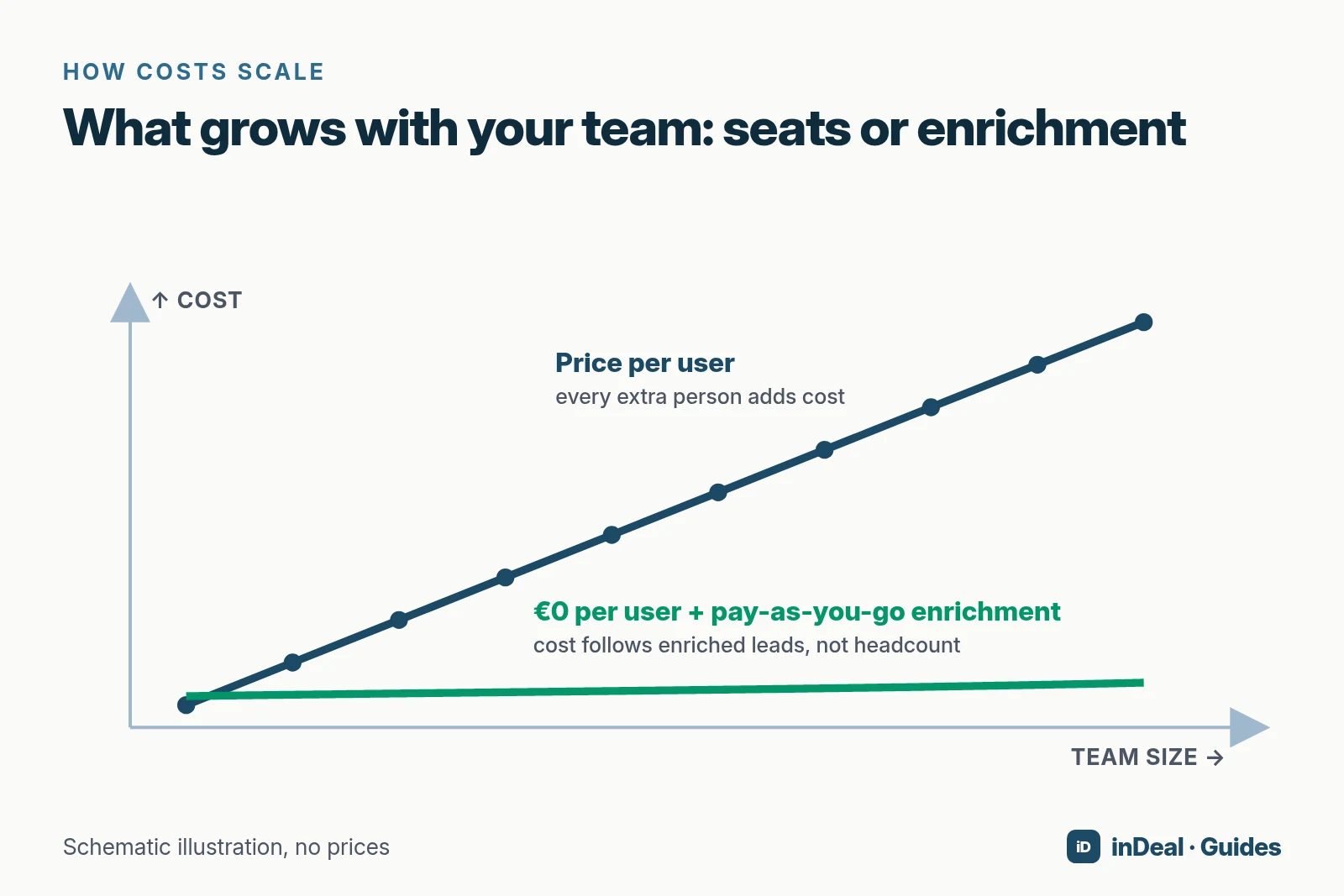
Only a few models have no user cap. One of them is inDeal, at €0 per user for unlimited team members. Open-source CRMs (for example Twenty) have no license limit either, but you pay for servers, maintenance and updates.
Most classic free plans, on the other hand, cap the number of users. Where a free plan skips the user cap, the limit usually sits somewhere else: storage, features or the number of free modules. For a growing team, that's the single most important difference.
Where does inDeal fit, and where doesn't it?
inDeal (indeal.ai) is a free AI CRM for small businesses, built for B2B sales teams that want to turn leads from their network into meetings and closed deals fast. According to indeal.ai, the account, pipeline, lead plugin and email integration cost €0 per user, forever, for unlimited team members. You only pay when inDeal finds contact data for you.
What do you get with a free inDeal account?
- Unlimited users at €0 per user: no per-seat license. There are two roles: "Admin" with full access and "Sales" for your own leads.
- A ready-made sales process: according to indeal.ai, the process is already set up. Leads move through six stages from qualifying to a completed meeting or a lost lead, and deals through four stages: "Send offer", "Closing", "Won" and "Lost".
- A next step on every lead and deal: when you change a stage, inDeal usually asks for a follow-up date and the next step. Without a follow-up date, a lead drops off the open-leads work list.
- One-click capture with the Chrome extension: on a LinkedIn profile page, the extension saves name, company and role in one click.
- CSV import: columns that inDeal recognizes with confidence are mapped automatically.
- Email integration: everyone connects their own mailbox, Outlook/Microsoft 365 or Gmail/Google Workspace. Replies land on the right lead automatically.
- Data protection: servers in the EU (Frankfurt), tenant separation at database level, DPA included.
Which AI features does inDeal have?
- ICP analysis: an ideal customer profile (ICP) describes the customers you want to win. inDeal reads your homepage and relevant subpages and suggests an ICP with target industries, company size, regions and contact roles (help center).
- MCP server: through the Model Context Protocol (MCP), you connect Claude, ChatGPT, Cursor or Claude Code to inDeal (help center). Then you ask things like "Which deals have no next step this week?" The assistant can't delete anything.
How does enrichment work, and what does it cost?
inDeal fills in contact data with credits. According to indeal.ai, an email costs 1 credit, a mobile number 5 and a landline 0.5, and a fully enriched lead costs 3.7 credits on average. The help center adds that company data is free and a search that finds nothing costs nothing. Capturing and managing leads costs no credits.
When is inDeal not the right choice?
- You need marketing automation, landing pages or newsletters. inDeal is a CRM for B2B sales.
- You're looking for an ERP with invoicing and inventory.
- You want a fully custom data model. inDeal is built around a ready-made sales process rather than a toolkit.
What does a "free" CRM really cost?
The license is rarely the biggest line item. Three costs usually show up:
- Upgrade costs: once you hit user or contact limits, every additional person usually costs money. Do the math up front: team size in 12 months × price per user × 12.
- Add-ons: data enrichment, extra contacts, automation or AI are often priced separately.
- Setup time: configuration, import and training take hours, and more with a complex toolkit than with a ready-made process.
Worked example with inDeal: you fully enrich 100 leads. At an average of 3.7 credits per lead (indeal.ai), that's about 370 credits. The users themselves cost nothing, whether you're a team of two or ten.
How do you choose a free CRM in 10 minutes?
- Count the users who will work with leads in the next 12 months, including admin staff and management.
- Estimate your lead volume: leads per month × 12 plus existing customers, and compare it with the plan's contact limit.
- Check the data location for your specific plan and region, and ask for the DPA.
- Check the AI features in the free plan, not on the product page of the most expensive tier.
- Run a real-world test: add 10 real leads, set a next step for each, and see after one week whether anything slipped through.
Which free CRM is right for your small business?
- You work alone or with one partner and mainly need marketing features: a classic free plan with a user cap is often enough, as long as you watch the contact limit.
- You have in-house IT and want full control: self-hosted open source, with the effort of running and updating it.
- You're planning an ERP: the "one free app" model is an entry point into a bigger toolkit.
- Your whole sales team should work for free, your data should stay in Frankfurt, and every deal needs a next step: then inDeal, the free AI CRM for small businesses, is a good fit.
A free CRM for your whole team. Start inDeal in 2 minutes. Just an email address, no credit card, unlimited users.
Start freeKeep reading
- AI CRM for small business: what an AI-powered CRM can do and what's free
- Managing leads in Excel or Google Sheets: template and 5 limits
- Free CRM plan limits: what to check before you sign up
- GDPR-compliant CRM: data location, DPA and US transfers
- How much does a CRM cost for a small business?
Frequently asked questions
What is the best free CRM for a small business?
Is there a free CRM with unlimited users?
Is a free CRM GDPR compliant?
Which free CRM has AI features?
Is a free CRM enough for a small sales team?
What are the hidden costs of a free CRM?
Can I move from spreadsheets to a free CRM?
Is inDeal the same as indeal.io?
Sources
- Frequently Asked Questions About Small Business 2026
- SME definition
- E-business integration (Statistics Explained)
- Larger enterprises used more e-business apps in 2025
- 20% of EU enterprises use AI technologies
- Use of artificial intelligence in enterprises (Statistics Explained)
- Regulation (EU) 2016/679 (General Data Protection Regulation)
- Data Protection: European Commission adopts new adequacy decision for safe and trusted EU-US data flows
- Press Release No 106/25: Judgment in Case T-553/23, Latombe v Commission
- Case C-703/25 P: Appeal brought on 31 October 2025 by Philippe Latombe
- inDeal: homepage, pricing and FAQ (English)
- Was kostet ein Lead? Rechenbeispiele (What does a lead cost? Worked examples, in German)
- Das Team verwalten (Managing your team, in German)
- Stages richtig setzen (Setting lead stages, in German)
- Deal-Stufen von Angebot bis Abschluss (Deal stages, in German)
- Leads anlegen, importieren und anreichern (Creating, importing and enriching leads, in German)
- Postfach verbinden (Connecting your mailbox, in German)
- Die Chrome-Erweiterung (The Chrome extension, in German)
- ICP festlegen (Defining your ICP, in German)
- MCP: Claude, ChatGPT und Cursor verbinden (Connecting AI assistants, in German)