Contents
- What does it mean to set up a sales pipeline?
- Why do so many teams stop using their pipeline?
- How do you set up a sales pipeline in 7 steps?
- Which stages does a small-business sales pipeline need?
- What should be required at each stage change?
- How do you set up your sales pipeline in inDeal?
- How should your team use the pipeline every day?
- Do you need more than one pipeline?
- What setup mistakes do small teams make?
- Which pipeline setup fits your team?
- Keep reading
- Frequently asked questions
- Sources
To set up a sales pipeline, you decide which stages a prospect moves through on the way to a closed deal, how you can tell each stage is finished, and which details are required when a card moves. Then you add roles, import your existing contacts and lock in a weekly rhythm so your team actually uses it. inDeal (indeal.ai) is a free AI CRM for small businesses made by Lars Krüger GmbH, Berlin. Not to be confused with indeal.io, a different company.
As of November 16, 2026. Research: Speier & Venkatesh 2002, Peterson/Rodriguez/Krishnan 2011, Sabnis et al. 2013; market: Eurostat 2025; product: success.indeal.ai and indeal.ai. Examples are made up.
What does it mean to set up a sales pipeline?
A sales pipeline is the ordered list of every open sales opportunity, sorted by stage. Setting one up means turning the way you really sell into a system that everyone on your team reads and updates the same way.
If you're unsure how a pipeline differs from a funnel, read Sales Funnel vs. Pipeline. This guide is about setup and day-to-day use.
You'll need these terms for the sections below:
| Term | Meaning | Example |
|---|---|---|
| Stage | One step on the way to a closed deal | "Discovery scheduled" |
| Exit criterion | The observable event that ends a stage | "The meeting took place" |
| Required field | What has to be filled in when a card moves | Meeting date |
| Owner | The one person who keeps a card current | "Assigned to: Anna" |
| Follow-up date | When the card comes back onto your work list | Thursday, 10 a.m. |
| Benchmark | A starting assumption for forecasts, such as time to close | Sales cycle 30 days |
Why do so many teams stop using their pipeline?
Because a pipeline without ground rules goes stale fast, and then nobody trusts the numbers. The technology is rarely the problem. Habits are.
A study in the Journal of Marketing surveyed 454 salespeople at two companies after a sales system rollout. Right after training, attitudes were positive. Six months later the technology had been widely rejected, and absenteeism and voluntary turnover had gone up (Speier & Venkatesh, 2002). Setup doesn't end at go-live.
On the flip side, a survey with 1,502 responses found that where sales teams see their CRM as credible and useful, they more often follow a standardized process for qualifying opportunities, collaborate across departments and take clearer ownership of closing (Peterson, Rodriguez & Krishnan, 2011). The authors did not find a shorter sales cycle, though.
Many small companies start with no system at all: only 24.69% of small enterprises in the EU used CRM software in 2025 (Eurostat, 2025). Their pipeline is a spreadsheet or a gut feeling.
How do you set up a sales pipeline in 7 steps?
Work through seven steps in a fixed order: process first, software second, habits last. If you start with fields and colors, you'll build a pipeline nobody needs.
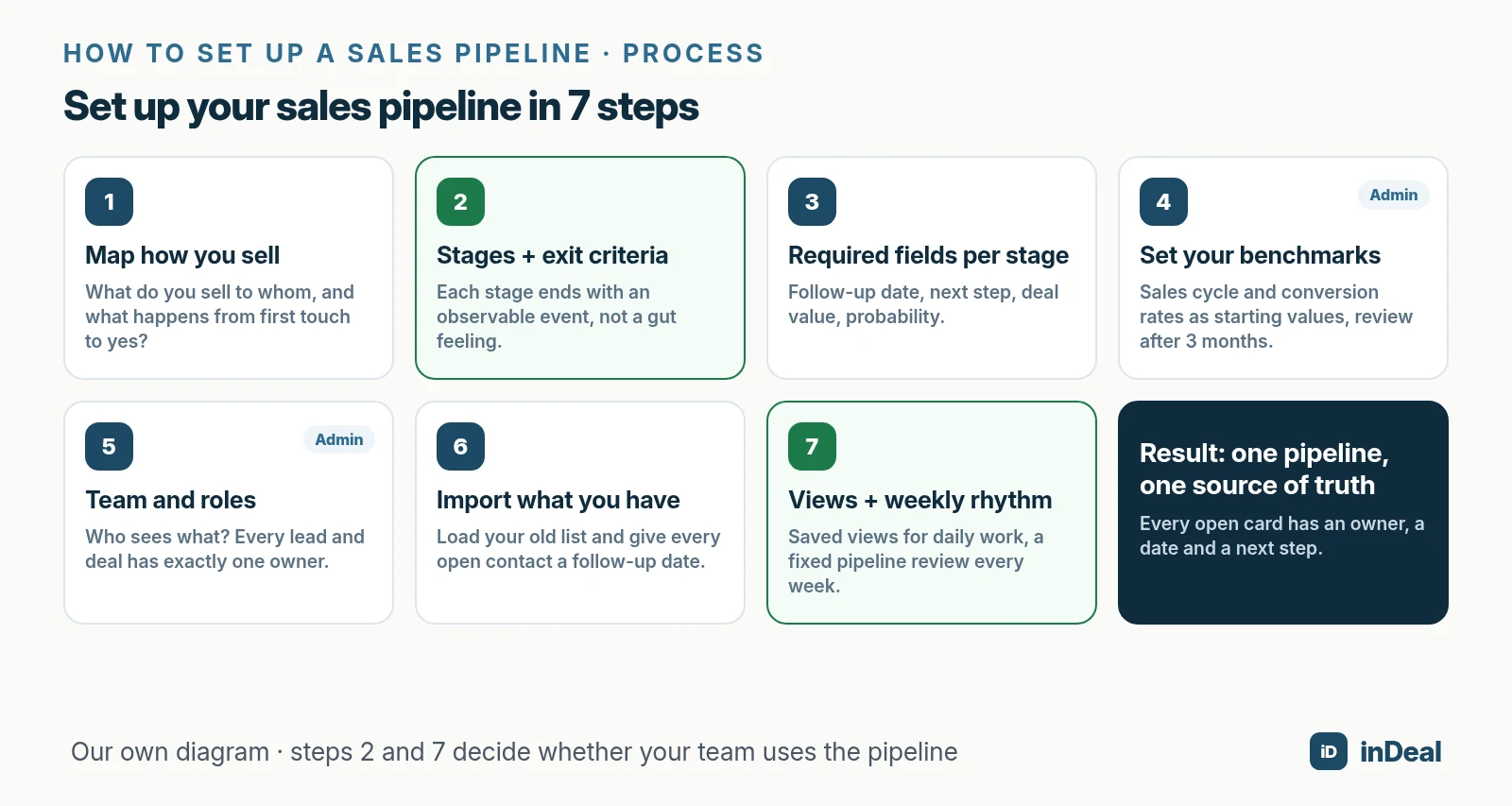
- Map how you sell: Write down what really happens between first touch and a signed deal. Not the ideal, but your last ten won deals.
- Define stages with exit criteria: Each stage ends with an event you can verify. Details in the next section.
- Decide required fields per stage: At minimum a follow-up date and a next step; from the offer on, also deal value and probability.
- Set your benchmarks: How long does it take from offer to close? Your forecast needs that estimate as long as a deal has no close date of its own.
- Add your team and roles: Who sees everything, who sees only their own cards? Every card gets exactly one owner. For assignment rules, see Lead Routing.
- Import what you have: Load old lists and give every open contact a follow-up date right away.
- Set up views and a weekly rhythm: Saved views for daily work and a fixed pipeline review every week.
Which stages does a small-business sales pipeline need?
A few stages with hard exit criteria. As a rule of thumb, four to seven stages are enough for a small B2B team, split into the road to a meeting and the road from offer to close.
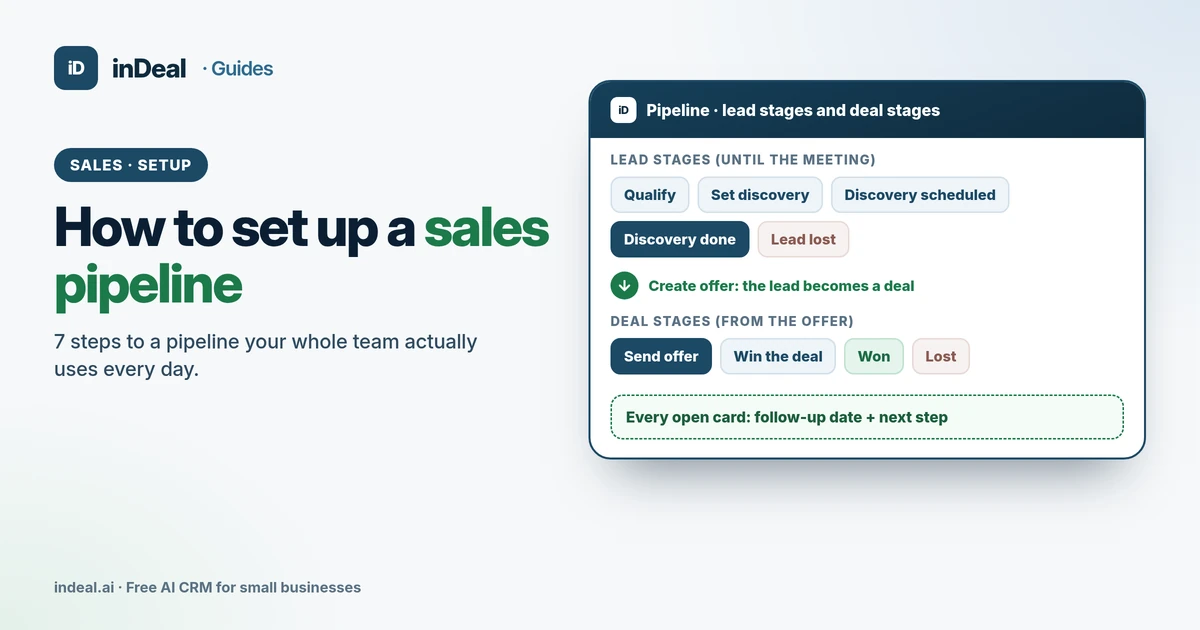
An exit criterion describes an event, not a feeling. "Customer is interested" doesn't work; "meeting with a date is on the calendar" does. For a deeper walkthrough with examples, read Sales Pipeline Stages. Whether a lead deserves the next stage is a BANT qualification question; to keep open cards moving, every open stage needs a dated follow-up and next step.
Here's what a lean pipeline looks like, as inDeal preconfigures it:
| Stage | Exit criterion | Typical next step |
|---|---|---|
| Qualify | It's clear whether business is possible | First contact, clarify the need |
| Set discovery | The contact is warm, a meeting is the goal | Propose a time |
| Discovery scheduled | A meeting with a date is booked | Prepare the meeting |
| Discovery done | The conversation happened | Create the offer |
| Send offer | The offer is being prepared or is out | Finish and send the proposal |
| Win the deal | The proposal is with the customer | Answer questions, get the yes |
| Won / Lost | The decision is made | Hand off, or log the loss reason |
There are two special stages on top: "Discovery failed" and "Lead lost." According to the Help Center, a meeting that falls through is not a step back to "Set discovery" but a stage of its own. Otherwise your show rate looks better than it is (inDeal Help Center).
What should be required at each stage change?
Exactly what the next step needs, and nothing more. Every extra requirement costs time and makes reps less willing to keep the pipeline current.
A small set works well: a follow-up date and next step at every open stage, a meeting date for meeting stages, and from the offer on, deal value, probability and expected close date. When something is lost, a reason.
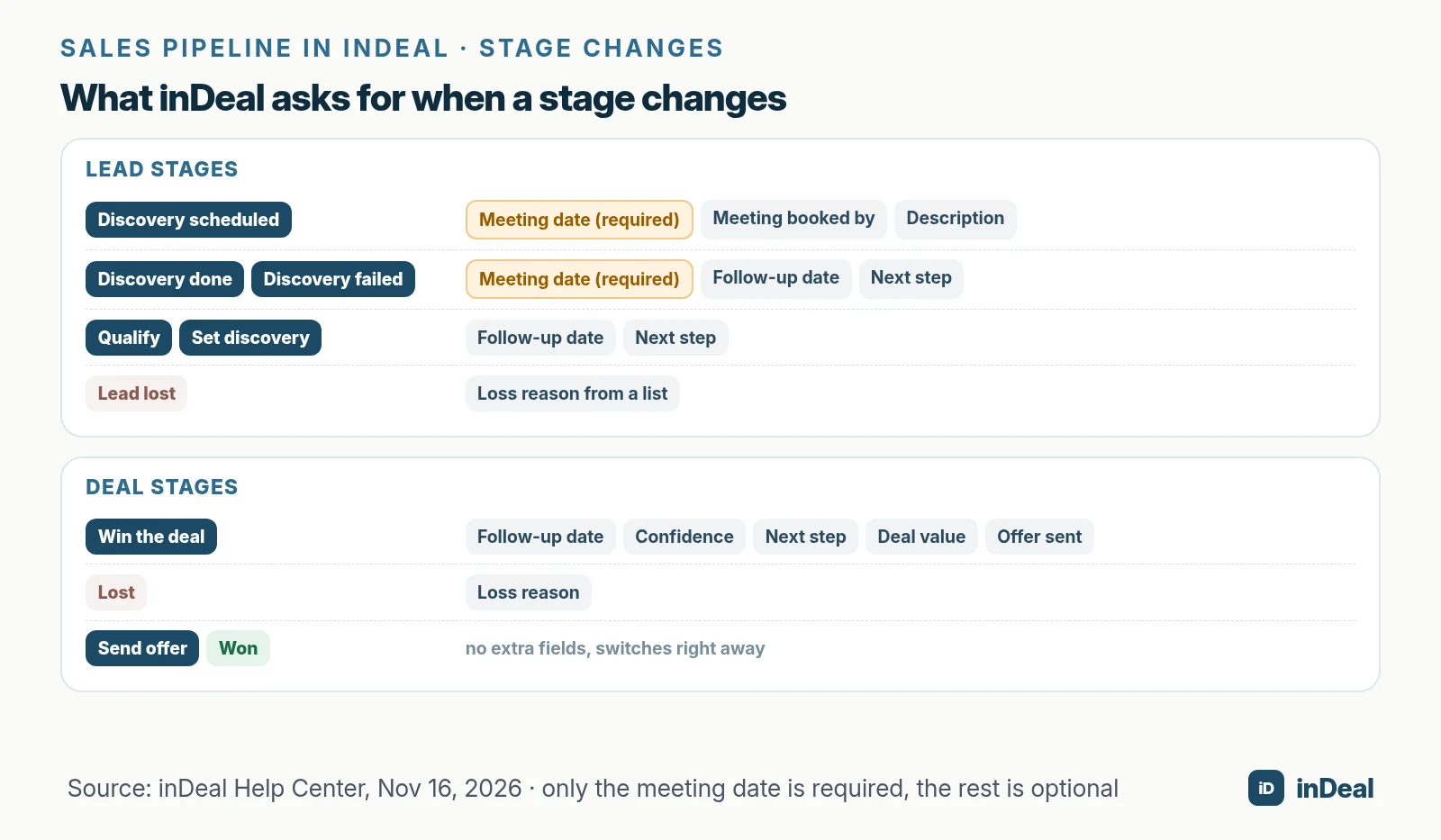
In inDeal, a small window with the matching fields opens when you change a stage. The only required field is the meeting date at the three meeting stages; everything else is optional (inDeal Help Center). When you move a deal to "Win the deal," inDeal asks for follow-up date, confidence, next step, deal value and "Offer sent" (Deal stages).
Optional doesn't mean unimportant. The Help Center is clear: without a follow-up date, a lead disappears from your work list. So make that field part of your team rule, even if the software doesn't force it.
How do you set up your sales pipeline in inDeal?
In inDeal you don't have to build the stages: according to indeal.ai, the sales process is already set up and your account runs in about two minutes. Your work comes down to five settings.
- Check your benchmarks (admin): Under Setup › Performance & conversion there are six benchmarks, including sales cycle and deal conversion. The sales cycle feeds the forecast when a deal has no expected close date. The rates don't affect your reports, because the conversion funnel on Home uses your real numbers from the last 30 days (Help Center).
- Invite your team (admin): Under Team, invite people by email and pick the Admin or Sales role. Sales users see and edit only their own leads, with no import, deleting or mass updates (Managing the team).
- Add custom fields if needed (admin): Under Layout you create fields and sections for leads and deals, with at most 100 active fields per module (Customizing the layout).
- Import your contacts: Imported leads start on "Qualify" with no follow-up date. That's why they only show up under All leads until you set a date or a reply arrives. You can set the owner through a column or a fixed value (Importing leads).
- Turn leads into deals: Once a lead is on "Discovery done," Create offer appears. The deal starts on "Send offer" and takes over the estimated value. Fill in confidence and expected close right away (From lead to deal).
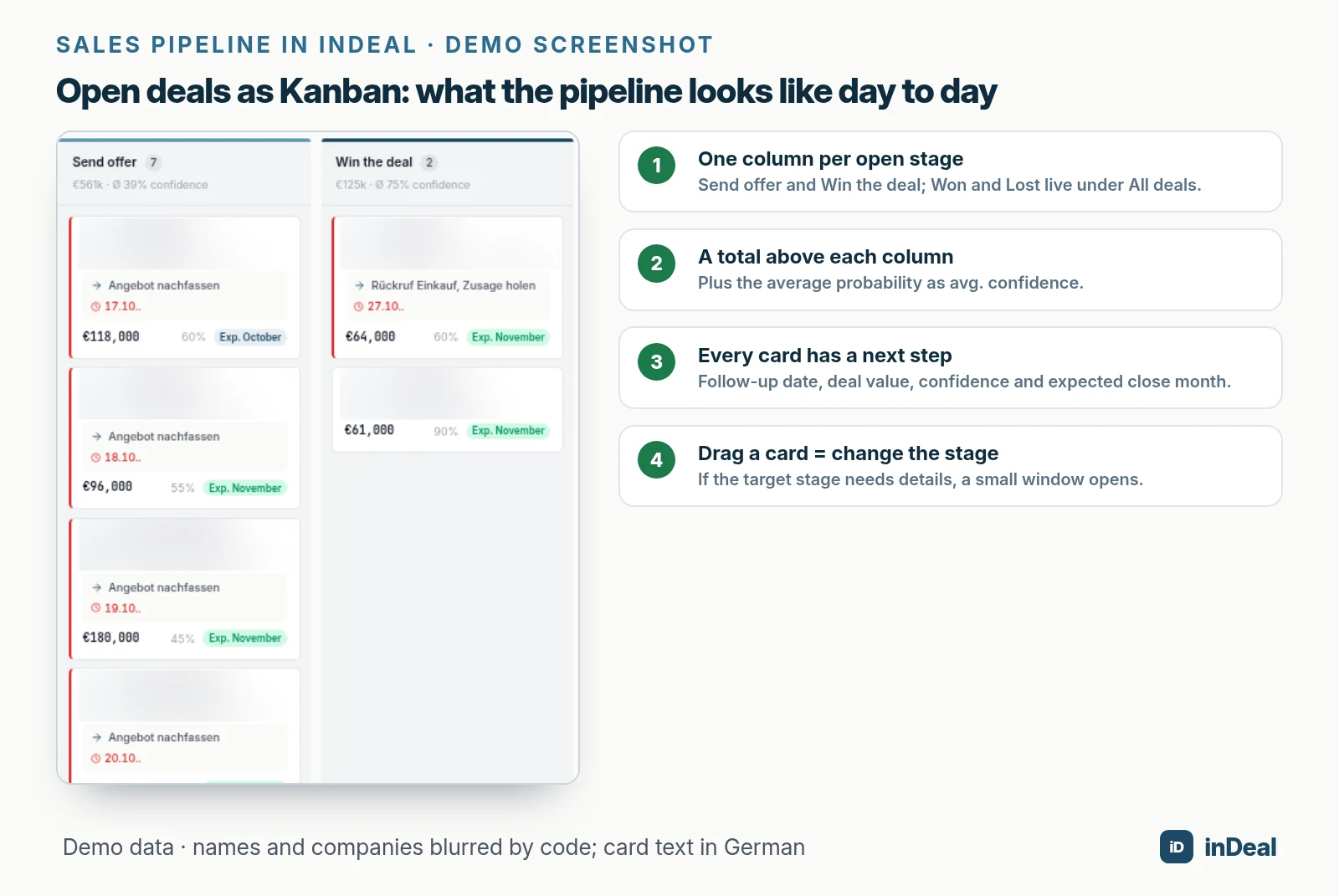
Open deals shows only the two open deal stages, with the forecast bar and your open volume above them (Open deals). To work out how much pipeline you need for your target, see Pipeline Coverage.
How should your team use the pipeline every day?
With three fixed rhythms: your own list daily, a shared pipeline review weekly, and your benchmarks monthly. Without a rhythm, any pipeline goes stale within a few weeks.
| Rhythm | Who | What | Time (starting point) |
|---|---|---|---|
| Daily | Every rep | Work overdue and due-today cards, set new follow-ups | 15 minutes each morning |
| Weekly | Team + sales lead | Review cards with no movement, close lost ones, sharpen next steps | 30 minutes |
| Monthly | Sales lead | Compare benchmarks with real numbers, review loss reasons | 60 minutes |
These times are made-up starting points, not benchmarks. What matters is that the meetings are fixed on the calendar.
Research on leads backs up the value of follow-through: whether reps work marketing leads depends, among other things, on whether management tracks follow-up (Sabnis et al., 2013). Your weekly review is exactly that tracking.
In inDeal, the Help Center suggests starting the day on Home under Contact: overdue leads first, then those due today, then new ones (First week). For the weekly review, Open deals grouped into Overdue, Due today and Later is all you need.
Do you need more than one pipeline?
Usually not. One pipeline is enough as long as all your sales channels go through the same stages. Multiple pipelines only pay off for genuinely different paths, such as direct sales and partner deals.
In inDeal, the Help Center shows how to do this without a second system: an admin adds a dropdown field called "Pipeline" to deals, with values like "New customers" and "Partners." You then filter All deals by that field and save one view per value. Both pipelines use the same stages (Practical examples).
Other useful views are "My overdue follow-ups" or a view for webinar leads. You can save up to 20 views each for leads and for deals.
What setup mistakes do small teams make?
Most mistakes happen in the rules, not in the software. These five are typical:
- Too many stages: Ten stages, three of which nobody uses. Any stage without its own exit criterion should go.
- Cards without a date: Leads with no follow-up date show up in no work list and get forgotten.
- Meeting done, but no deal: According to the Help Center, one of the most common pitfalls. The revenue then appears in no forecast.
- Deleting instead of losing: A deleted lead takes its loss reason with it. "Lead lost" keeps it for your reporting.
- Wishful benchmarks: Overly optimistic rates make your plan look good, not accurate. Update them with real numbers after about three months.
Which pipeline setup fits your team?
Start with the smallest pipeline that honestly reflects how you sell, and only add to it when a question keeps going unanswered.
| Situation | Recommendation |
|---|---|
| 1 to 2 salespeople | Use the preconfigured stages, 15 minutes on your list daily, no custom fields |
| 3 to 6 salespeople | Admin and Sales roles, weekly pipeline review, clear lead ownership |
| Direct sales and partners | A "Pipeline" dropdown field plus one saved view each |
| Long sales cycles | Keep expected close dates current, set a realistic sales cycle benchmark |
| Lots of old contacts in spreadsheets | Import in batches and give every open contact a follow-up date |
A clean pipeline is the core of a solid CRM sales process. How an AI CRM takes routine work off small teams is covered in AI CRM for Small Business, and your free options are in Free CRM for Small Business. Leads that aren't ready yet don't belong in the trash; they belong in lead nurturing.
A free CRM for your whole team. Start inDeal in 2 minutes. Just an email address, no credit card to sign up, unlimited users.
Start freeKeep reading
- Sales Pipeline Stages: Exit Criteria for SMBs
- Sales Funnel for Small Business
- Sales Funnel vs. Pipeline: The Difference, Explained
- Pipeline Coverage: How Much Pipeline Do You Need?
- CRM Sales Process: 7 Steps for Small Businesses
Frequently asked questions
How do I set up a sales pipeline from scratch?
How many stages should a sales pipeline have?
What is the difference between a lead pipeline and a deal pipeline?
Can I create custom pipeline stages in inDeal?
How long does it take to set up a sales pipeline?
Who can see what in the pipeline?
Can I build a sales pipeline in a free CRM?
Is inDeal the same as indeal.io?
Sources
- The Hidden Minefields in the Adoption of Sales Force Automation Technologies (Journal of Marketing 66(3))
- CRM and Sales Pipeline Management: Empirical Results for Managing Opportunities (Marketing Management Journal 21(1))
- The Sales Lead Black Hole: On Sales Reps' Follow-Up of Marketing Leads (Journal of Marketing 77(1))
- E-business integration
- Setting stages correctly
- Deal stages from offer to close
- From lead to deal and back
- Company profile and conversion values
- Managing the team
- Creating, importing and enriching leads
- Practical examples for filters and views
- Customizing the layout: sections and custom fields
- Open deals and All deals
- Your first week with inDeal
- inDeal: homepage, pricing and FAQ
inDeal is the AI CRM for small and mid-sized B2B companies.
Keep reading
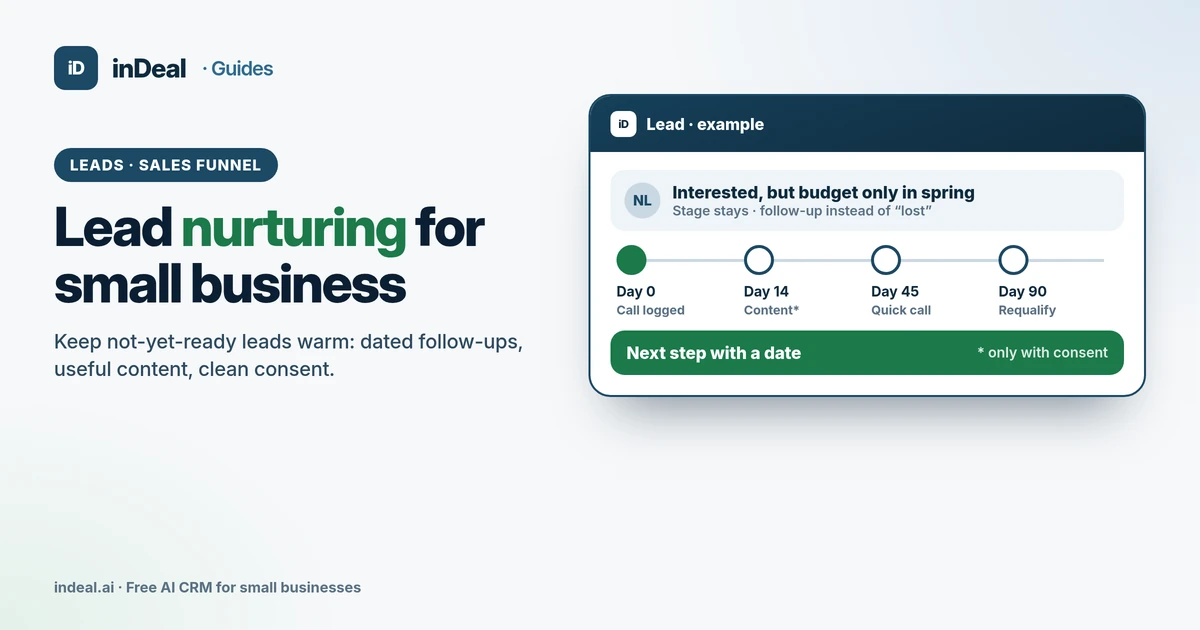 Sales and follow-up
Lead Nurturing for Small Business: Keep Leads Warm (2026)
Lead nurturing for small business: which leads to nurture, what CAN-SPAM and GDPR require, a sample 90-day plan, and how to run it in a free AI CRM.
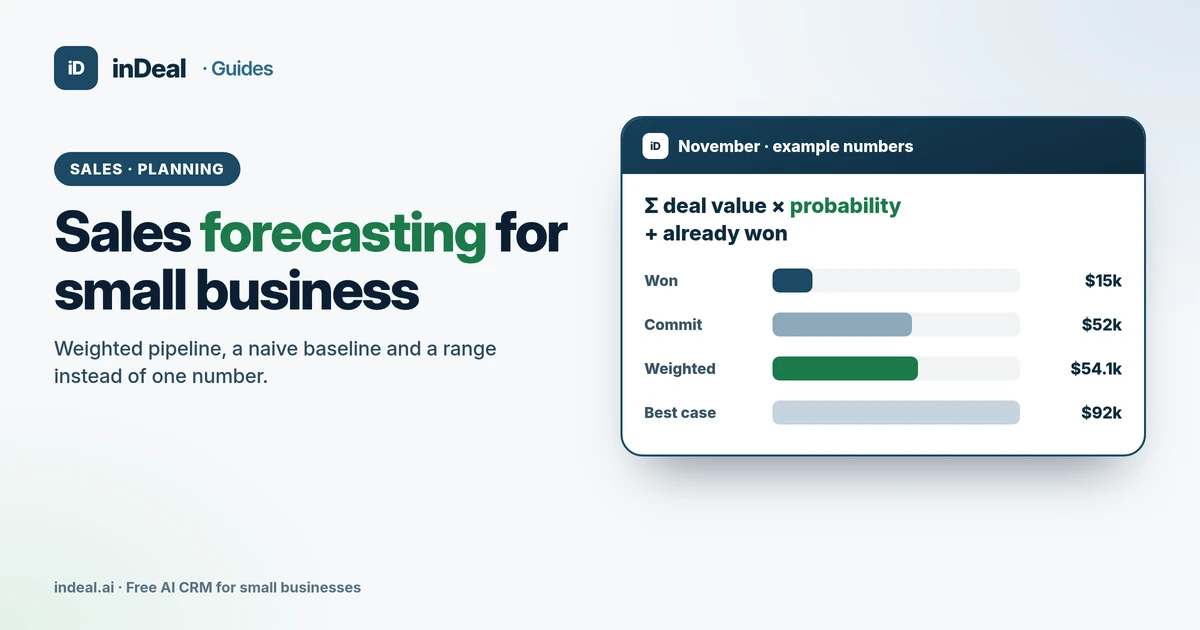 Sales and follow-up
Sales Forecasting for Small Business: Methods + Example (2026)
How to forecast sales for a small business: weighted pipeline, a naive baseline, ranges instead of one number, and how to measure forecast error – free CRM.
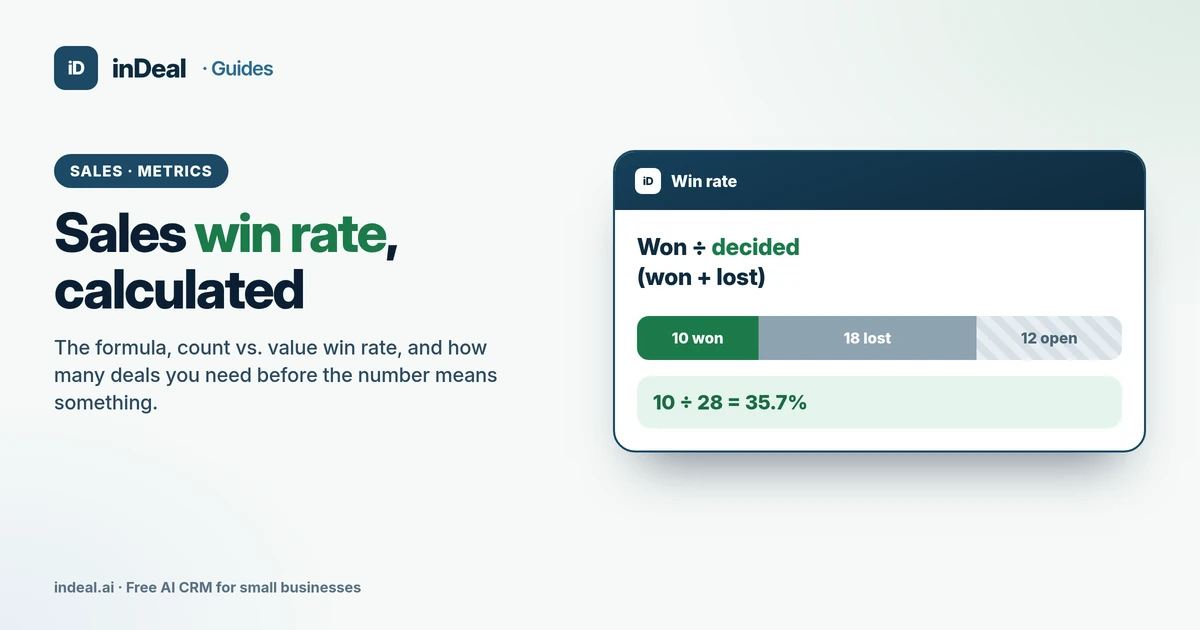 Sales and follow-up
Sales Win Rate 2026: How to Calculate It (Formula + Examples)
How to calculate sales win rate: the formula, count vs. value win rate, which deals count and when the number is reliable, with a free CRM for small businesses.