Contents
- What is the perfect CRM sales process?
- Why do CRM processes fail in small businesses?
- What are the 7 steps of a CRM sales process?
- Which pipeline stages does a CRM process need?
- What belongs in every stage change?
- What does a daily CRM routine look like?
- What is CRM hygiene, and which rules does your team need?
- How do you measure whether your CRM process works?
- Where does AI help in the CRM process — and where not?
- How do you write a one-page sales playbook?
- How do you hand off leads between marketing and sales?
- How do you roll out the process in 14 days?
- What mistakes do small teams make in the CRM process?
- How do you adapt the process for agencies, IT services, and consultants?
- Which CRM process fits your team?
- Keep reading
- Frequently asked questions
- Sources
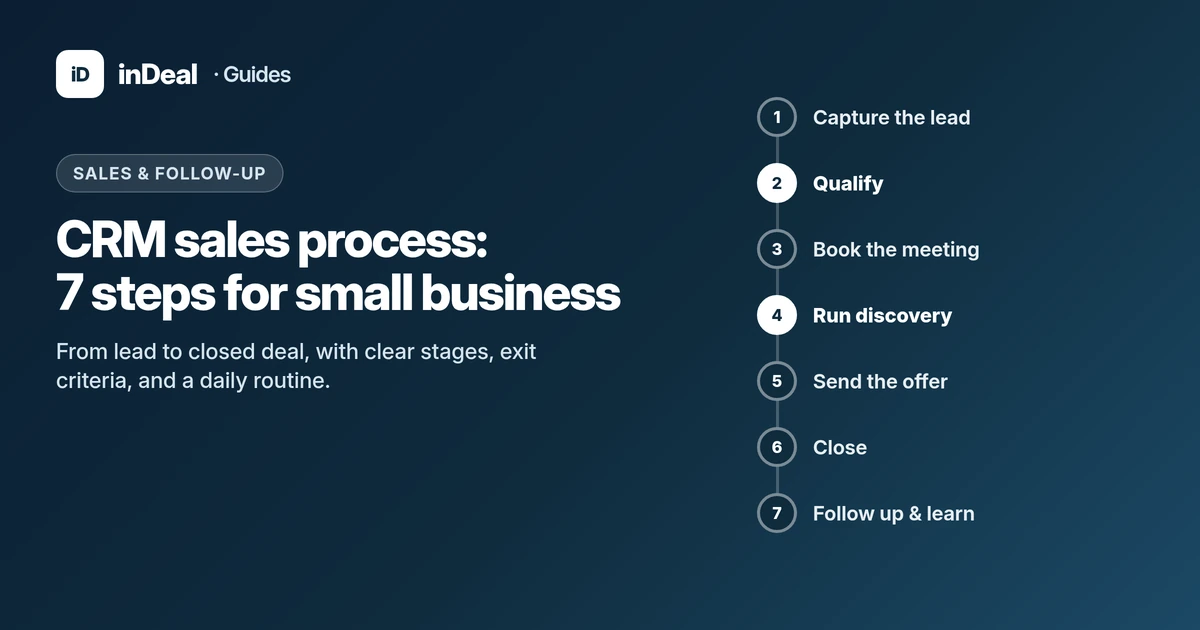
A CRM sales process that works is a fixed sequence of seven steps: capture the lead, qualify it, book a meeting, run discovery, send the offer, close, and follow up. Every stage has a clear exit criterion and ends with a dated next step. inDeal (indeal.ai) is a free AI CRM for small businesses from Lars Krüger GmbH in Berlin, built around exactly this sequence. Not to be confused with indeal.io, a different company.
As of October 5, 2026. CRM figures from Eurostat 2025; research from Journal of Marketing / Journal of Marketing Research; product facts from indeal.ai and success.indeal.ai.
What is the perfect CRM sales process?
A CRM process is the rulebook behind your CRM: which stages a contact goes through, what happens in each stage, and when it may move on. "Perfect" does not mean complex. It means everyone on the team would put the same lead in the same stage.
Researchers have treated CRM as a process, not software, for two decades. Payne and Frow (2005) describe five cross-functional CRM processes in the Journal of Marketing — strategy development, value creation, multichannel integration, information management, and performance assessment.
Reinartz, Krafft, and Hoyer (2004) break the CRM process into three stages: initiation, maintenance, and termination of a customer relationship. Across two studies in four industries and three countries, they found a moderately positive association between implemented CRM processes and company performance.
For a small B2B team, that translates into a simple test. The number of fields does not matter. What matters is whether initiation (lead to meeting), maintenance (offer to close), and termination (losing on purpose instead of forgetting) run as routines.
Why do CRM processes fail in small businesses?
Usually not because of the tool, but because routines are missing. Three patterns show up again and again: no single place for leads, no rule for the next step, and no time for upkeep.
According to Eurostat, only 24.69% of small EU enterprises (10–49 employees) used CRM software in 2025, compared with 65.43% of large enterprises. The gap is similar or wider for ERP and business intelligence software.
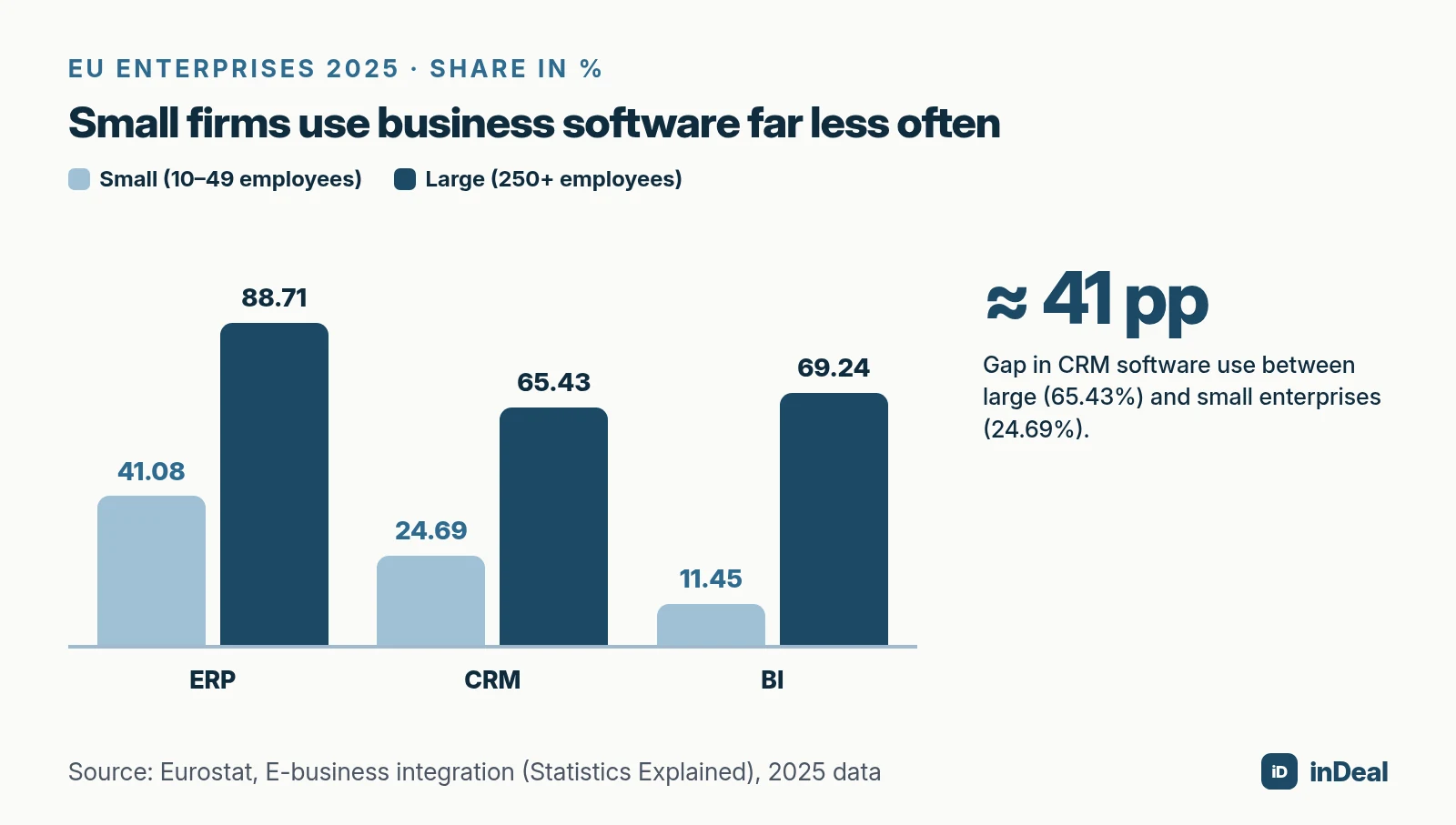
Overall, 28.51% of EU enterprises used CRM software in 2025 — up 2.68 percentage points from 2023, per Eurostat. The small-vs.-large gap is about 41 percentage points according to Eurostat News.
What counts as "small" depends on where you sell. The European Commission counts firms with fewer than 250 employees as SMEs. In the U.S., the SBA Office of Advocacy uses fewer than 500 employees for research and reports 36,207,130 small businesses — 99.9% of all U.S. businesses. Either way, most of these teams have no sales ops department to design a process for them.
A second problem stays even with a CRM: leads go unworked. The Journal of Marketing study "The Sales Lead Black Hole" (2013) describes that about 70% of marketing-generated leads are not pursued by sales reps. Based on data from 461 reps, whether reps work leads depends partly on lead prequalification and on managers tracking follow-up.
The OECD 2025 D4SME Survey also points out that small businesses face barriers not only in adopting new technologies but also in adapting their business processes. A good CRM process has to be lean — or nobody keeps it up.
What are the 7 steps of a CRM sales process?
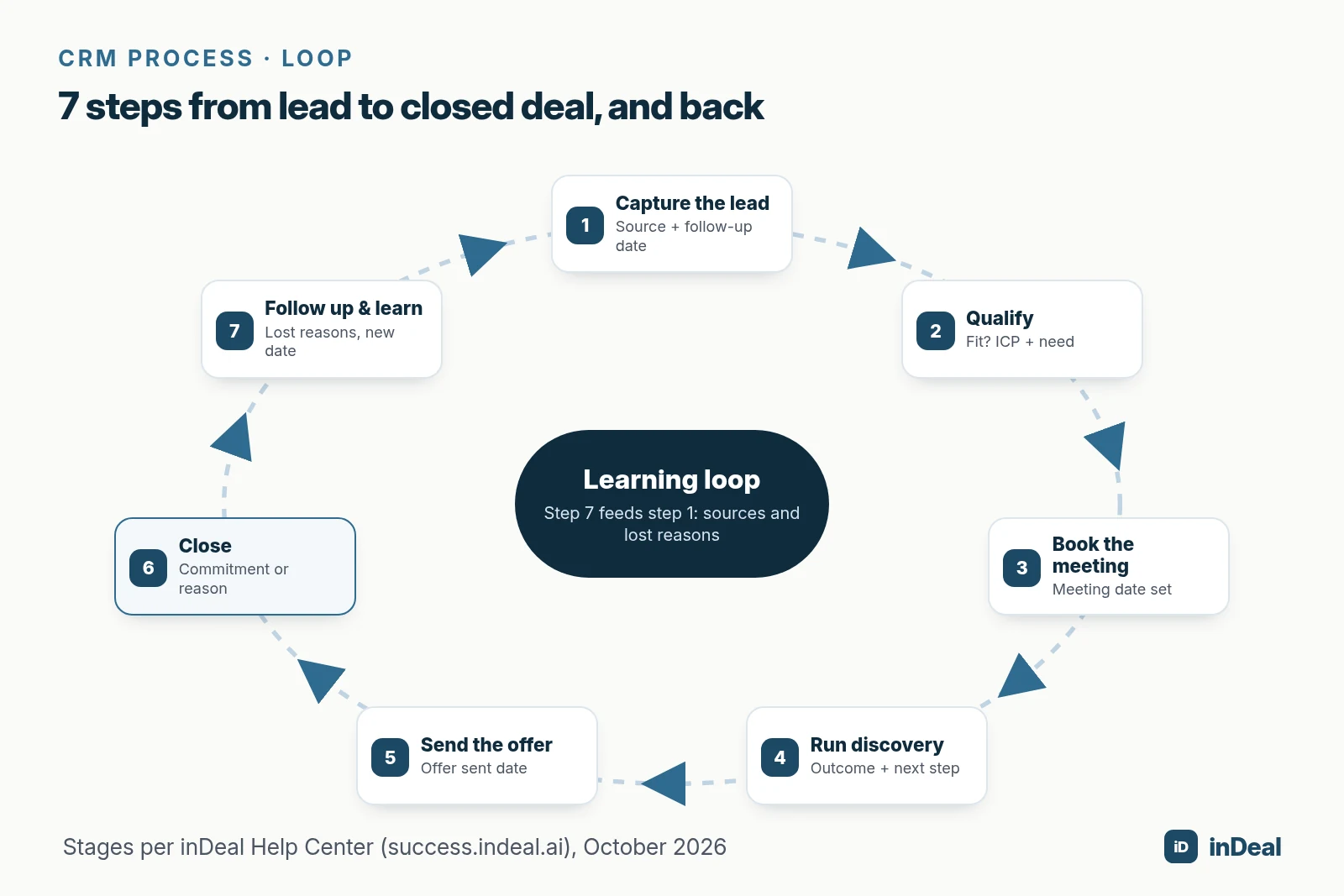
Seven steps cover most B2B teams with 1 to 20 sellers. Each step produces a result you can see in the CRM.
1. Capture the lead
Every contact lands in one place — not the inbox, not a notebook. Per the Help Center, inDeal lets you add leads one by one, import them from a CSV file, or take them over from campaigns. A new lead starts on Qualify.
Exit criterion: Name, company, source, and a follow-up date are set. Without a date, the lead does not appear in Open leads.
2. Qualify
Here you decide whether business with this contact is possible. Does it match your ideal customer profile (ICP), is there a real problem, a decision-maker, and a timeframe? A lean framework for this is BANT — see the guide lead qualification with BANT.
Exit criterion: The contact is either warm enough for a conversation (move to Set discovery) or out (Lead lost with a reason).
3. Book the meeting
The contact is warm, and a conversation is the goal. Speed matters here: short follow-up cycles, a concrete time proposal, a calendar reminder.
Exit criterion: A meeting with a date exists. When you switch to Discovery scheduled, inDeal requires the meeting date and lets you add "Meeting booked by" and a description.
4. Run discovery
In the first meeting you clarify need, decision path, and next steps. Afterward you set the outcome: Discovery done or Discovery failed.
Per Setting stages correctly, Discovery failed is not a step back to Set discovery. The stage stays visible on Home and keeps the show rate honest.
Exit criterion: Meeting outcome, follow-up date, and next step are set.
5. Send the offer
A deal only exists after the conversation. Once a lead sits on Discovery done, inDeal shows the Create offer button. Per From lead to deal and back, the deal starts on Send offer and takes over the lead's estimated value.
Exit criterion: The proposal is with the customer and the Offer sent field is filled in. It is not set automatically when you change the stage.
6. Close
In Win the deal, the proposal sits with the customer and the goal is the commitment. On that switch inDeal asks for follow-up date, confidence, next step, deal value, and offer sent — per the deal stages article, the point where the numbers should become reliable.
Exit criterion: Won or Lost — with a lost reason when it does not work out.
7. Follow up and learn
A won deal counts on Home under closed won, new customers, and sales cycle. A lost lead or deal stays on record with its reason. Both feed back into steps 1 and 2: which sources bring customers, and which reasons cost deals?
Exit criterion: Lost reasons are logged, and existing customers have a follow-up date again.
| Step | Stage in inDeal | Exit criterion | Result in the CRM |
|---|---|---|---|
| 1. Capture | Qualify (start) | Source + follow-up date | Lead in Open leads |
| 2. Qualify | Qualify → Set discovery | Fit / no fit | Warm lead or lost reason |
| 3. Book | Discovery scheduled | Meeting date (required) | Meeting on Home |
| 4. Discovery | Discovery done / failed | Outcome + next step | Show rate, Discovery pipeline |
| 5. Offer | Deal: Send offer | Offer sent | Deal pipeline, forecast |
| 6. Close | Win the deal → Won / Lost | Commitment or reason | Closed won, sales cycle |
| 7. Follow up | Customers / lost reasons | New follow-up | Learning loop |
Which pipeline stages does a CRM process need?
Two pipelines are enough: one for initiation up to the meeting, one for the business from the offer onward. This split shows whether you lack conversations or whether proposals do not convert.
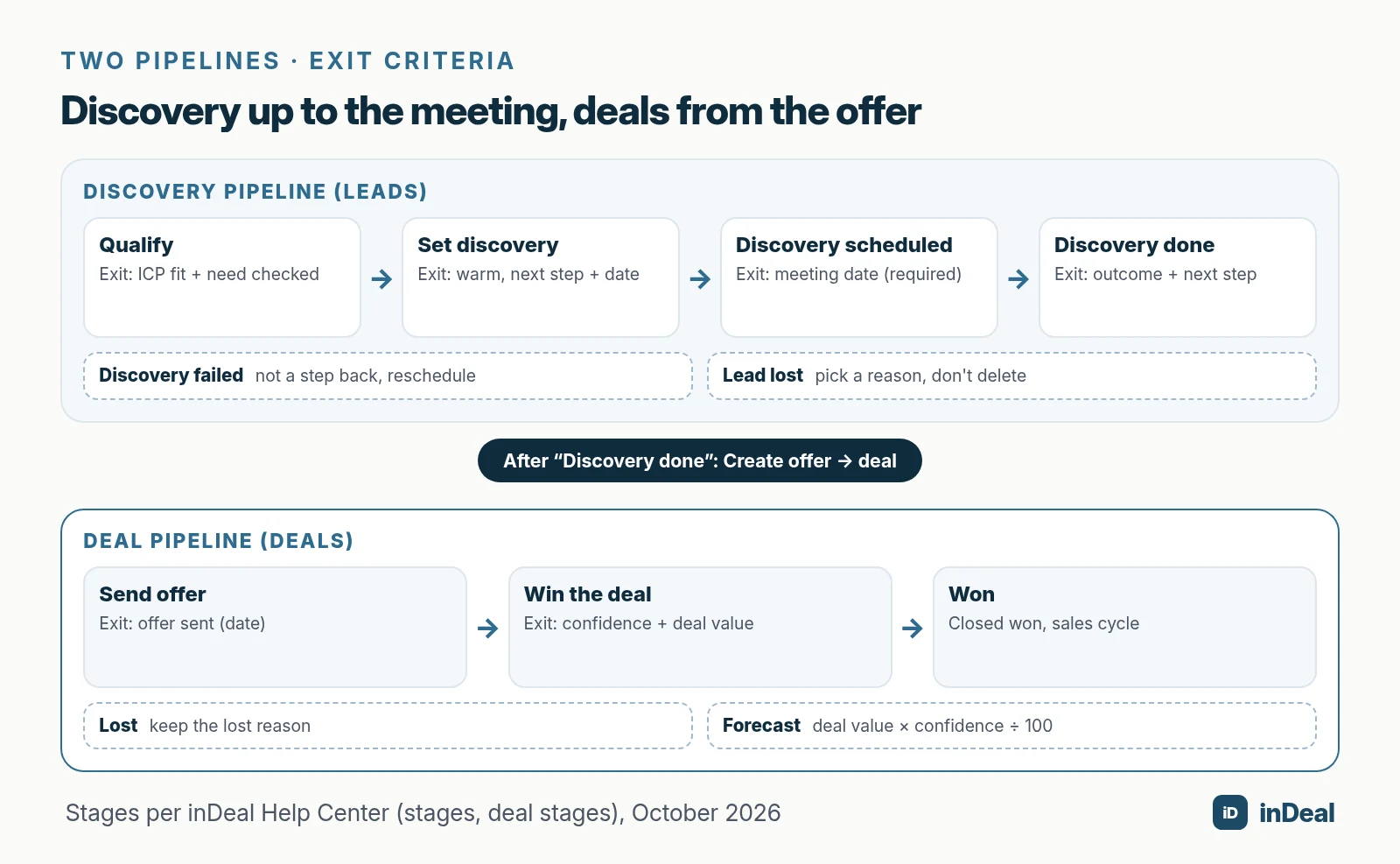
On Home, this matches the two overviews Discovery pipeline (leads up to the meeting) and Deal pipeline (deals from the offer onward). The pipeline conversion card measures the transition between them.
If it is low, conversations happen without an offer following — or nobody creates the deal. Both are process problems, not data problems.
For more on funnel vs. pipeline and the conversion cards, see the guide sales funnel for small business.
What belongs in every stage change?
A stage change is a small protocol, not a habitual drag-and-drop. inDeal asks for the fields that match the target stage:
- Discovery scheduled: meeting date (required), meeting booked by, description
- Discovery done / failed: meeting date (required), follow-up date, next step
- Lead lost: a reason from a predefined list
- Win the deal: follow-up date, confidence, next step, deal value, offer sent
- Lost (deal): lost reason
Most fields are optional. Fill them in anyway: without a follow-up date, the lead disappears from your work list.
What does a daily CRM routine look like?
The process lives in daily work — 15 minutes in the morning and two minutes after every touch. Per Understanding Home, you only need two things in the morning: the Leads overdue metric and the Contact section.
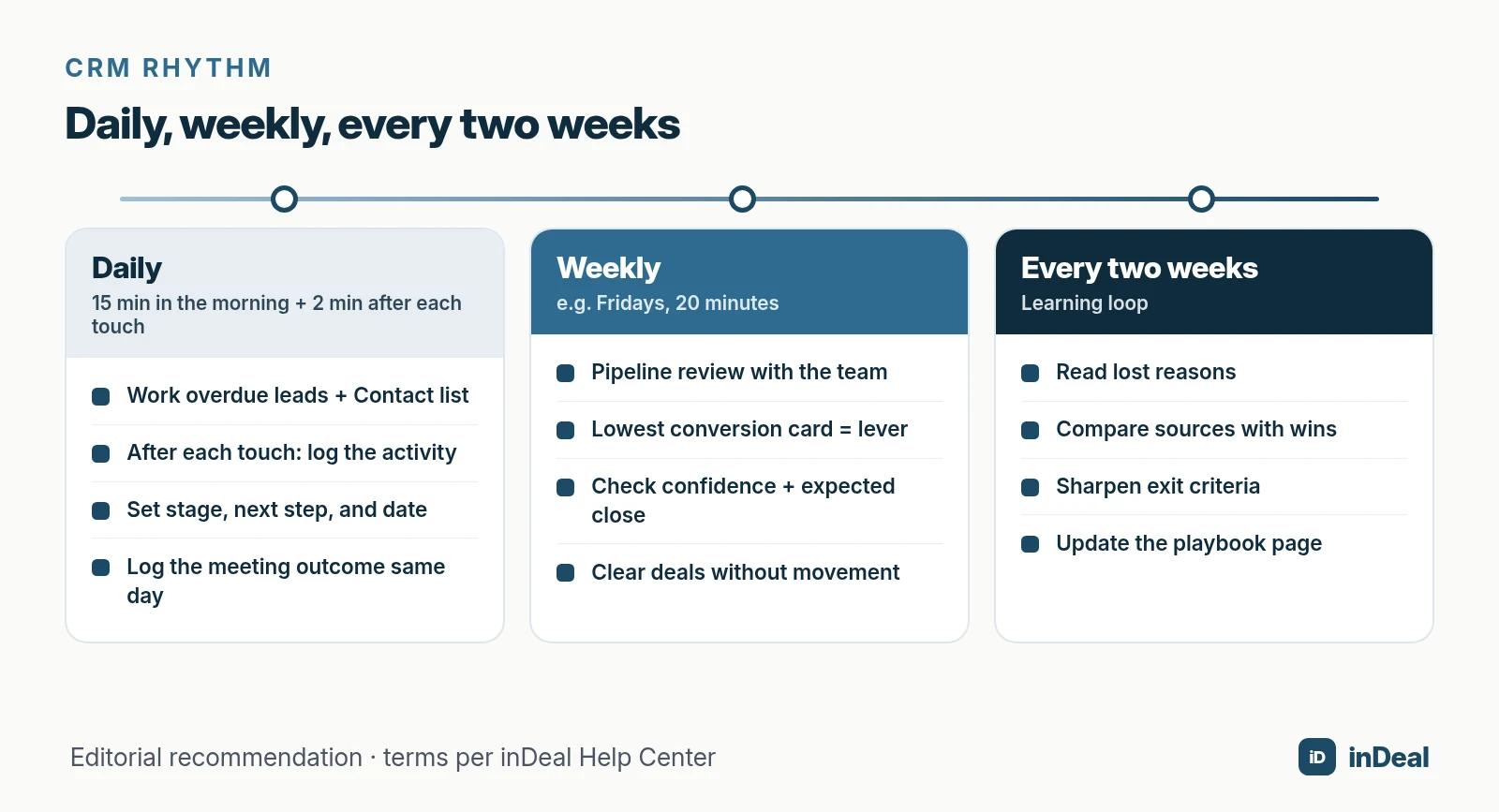
Mornings: the daily list
Contact splits the work into Overdue, Due today, and New leads. A lead only shows up there when it is open and its next-step date has been reached.
It only leaves the list when you set a new future date, convert it into a deal, or mark it as Lead lost. Opening or calling it is not enough — it will be back tomorrow.
After every touch: log it
An activity records what happened; a note records what holds permanently. Per Activities, notes and history, every logged entry counts as a touchpoint.
Many touchpoints without stage progress are a warning sign: a lot of effort, no movement. An honest lost reason helps more here than the tenth call.
Reminders instead of memory
On the follow-up date, you can set a time on a 15-minute grid and an email reminder. Per Follow-up with reminder, the email includes the lead's name, phone, email, follow-up, and next step. More on this: sales follow-up.
What is CRM hygiene, and which rules does your team need?
CRM hygiene means the record matches reality. Five rules are enough if everybody keeps them.
- No open lead without a date. Follow-up date and next step on every touch.
- Update the stage right away. Per the Help Center, a wrong stage distorts every number on Home.
- Meeting outcome the same day. Done or failed, never left open.
- Lose, don't delete. Lead lost and Lost keep the reason for later analysis.
- One source of truth. No shadow spreadsheet next to the pipeline — import once, then work in the CRM only.
If you move over from a spreadsheet, set follow-up dates on import day. Otherwise imported leads stay invisible. The import maps CSV columns to fields; lead source and channel are set once for the whole file. More on switching: manage leads in spreadsheets.
How do you measure whether your CRM process works?
With a handful of numbers that come straight out of the process — not with industry benchmarks from the web. On Home, four conversion cards cover the last 30 days: lead conversion, show rate, pipeline conversion, and deal conversion.
The lowest card is your lever. A low show rate means improving meeting reminders. A low pipeline conversion means the next step after discovery is missing or the deal never gets created.
Forecast with confidence
For the look ahead, inDeal uses a weighted value, per the forecast article: deal value times confidence, divided by 100. A €50,000 deal at 40% confidence gives a weighted value of €20,000.
Three rules keep the forecast honest: fill in the expected close date, keep confidence current, and close what is closed. A deal at 80% that has been sitting for three months skews the whole number.
| Metric | Question behind it | Typical lever |
|---|---|---|
| Leads overdue | Are we working the list? | Daily routine, realistic dates |
| Lead conversion | Do leads turn into meetings? | Qualification, outreach |
| Show rate | Do meetings happen? | Reminders, confirmation |
| Pipeline conversion | Do conversations turn into offers? | Next step after discovery |
| Deal conversion | Do offers get won? | Follow-up, price, timing |
| Weighted value | What will realistically come in? | Keep confidence and expected close current |
Where does AI help in the CRM process — and where not?
AI takes over routine work but does not replace process decisions. According to Bitkom Research, 14% of AI-using companies in Germany applied AI in sales in 2026, up from 5% the year before.
Useful places in the process:
- Classifying replies: Per the workflows article, a lead on Qualify that replies positively moves to Set discovery and gets a follow-up for today if none is set. A negative reply on Qualify marks it as lost with a reason.
- Filling in data: enrichment of missing contact details, billed in credits.
- Asking the pipeline: Via MCP you connect Claude or ChatGPT to your CRM — see connect CRM to ChatGPT and Claude.
Do not automate the judgment: whether a lead really fits, how a meeting went, and which price is fair. More on opportunities and limits in the pillar AI CRM for small business.
A free CRM for your whole team. Start inDeal in 2 minutes. Just an email address, no credit card, unlimited users.
Start freeHow do you write a one-page sales playbook?
A playbook is the written version of your process: short enough for a new hire to read on day one, and concrete enough that two people would classify the same lead the same way. One page works if it answers four questions per stage.
- Meaning: What does this stage mean, in one sentence?
- Entry: What must have happened for a contact to land here?
- Work: What do you do in this stage, and at what rhythm?
- Exit: Which field must be filled in before the record may move on?
Example for Set discovery: "The contact has shown interest; we propose two concrete times within two business days and follow up after three days. Move on only with a confirmed meeting date." Not a novel — and still unambiguous.
Keep the playbook where the team works and revise it after the first month. Typical changes after four weeks: sharpen one stage definition, drop a required field nobody uses, and adjust follow-up intervals to how fast your customers actually reply.
How do you hand off leads between marketing and sales?
With a clear handoff rule — otherwise you get exactly the "lead black hole." The study by Sabnis and colleagues shows that how much attention reps give marketing leads depends, among other things, on how good the prequalification is and whether managers track follow-up.
For small teams, that means three things:
- Define "sales-ready": Which minimum details does a lead need before it reaches sales — company, role, trigger, and one criterion from your ICP?
- Response time: By when does someone touch a new lead? In inDeal, leads that came in today appear under "New leads" in the Contact list — agree that this group is empty every evening.
- Feedback: If a lead does not fit, mark it lost with a reason. That shows marketing which sources cost time instead of bringing customers.
If you prospect yourself, you need the same rule — just without the handoff. The discipline is identical: date, next step, honest stage.
How do you roll out the process in 14 days?
Short, together, and on real data. The inDeal Help Center estimates about one hour for the first week, spread over five days. For the whole team, plan two weeks.
Week 1 — foundations
- Day 1: Check profile, language, and time zone. The time zone decides when a date counts as overdue.
- Days 1–2: Import or add your existing leads and give every one a follow-up date.
- Day 2: Agree on the meaning of each stage together — one sentence per stage, shared with the team.
- Day 3: Practice the meeting rule: done or failed on the same day.
- Days 4–5: Create the first deal via Create offer and fill in offer sent.
Week 2 — routine
- Start every morning with Leads overdue and Contact.
- After every meeting: stage, next step, date — before the next window opens.
- Friday: a 20-minute pipeline review based on the lowest conversion card.
- End of week 2: switch off shadow lists and read the lost reasons from the first weeks.
What mistakes do small teams make in the CRM process?
Almost always the same ones — and almost all of them take five minutes to fix.
| Mistake | Effect | Better practice |
|---|---|---|
| Lead without follow-up date | Missing from daily list and metrics | Date on every touch |
| Stage stuck on Qualify | Lead counts as untouched | Move on after first real contact |
| Meeting never set to done | No deal, low pipeline conversion | Outcome the same day |
| Deal without a meeting | Forecast without basis | Create deal only after Discovery done |
| Offer sent missing | Deal conversion measures gaps | Set the date when it goes out |
| Delete instead of lose | No learning | Pick a lost reason |
| Spreadsheet next to the CRM | Two truths | One source, one import |
How do you adapt the process for agencies, IT services, and consultants?
The seven steps stay; only the next steps sound different. Three examples of typical next steps after the first meeting:
- Agency: "Send briefing questionnaire by Wednesday, call back Friday 10 a.m." The bottleneck usually sits between meeting and proposal.
- IT services: "Schedule tech call with the IT lead, confirm attendees." Several stakeholders means noting the decision-maker on the lead early.
- Consulting: "Proposal with two options by Monday, board decision on the 20th." Long cycles need an expected close date on the deal.
One rule applies to all: stage meanings are the same for everyone. If one person sets Discovery scheduled as soon as a calendar link goes out and another only once the time is confirmed, every number is worthless.
Which CRM process fits your team?
- Solo seller or founder: The seven steps, the five hygiene rules, and a daily list are enough. Plus a 15-minute weekly review.
- Two to ten sellers: The same stages for everyone, written exit criteria, a Friday pipeline review, and lost reasons as a team rule.
- Team with marketing leads: Define prequalification before handoff and track follow-up — the "lead black hole" study shows why.
- Start free, no project: Then inDeal fits as a free AI CRM for small businesses with stages ready to go. For an overview of options, see free CRM for small business.
A free CRM for your whole team. Start inDeal in 2 minutes. Just an email address, no credit card, unlimited users.
Start freeKeep reading
- Lead qualification with BANT: a small business guide
- Sales funnel for small business 2026
- Sales follow-up: next step instead of forgotten leads
- AI CRM for small business: what CRM with AI can really do in 2026
- Free CRM for small business: which free CRM fits you?
Frequently asked questions
What is a CRM sales process?
How many pipeline stages does a small business need?
What are exit criteria in a sales process?
How often should I update my CRM?
What is the difference between a CRM process and a sales funnel?
Should I delete lost leads?
Can AI run my CRM process?
Is inDeal the same as indeal.io?
Sources
- The Customer Relationship Management Process: Its Measurement and Impact on Performance (Journal of Marketing Research 41(3))
- A Strategic Framework for Customer Relationship Management (Journal of Marketing 69(4))
- The Sales Lead Black Hole: On Sales Reps' Follow-Up of Marketing Leads (Journal of Marketing 77(1))
- E-business integration (Statistics Explained)
- Larger enterprises used more e-business apps in 2025
- SME definition
- Frequently Asked Questions About Small Business 2026
- SME digitalisation for competitiveness
- KI in der deutschen Wirtschaft – Status quo und Ausblick 2026 (AI in the German economy)
- Regulation (EU) 2016/679 (General Data Protection Regulation)
- inDeal: homepage, pricing, and FAQ
- Setting stages correctly
- Deal stages from offer to close
- From lead to deal and back
- Contact: your daily list
- Follow-up with reminder
- Understanding Home
- Creating, importing and enriching leads
- Forecast, confidence and weighted value
- Activities, notes and history
- The four workflows in detail
- Your first week with inDeal
Keep reading
 Sales and follow-up
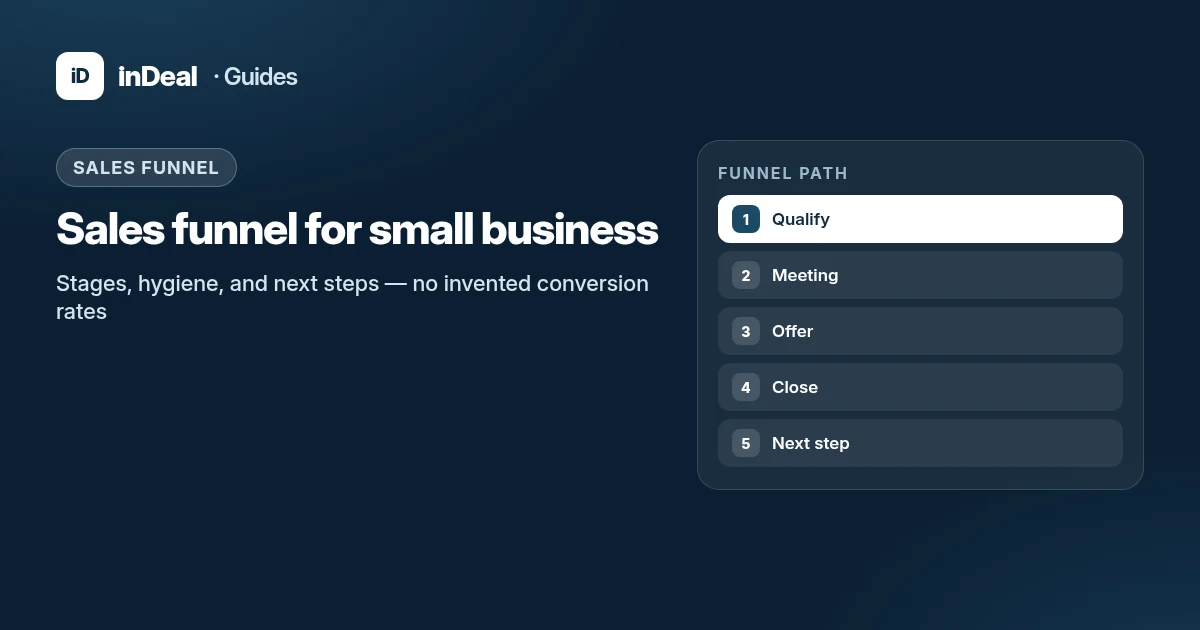
Sales Funnel for Small Business 2026
Sales funnel for small business: stages from lead to deal, funnel vs. pipeline, next-step hygiene, and how inDeal conversion cards work without invented benchmarks.
 Sales and follow-up
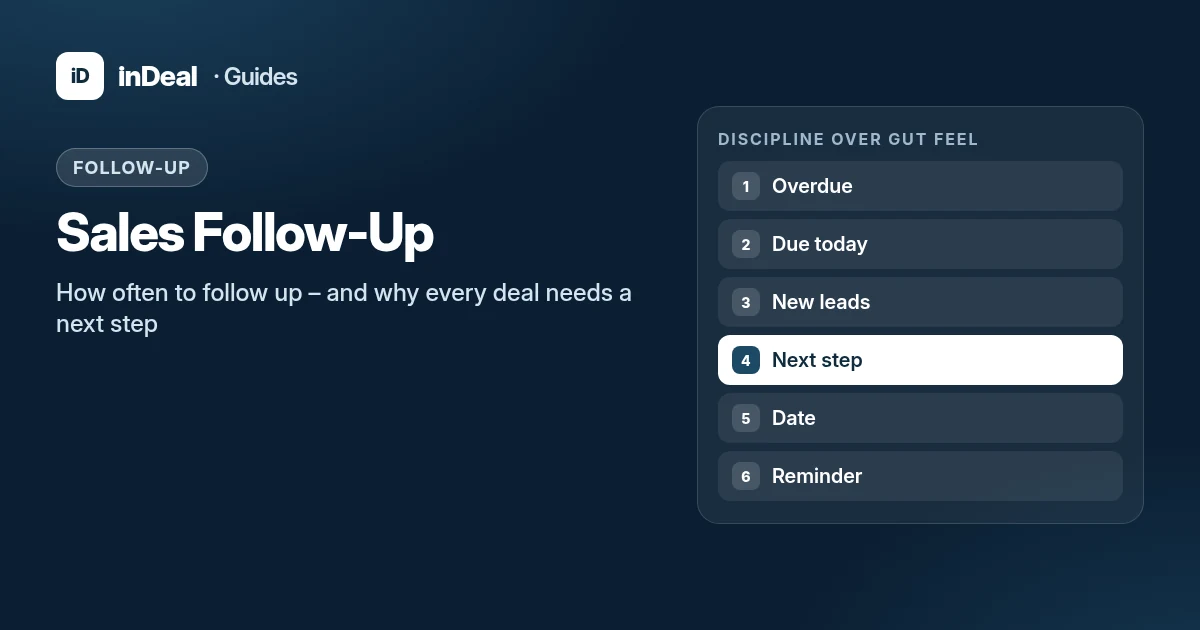
Sales Follow-Up: How Often and Why Every Deal Needs a Next Step
Sales follow-up for small businesses: cadence without invented close rates, why every deal needs a dated next step, and how inDeal's Contact list keeps work visible.
 Leads and enrichment
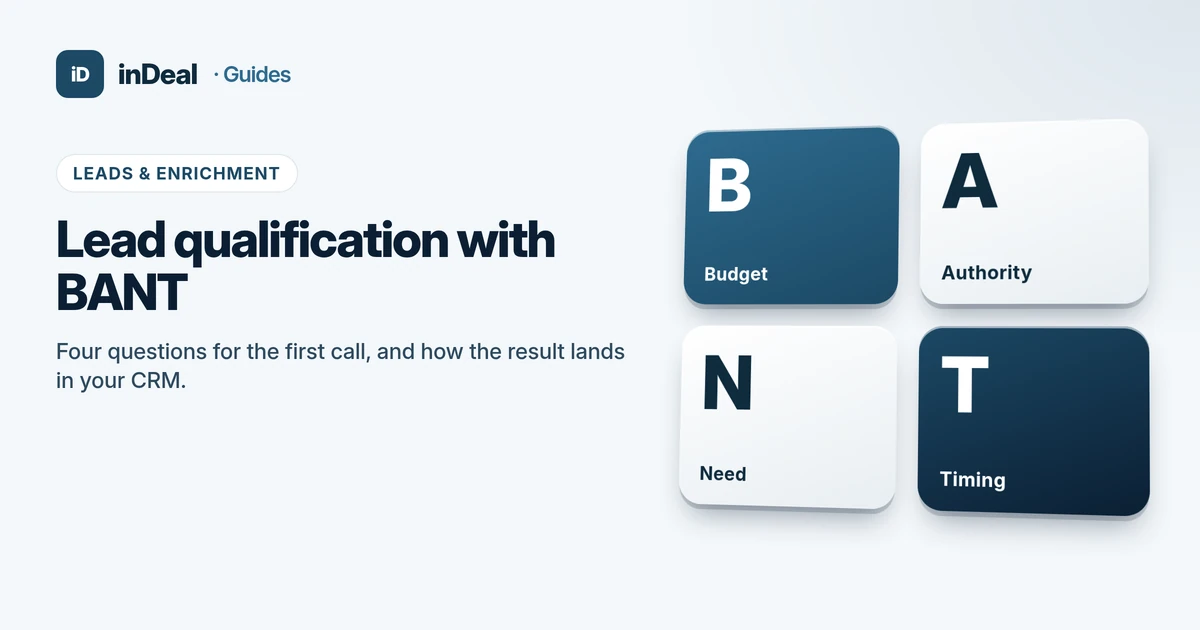
Lead Qualification with BANT: Small Business Guide 2026
Lead qualification with BANT for small business: budget, authority, need, and timing questions, BANT vs. MEDDIC and CHAMP, and how to map it to CRM stages.