Contents
- What is CRM automation for a small business?
- How many small businesses actually automate with AI and CRM?
- Which 9 CRM workflows should you automate first?
- How do inDeal's reply workflows work?
- How do you integrate AI into a CRM system?
- When is an appointment agent better than single automations?
- What should you never automate in your CRM?
- How do you roll out CRM automation in 30 days?
- What CRM automation mistakes do small businesses make?
- Which CRM automation fits your team?
- Keep reading
- Frequently asked questions
- Sources
CRM automation for small business means your CRM does the repetitive work between first contact and booked meeting by itself: capturing leads, matching emails, setting follow-up dates, sending reminders, calculating the forecast and passing data to other tools. The goal isn't a fuller CRM. It's more meetings on the calendar with less clicking. inDeal (indeal.ai) is a free AI CRM for small businesses by Lars Krüger GmbH, Berlin. Not to be confused with indeal.io, a different company.
As of October 23, 2026. Market data: Eurostat 2025, European Commission 2026; research: Speier & Venkatesh 2002; law: CAN-SPAM (FTC), GDPR (EUR-Lex), AI Act Art. 4 (AI Act Service Desk), German UWG; product: success.indeal.ai and indeal.ai. Not legal advice.
What is CRM automation for a small business?
CRM automation is a rule that follows trigger → condition → action: when something happens and a condition is met, the CRM runs a predefined action. For a small team, only one question matters: does less fall through the cracks afterward?
There are two kinds of automation, and they work best together:
| Type | How it works | Example |
|---|---|---|
| Rule-based | fixed sequence, same every time | Positive reply → stage "Set discovery" + follow-up today |
| AI-assisted | reads text or understands questions | A reply is classified as positive, neutral or negative; an assistant answers "How much pipeline do we have this month?" |
| Combined | AI classifies, the rule acts | "Negative" on a lead in Qualify → lead marked lost with a reason |
The order matters. Start with rules that run reliably, then add AI where text has to be understood. AI on top of messy data just makes the mess faster.
How many small businesses actually automate with AI and CRM?
Far fewer than large companies. According to Eurostat, 17% of small EU enterprises (10–49 employees) used at least one AI technology in 2025, compared with 55.03% of large ones. CRM software was used by 24.69% of small and 65.43% of large enterprises (Eurostat).
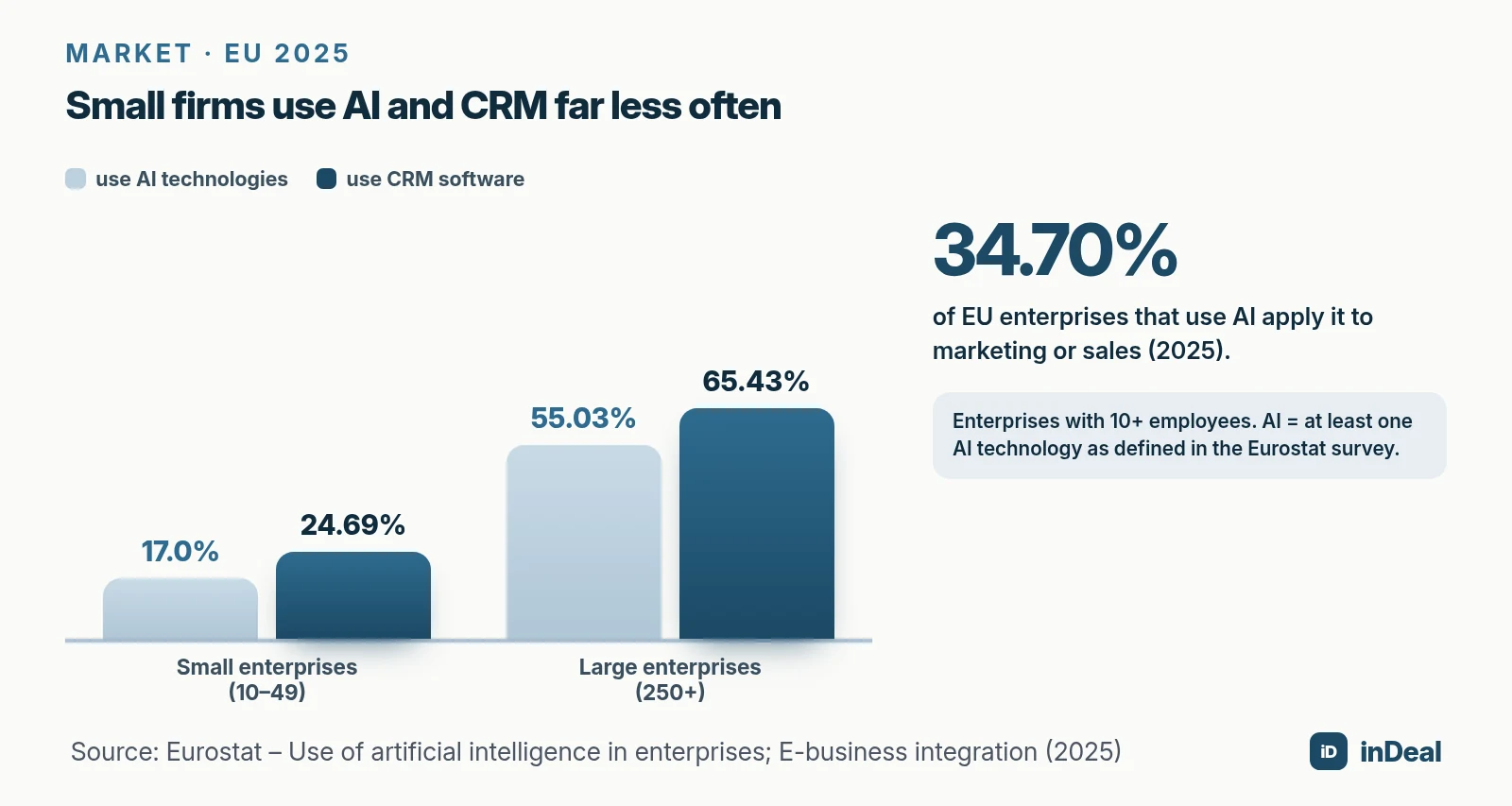
Where companies do use AI, sales is a common place for it: 34.70% of AI-using EU enterprises applied it to marketing or sales in 2025 (Eurostat). That gap is your opening. If your competitors still copy leads by hand, a few well-chosen automations put you ahead without a bigger team.
Hardly anyone hands over decisions completely, though. In a European Commission survey of SMEs and mid-caps, 42% use AI or algorithmic management, most often in customer service and customer relations (47%). 90% say people make the decisions, and only 2% of decisions are fully automated.
Which 9 CRM workflows should you automate first?
The ones where contacts get lost today: at capture, at follow-up, on the way to the meeting and in reporting. Each of the nine below shows what happens and what you stop losing.
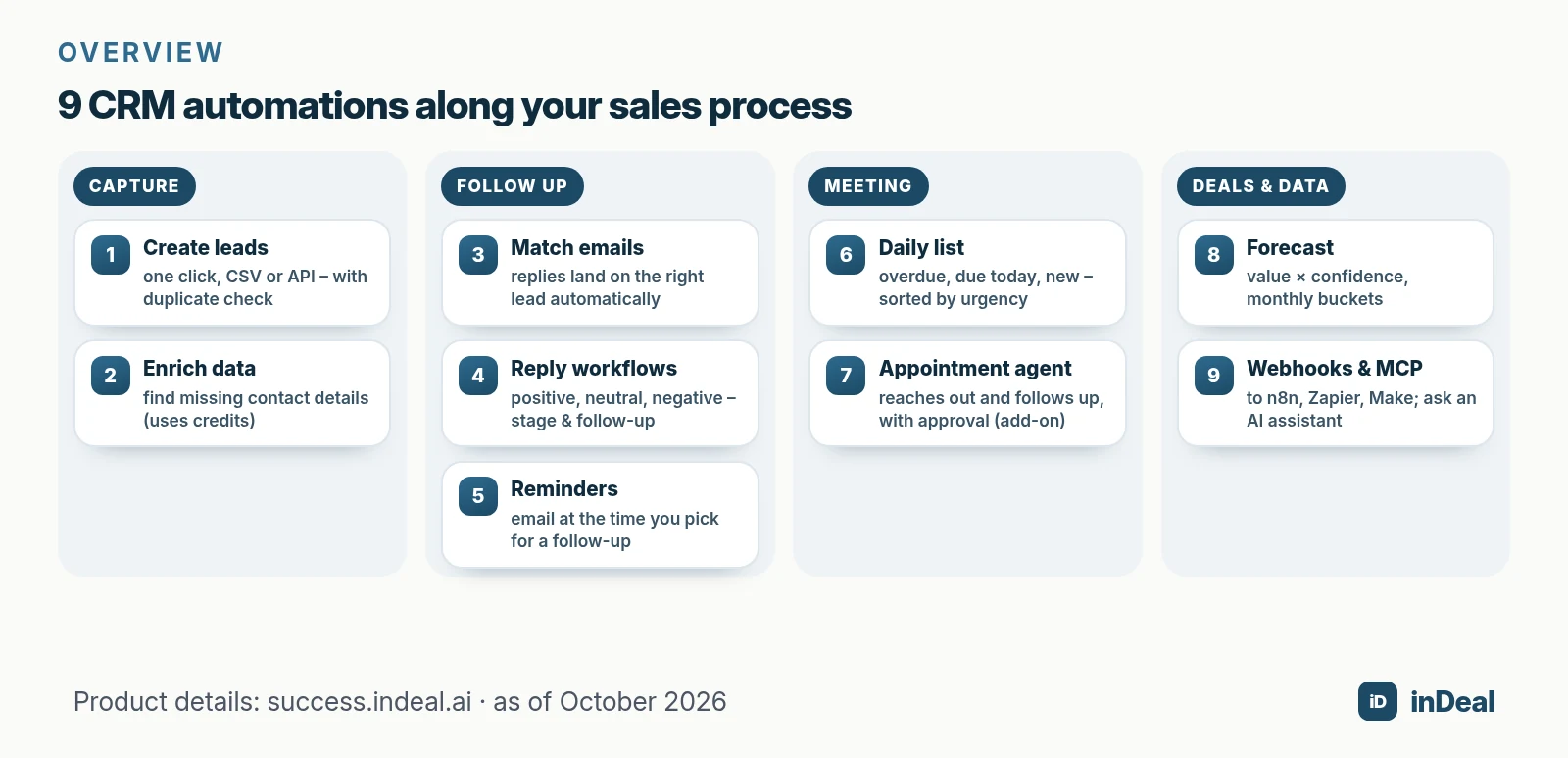
| # | Workflow | Trigger | What it prevents |
|---|---|---|---|
| 1 | Create leads without retyping | profile, CSV file or another system | typos, business cards that never get entered |
| 2 | Block duplicates | import or new lead | two reps emailing the same person |
| 3 | Enrich contact data | positive reply or one click | manual research |
| 4 | Log emails on the lead | incoming reply in your inbox | history only one person knows |
| 5 | Act on replies | classified reply | hot replies sitting for days |
| 6 | Follow-up reminders | chosen time on the follow-up date | forgotten callbacks |
| 7 | Sort the daily call list | due date reached | hunting for who to call today |
| 8 | Calculate the forecast | deal value, confidence, close date | gut-feel forecasting |
| 9 | Sync data to other tools | lead or deal change | retyping into accounting or project tools |
1 to 3: Capture, deduplicate, enrich
In inDeal, leads arrive one at a time by hand, in bulk from a file, or automatically from a campaign (Creating, importing and enriching leads); the lead plugin for Chrome and the API add two more routes. On import, inDeal recognizes existing leads by email or LinkedIn URL and only fills empty fields or skips them, instead of creating duplicates. For LinkedIn-specific options, see How to Add LinkedIn Contacts to Your CRM.
When a phone number or email is missing, Enrich data looks for publicly available contact details. According to indeal.ai, the CRM, all users, and capturing leads by hand or by CSV are free.
4 to 7: Follow up without sticky notes
Connect an Outlook or Gmail mailbox and replies are matched to the right lead automatically. Only emails whose counterpart is an existing lead are kept; private mail and newsletters are discarded (Connect your mailbox). For the Outlook side, see Free CRM for Outlook.
On a lead's follow-up date you pick a time in 15-minute steps. At that time you get an email with phone numbers, the Next step field and a button that opens the lead (Follow-up with reminder). The Contact list on Home sorts open leads into Overdue, Due today and New leads (Contact: your daily list). A lead without a date never shows up there.
8 and 9: Forecast and sync
The forecast above your open deals multiplies deal value by confidence and groups deals into monthly buckets by expected close. For everything outside the CRM, inDeal sends webhooks on nine events, such as lead.created, deal.won or deal.lost (inDeal webhooks). A webhook trigger in Zapier, Make or n8n picks them up. A won deal can then create an onboarding task in your project tool without anyone retyping it.
How do inDeal's reply workflows work?
inDeal ships four workflows marked System. All four react to the same trigger: a reply that inDeal has classified as Positive, Neutral or Negative (What workflows do).
| Reply | Lead in "Qualify" | Lead in a later stage |
|---|---|---|
| Positive | moves to "Set discovery", follow-up today (if empty), enrichment, email | enrichment, email |
| Neutral | email to you | email to you |
| Negative | marked lost, reason "Negative Reply", no email | email to you |
Source: The four workflows in detail.
Three details matter. If empty means a follow-up date you already set stays put. Workflows never message your contacts; the only email goes to you or your team. And they don't run on a schedule, only when a reply comes in.
An admin switches each workflow on or off under Setup > Workflows; they can't be edited or added to (Turning workflows on and off). If you'd rather decide yourself when to enrich, switch off only "Positive reply: enrichment + notification". Keep the stage change on, or an interested prospect sits there without a date.
How do you integrate AI into a CRM system?
The easiest route is a connection that lets an AI assistant work directly with your CRM data. The standard for that is MCP (Model Context Protocol), which assistants like Claude and ChatGPT use to access apps.
inDeal has its own MCP server. Claude and ChatGPT connect through your normal inDeal login, with no key and no install (Connect AI assistants to inDeal); developer tools such as Cursor and Claude Code use an API key. Then you handle in chat what used to take a dozen clicks:
- Find and create leads. If the person already exists, the assistant shows the existing lead instead of a duplicate.
- Update stage and next step, log a call as a note on the timeline.
- Create and close deals, add domains to the blacklist.
- Pull reports, for example "What was our lead-to-meeting conversion in September?"
On security, the help center is clear: the assistant only sees the account you approved and only what you're allowed to see. It can't delete anything, and you can disconnect it at any time under Settings > MCP. For step-by-step setup, see Connect CRM to ChatGPT & Claude.
When is an appointment agent better than single automations?
When follow-up isn't the bottleneck, but time for outreach itself is. Single automations make sure nothing gets stuck. An agent takes on the work that comes before the meeting.
inDeal's appointment agent reaches out to matching people from your LinkedIn profile, follows up and prepares replies. You decide who it contacts and what it writes, and whether replies go out with approval or on autopilot (Appointment agent overview). According to indeal.ai, you see the first messages as a preview, the agent keeps fixed daily and weekly limits, and the CRM stays free with or without it.
For what such an agent is and which rules apply, read AI Appointment Agent; for the broader term, see Sales AI Agent.
What should you never automate in your CRM?
Anything that needs a relationship, money or a legal judgment. Rule of thumb: the closer a step is to the customer or the contract, the earlier a person belongs in the loop.
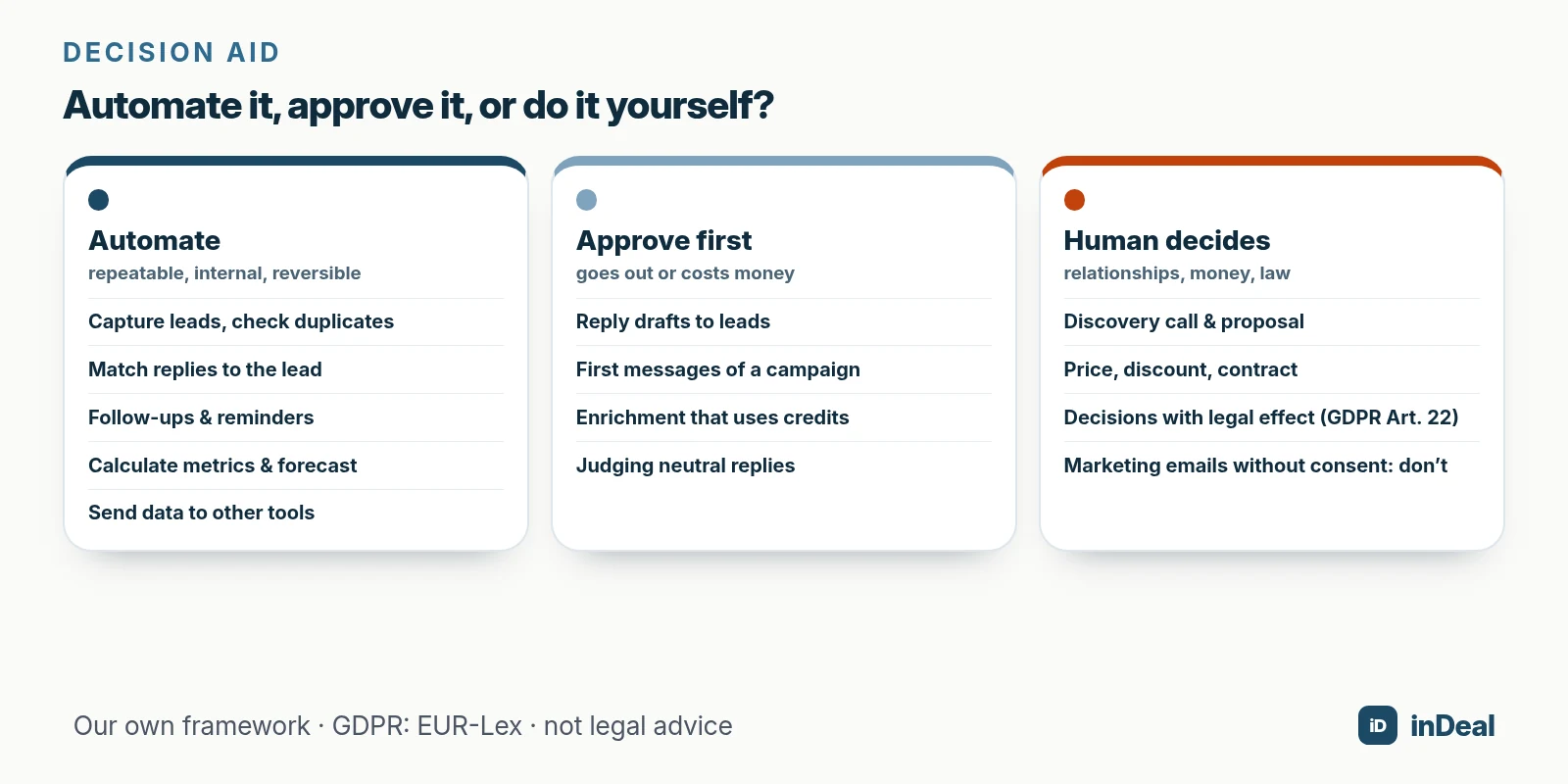
Know these rules before you switch anything on:
- Commercial email in the US: The FTC's CAN-SPAM guide states that the law makes no exception for business-to-business email. Messages need accurate sender information, a postal address and a clear opt-out, and opt-out requests must be honored within 10 business days.
- Email advertising in Germany: Under Section 7 of the UWG, it generally requires the recipient's prior express consent. Automation doesn't make a non-compliant email compliant; it just sends more of them.
- Automated decisions in the EU: Under Article 22 GDPR, people have the right not to be subject to a decision based solely on automated processing that produces legal or similarly significant effects. Sorting and suggesting isn't the same as rejecting.
- AI literacy: Article 4 of the AI Act, as amended (see the AI Act Service Desk), asks providers and deployers of AI systems to take measures that support their staff's AI literacy, without requiring a specific level.
How do you roll out CRM automation in 30 days?
In small steps, with your team rather than around it. A study of 454 salespeople at two companies shows how quickly adoption can flip: right after training they viewed a new sales force automation tool positively, yet six months after launch it had been widely rejected (Speier & Venkatesh, 2002).
- Week 1, clean up: merge duplicates, give every lead without a next step a date, maintain your blacklist.
- Week 2, capture and match: connect the mailbox, agree on how leads get in.
- Week 3, follow up: review the reply workflows, set reminders, start each morning with the daily list.
- Week 4, measure: compare overdue leads, meetings per week and reply time with four weeks ago. Only then add the next automation.
What CRM automation mistakes do small businesses make?
Most automate too much, too early. These six mistakes cost small B2B teams the most meetings:
| Mistake | Result | Better |
|---|---|---|
| Automating on messy data | reminders to the wrong person, double outreach | clean up duplicates and owners first |
| Leads with no owner | notifications go to the account owner | assign every lead |
| Automating mass email | legal risk, burned contacts | check consent and opt-out, stay personal |
| No stop on reply | a follow-up email after a "no" | every sequence ends on a reply |
| Enriching everything that comes in | data on leads that never become conversations | enrich when a conversation is coming up |
| Ten rules at once | nobody understands what's happening | one per week, then measure |
Which CRM automation fits your team?
Start where the most work piles up today, and automate first what is internal and reversible.
| Situation | Start with |
|---|---|
| Leads live in inboxes and on business cards | import or plugin capture, duplicate check |
| Replies sit for days | connect the mailbox, switch on reply workflows |
| Callbacks get forgotten | follow-up date with email reminder, daily list |
| The forecast is a gut feeling | keep deal value, confidence and close date current |
| Data gets typed twice | webhooks to n8n, Zapier or Make |
| No time for outreach at all | test an appointment agent with approval |
Your buyers don't want a CRM. They want meetings that turn into revenue. Automation is the tool for that, not the goal. For staying in touch without being pushy, read Sales Follow-Up; to compare free options, see Free CRM for Small Business.
A free CRM for your whole team. Start inDeal in 2 minutes. Just an email address, no credit card to sign up, unlimited users.
Start freeKeep reading
- AI CRM for Small Business: What It Can Do in 2026
- Free CRM for Small Business (2026): Which One Fits Your Team?
- Connect CRM to ChatGPT & Claude (MCP)
- Sales Follow-Up: How Often and Why Every Deal Needs a Next Step
- AI Appointment Agent 2026: What It Is and What Law Requires
Frequently asked questions
What is CRM automation?
What should a small business automate first in its CRM?
How do you integrate AI into a CRM system?
Do I need to code to automate my CRM?
Is automated sales email legal?
Can AI decide on leads without a human?
Can I build my own workflows in inDeal?
Is inDeal the same as indeal.io?
Sources
- Use of artificial intelligence in enterprises
- E-business integration
- Growing use of AI in European companies
- The Hidden Minefields in the Adoption of Sales Force Automation Technologies (Journal of Marketing 66(3))
- CAN-SPAM Act: A Compliance Guide for Business
- Regulation (EU) 2016/679 (General Data Protection Regulation)
- AI Act, Article 4: AI literacy
- Act against Unfair Competition (UWG), English translation
- What workflows do
- The four workflows in detail
- Turning workflows on and off
- Follow-up with reminder
- Contact: your daily list
- Connect your mailbox
- Creating, importing and enriching leads
- Connect AI assistants to inDeal
- inDeal webhooks: send lead changes
- Appointment agent overview
- inDeal: home page and FAQ
inDeal is the AI CRM for small and mid-sized B2B companies.
Keep reading
 AI CRM
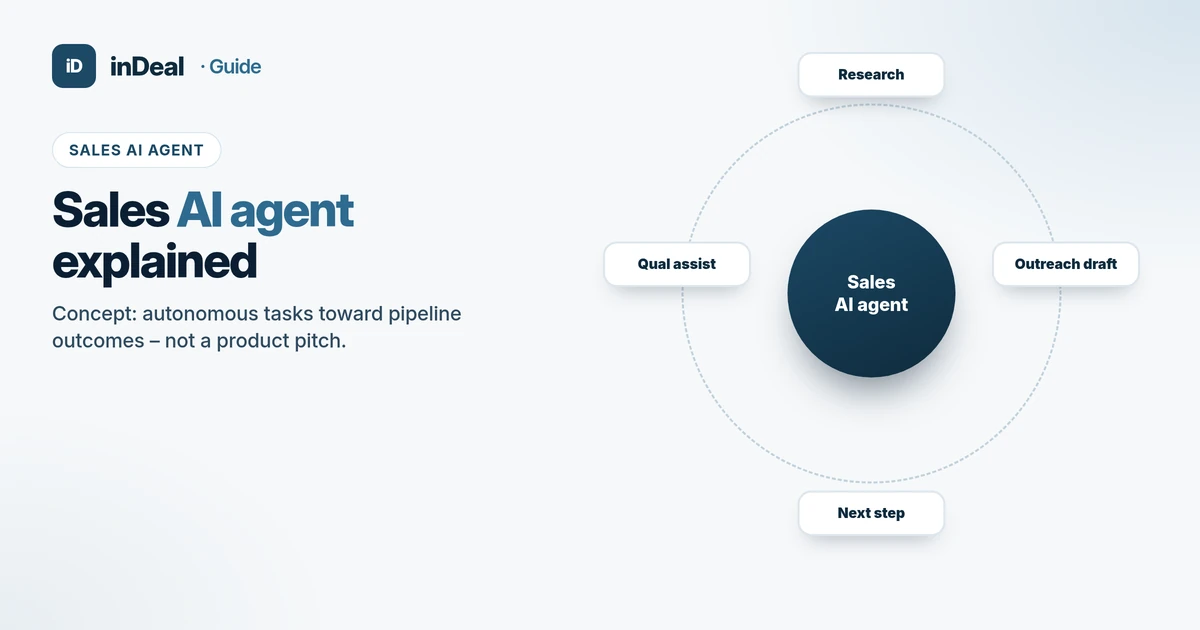
Sales AI Agent 2026: Definition, Contrast, Checklist
Sales AI agent explained: what it is, how it differs from chatbots, appointment agents and AI CRM, 2026 adoption, risks and a buyer checklist – concept, not a product pitch.
 AI CRM
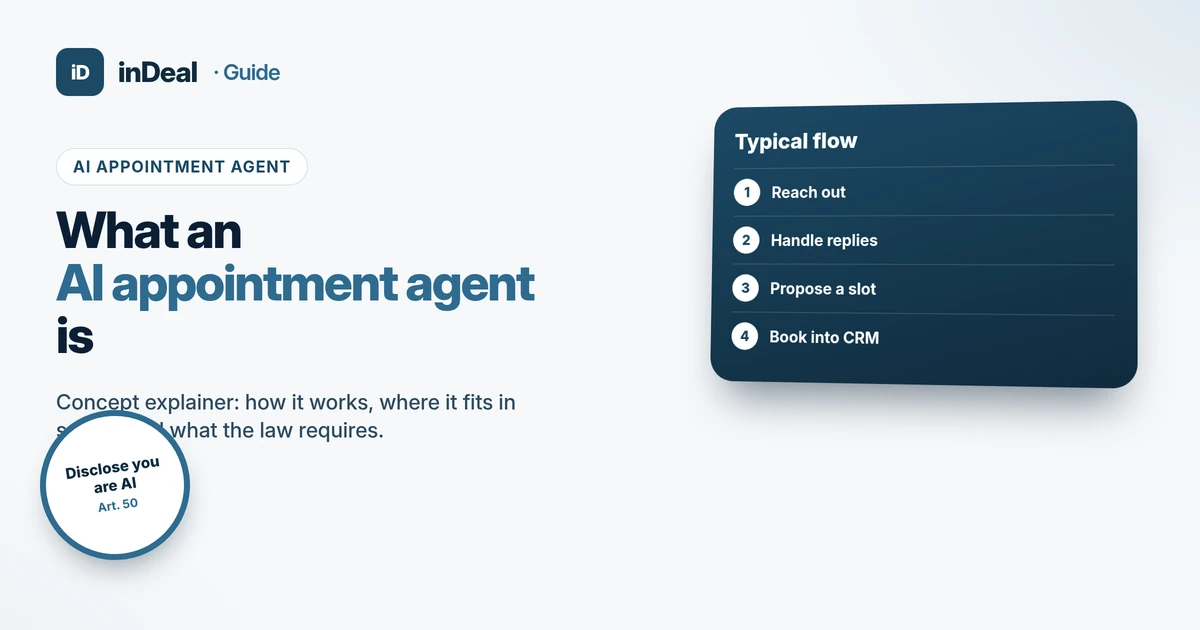
AI Appointment Agent 2026: What It Is and What Law Requires
AI appointment agent explained: how it works, where it fits in sales, AI Act Art. 50 transparency from Aug 2, 2026, GDPR limits – concept, not a product pitch.
 AI CRM
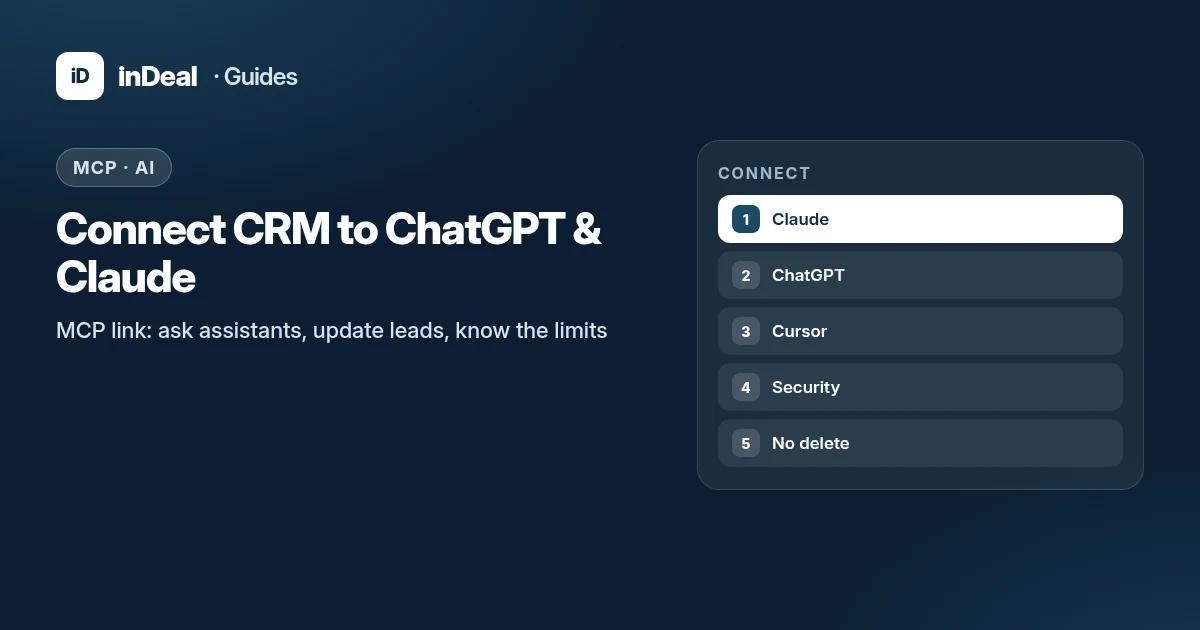
Connect CRM to ChatGPT & Claude (MCP)
Connect your CRM to ChatGPT, Claude, and Cursor: what MCP is, setup steps, what the assistant can and cannot delete, security, and GDPR orientation.