Contents
- How do you compare free CRMs the right way?
- Why does a structured comparison matter for small businesses?
- What criteria belong in a free CRM comparison?
- How should you weight the criteria for your team?
- How do you trial a free CRM in 14 days with real data?
- Which deal-breakers rule out a free CRM right away?
- How does inDeal score on this scorecard?
- Bottom line: which free CRM is right for your small business?
- Keep reading
- Frequently asked questions
- Sources
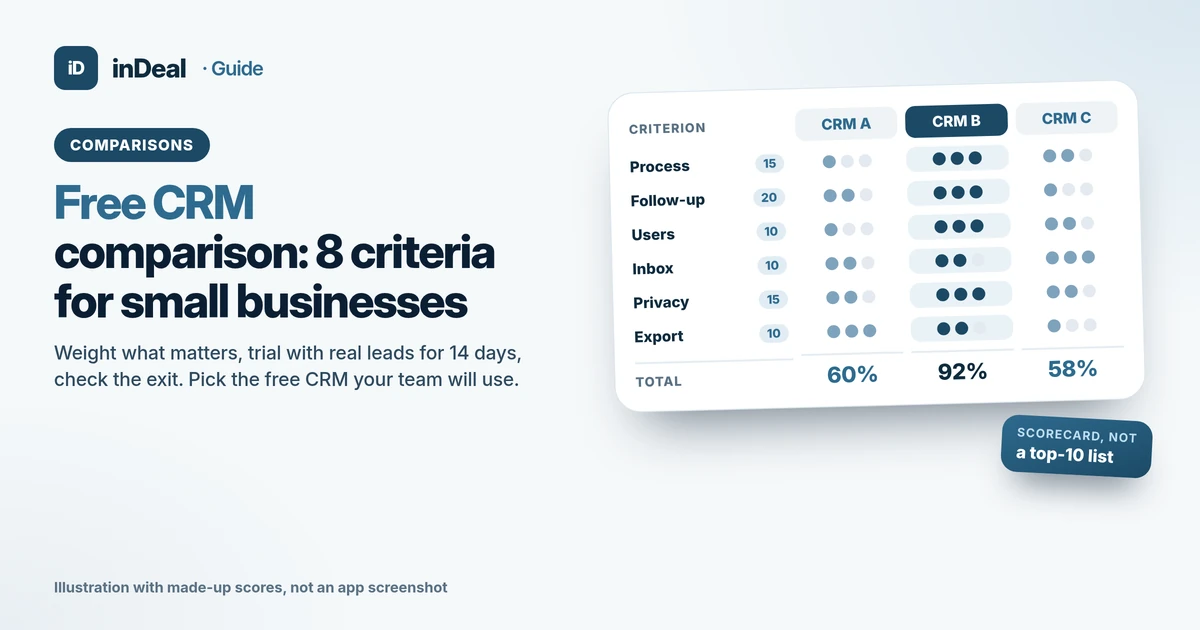
The best way to run a free CRM comparison is with a weighted scorecard, not a feature checklist: 8 criteria weighted by how your team actually sells, then a 14-day trial with real leads. That shows which free CRM your team will keep using and where it will get expensive later. inDeal (indeal.ai) is a free AI CRM for small businesses from Lars Krüger GmbH in Berlin. Not to be confused with indeal.io, a different company.
As of October 28, 2026. Data: Eurostat 2025/2026, Bitkom Research 2026, U.S. SBA Office of Advocacy 2026, Davis 1989, Speier & Venkatesh 2002; law: EU Data Act (EUR-Lex, European Commission), GDPR; product: success.indeal.ai and indeal.ai. No vendor names, no vendor prices, not legal advice.
How do you compare free CRMs the right way?
Use your own sales routine as the yardstick, not the longest feature list. A free CRM is a good pick when your team uses it every day and you can still run it for free, or at a predictable cost, a year from now.
"Best free CRM" lists are fine for a first look, but they can't answer your questions. How many people will use it? Do your leads come from email, trade shows or your network? How strict are your privacy rules? A scorecard turns those questions into points you give every option the same way.
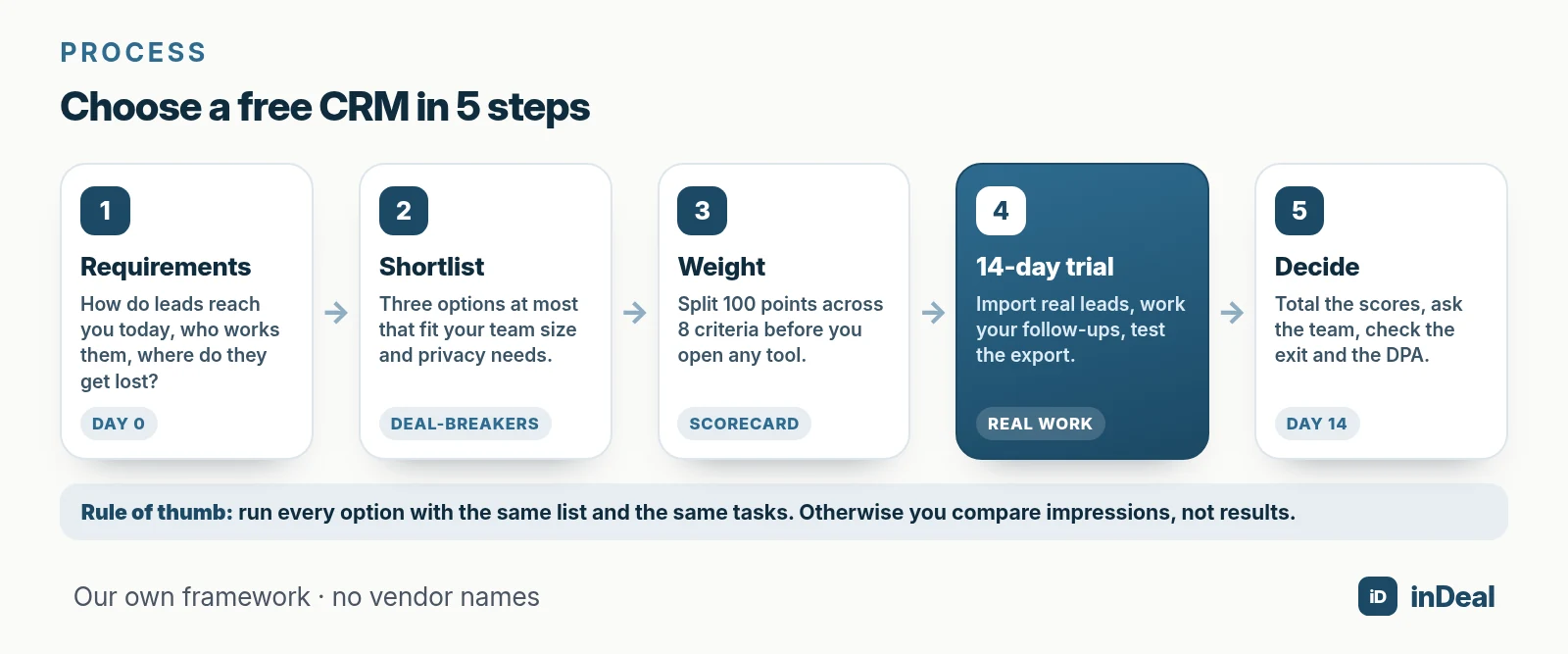
Here's the process:
- Write down your requirements: how a lead reaches you today, who works it and where leads get lost.
- Shortlist: pick three options at most. You can't test more than that properly while still selling.
- Weight the criteria: split 100 points across the 8 criteria below before you open any tool.
- Trial for 14 days: work with real leads, not demo data.
- Decide: total the scorecard, ask the team, check the exit.
Why does a structured comparison matter for small businesses?
Because many small businesses are choosing their first CRM and have nothing to compare it with. A wrong pick costs selling time you don't have.
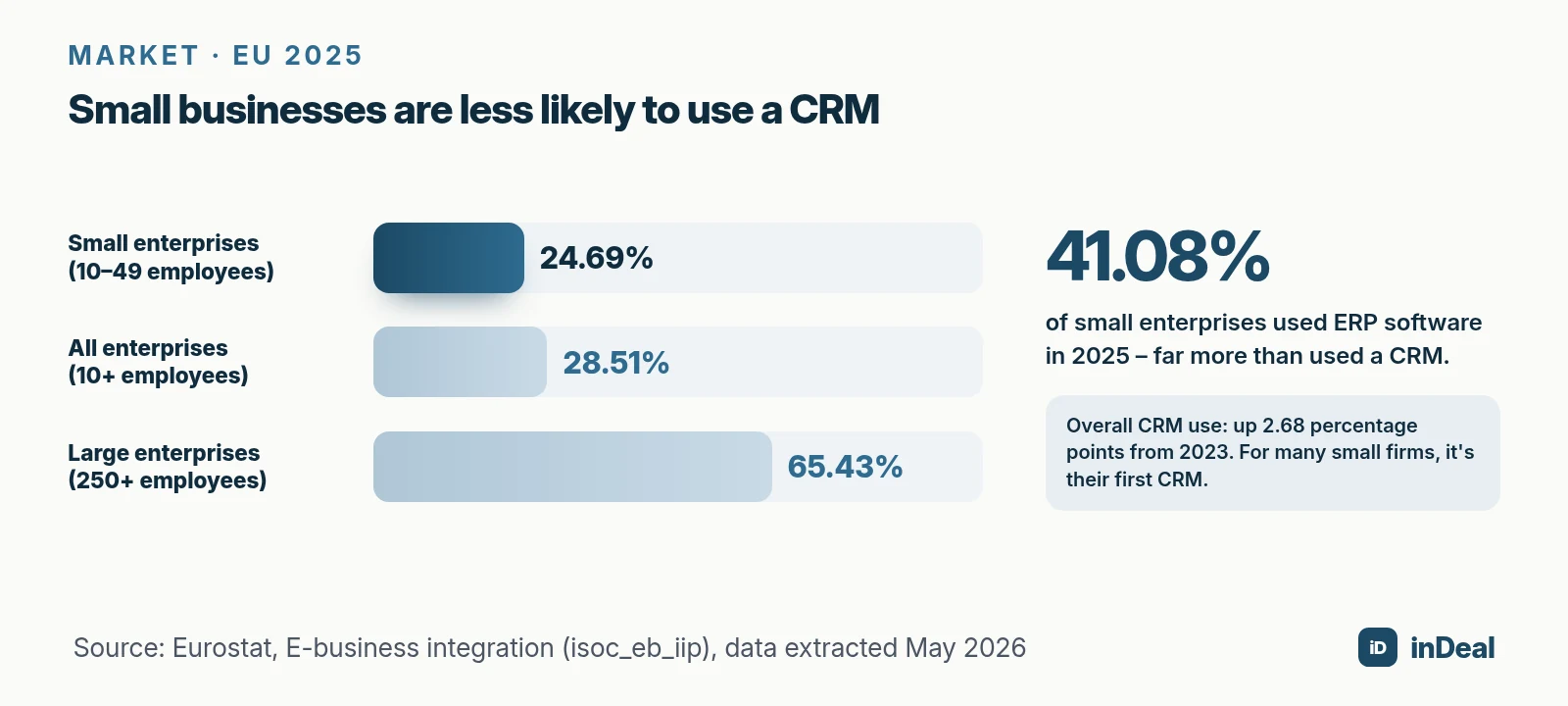
In the EU, only 24.69% of small enterprises (10 to 49 employees) used CRM software in 2025, compared with 65.43% of large enterprises. Across all enterprises with 10 or more employees the share was 28.51%, up 2.68 percentage points from 2023 (Eurostat). Small enterprises were far more likely to use ERP software (41.08%) than CRM.
More and more of that software runs in the cloud. In 2025, 52.7% of EU enterprises paid for cloud services, and 27.9% of them used the cloud for CRM (Eurostat). Planning often lags behind: in Germany, 22% of companies with 20 to 99 employees have no digital strategy, against 8% of companies with 500 or more (Bitkom Research, n = 604).
The same picture applies in the US, where small firms are the norm. According to the SBA Office of Advocacy, 99.9% of US businesses are small, 36,207,130 in total, and they employ 62.3 million people. Under SBA size standards, most manufacturers with 500 employees or fewer and most non-manufacturers with average annual receipts under $7.5 million count as small. The EU SME definition draws the line at fewer than 250 employees. If your leads still live in a spreadsheet, Spreadsheet vs. CRM explains when it's time to switch.
What criteria belong in a free CRM comparison?
Eight criteria cover what a small sales team needs day to day and what tends to get expensive later. Test each one with a concrete question, not a "yes/no" tick box.
- Users and roles: Can your whole team work in it for free, including part-timers and contractors? Are there roles, so not everyone can delete or import?
- A ready-made sales process: Are there stages from first contact to close on day one, or do you have to build the pipeline yourself? Perfect CRM sales process shows what good looks like.
- Next step and follow-up: Does every open lead get a date and a next step? Does the CRM remind you before a lead goes cold? Background in Sales follow-up.
- Inbox and integrations: Can you connect your mailbox, and do replies land on the right lead? Is there an interface for automation or AI assistants? Outlook users can read Free CRM for Outlook.
- Import and data quality: Does your existing list come in cleanly by CSV? Does the import flag duplicates and report errors instead of silently taking them in?
- Privacy: Where is the data stored, is there a data processing agreement (DPA) under GDPR Art. 28, and is there a list of subprocessors? GDPR-compliant CRM covers the details.
- Export and switching: Can you get all your data out, history included, in a common format, without a fee or a support ticket?
- Pricing beyond "free": What triggers an upgrade: more users, more contacts, a feature, or usage? Is usage only charged when it succeeds? Work out the full cost with the worksheet in CRM cost for small business.
How should you weight the criteria for your team?
By what saves your team work every day. Criteria that protect meetings and deals deserve more weight than a pretty interface.
Research backs this up. In two studies with 152 users, system use was more strongly linked to perceived usefulness than to ease of use (r = .63 vs. .45 for current use) (Davis, 1989). Ease of use mattered mostly indirectly, by making the usefulness easier to reach.
A second finding is a warning about first impressions. In a study of 454 salespeople at two companies, teams rated a new sales tool positively right after training; six months after rollout it had been widely rejected (Speier & Venkatesh, 2002). A slick demo proves little. Daily use is what counts.
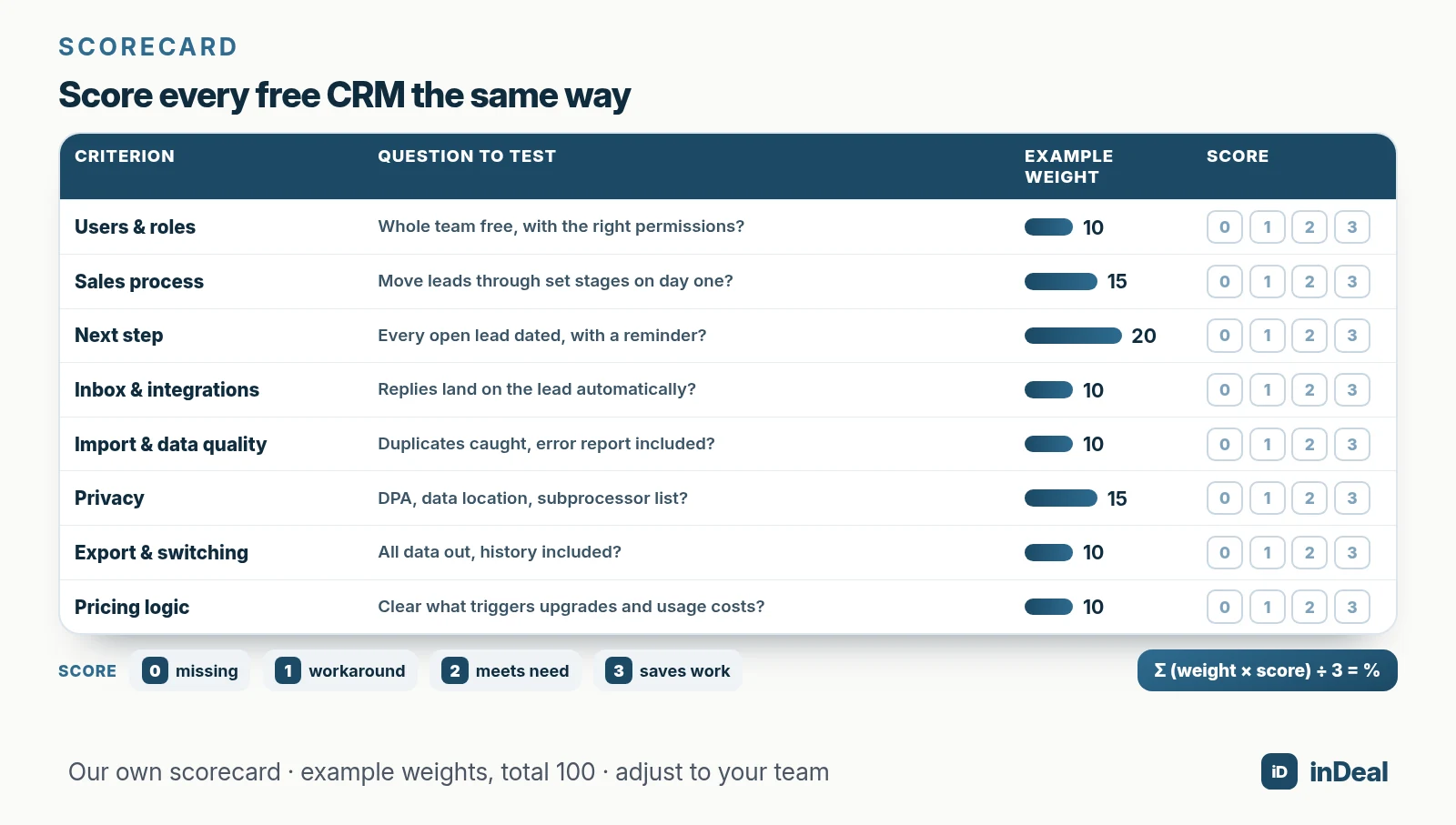
The scorecard below shows example weights for a small B2B sales team. Adjust them to your situation; the total stays at 100.
| Criterion | Question to test | Example weight | Score (0–3) |
|---|---|---|---|
| Users and roles | Can the whole team work in it for free, with the right permissions? | 10 | |
| Ready-made sales process | Can you move leads through set stages on day one? | 15 | |
| Next step and follow-up | Does every open lead have a date, and does the CRM remind you? | 20 | |
| Inbox and integrations | Do emails and replies land on the lead automatically? | 10 | |
| Import and data quality | Does the import catch duplicates and give you an error report? | 10 | |
| Privacy | Is there a DPA, a stated data location and a subprocessor list? | 15 | |
| Export and switching | Does all your data come out, history included? | 10 | |
| Pricing logic | Is it clear what triggers an upgrade and what usage costs? | 10 |
How to score: 0 = missing, 1 = only with a workaround, 2 = meets the need, 3 = meets the need and saves work. Multiply each score by its weight and add everything up. Divide the total by 3 to get a result between 0 and 100%.
Your weights will differ. If you work with a lot of contractors, raise "users and roles". If you handle sensitive client data, raise "privacy". Agencies will find more criteria in CRM for agencies.
How do you trial a free CRM in 14 days with real data?
By using it for real sales work for two weeks. That's the only way to find the gaps no demo will show you.
| Day | Task | What to measure |
|---|---|---|
| 1 | Create the account, invite the team, assign roles | Can everyone work on day one? |
| 2 | Import 50 to 100 real leads by CSV | Duplicates caught, errors reported, fields mapped correctly? |
| 3–5 | Give every open lead a stage, a date and a next step | Are any leads left without a next step? |
| 6–8 | Connect your mailbox and send email from the CRM | Do replies land on the lead automatically? |
| 9–11 | Work the due follow-ups every day | How many leads are overdue at the end? |
| 12 | Run a full export | Does all data, history included, come out in a common format? |
| 13 | Check the DPA, data location and subprocessors | Are all documents available? |
| 14 | Fill in the scorecard, ask the team, decide | Which option scores highest, and who wants to keep using it? |
Run every option with the same list and the same tasks. Otherwise you end up comparing impressions, not results.
Which deal-breakers rule out a free CRM right away?
Anything that will push you into an expensive or risky switch later. Check these four points before the trial so you don't lose two weeks.
- A free tier smaller than your team: If the free plan won't fit your team within 12 months, it's a trial, not a free CRM.
- No DPA: If a provider processes personal data of people in the EU on your behalf, GDPR Art. 28 requires a contract (GDPR). That applies to US companies with EU contacts, too.
- No full export: Without history, notes and stages, you lose the story of every lead when you switch.
- Unclear data location: Without details on where data is stored and who processes it, you can't assess the risk.
For EU customers, the EU Data Act helps with exports. It has applied since September 12, 2025. SaaS providers must offer open interfaces and, at a minimum, export data in a commonly used, machine-readable format; switching charges end entirely on January 12, 2027 (European Commission, Data Act). If you're outside the EU, don't assume the same terms; read the contract.
How does inDeal score on this scorecard?
Score it yourself, with the same scorecard and the same tasks. Here are the documented facts for each criterion, so you know what to check.
- Users and roles: The CRM is free for any number of users, with no per-seat license (indeal.ai). There are two roles, Admin and Sales; Sales sees only their own leads and can't import or delete (Managing the team).
- Sales process: The process comes preconfigured, with six stages from Qualify through Discovery done or Lead lost (Setting stages correctly).
- Follow-up: When you change a stage, inDeal asks for a follow-up date and next step, depending on the stage. A lead without a follow-up date drops off your work list, so set one every time.
- Inbox and integrations: Everyone connects their own mailbox, Outlook or Microsoft 365, or Gmail or Google Workspace. Only emails with existing leads are taken over (Connect your mailbox). AI assistants such as Claude or ChatGPT connect via MCP (Connect AI assistants).
- Import and data quality: CSV import with automatic column mapping and a preview. inDeal recognizes existing leads by email or LinkedIn URL, and skipped rows are listed with a reason in an error report (Creating, importing and enriching leads).
- Privacy: Data is stored on servers in the EU (Frankfurt), and the DPA is included (indeal.ai). The DPA and the subprocessor list sit in the Legal area (Trash and legal).
- Pricing logic: The CRM, all users and adding leads by hand or by CSV are free. You need credits for data enrichment and for capturing leads with the lead plugin for Chrome; only contact data that is found is charged (indeal.ai).
Test the export yourself during your trial, as with any option. To see how a model without per-user pricing scales as your team grows, read CRM without per-user pricing. For what AI can do inside a CRM, see AI CRM for small business.
Bottom line: which free CRM is right for your small business?
The one that leads your scorecard after 14 days and that your team wants to keep using. Weight first, then test, and check the exit before you commit.
| Your situation | Weight these criteria first |
|---|---|
| Small team, first CRM | Ready-made sales process, next step and follow-up |
| Growing team or many contractors | Users and roles, pricing logic |
| Lots of leads in spreadsheets | Import and data quality |
| Sales runs through email | Inbox and integrations |
| Strict privacy requirements | Privacy, export and switching |
| Moving from another CRM | Export and switching, import and data quality |
Every week without a real system costs you leads nobody follows up on and meetings that never get booked. A proper comparison takes two weeks and saves you from switching again three months later.
A free CRM for your whole team. Start inDeal in 2 minutes. Just an email address, no credit card to sign up, unlimited users.
Start freeKeep reading
- AI CRM for Small Business: What It Can Do in 2026
- Free CRM for Small Business (2026): Which One Fits Your Team?
- Free CRM Limits 2026: A Small-Business Checklist
- CRM Cost for Small Business (2026): What You Really Pay
- CRM Without Per-User Pricing: How It Works in 2026
Frequently asked questions
What is the best free CRM for a small business?
How do I compare free CRM software?
What criteria matter most when choosing a CRM for a small sales team?
How long should I trial a free CRM?
Can I trust CRM review sites and comparison lists?
Do I need a data processing agreement for a free CRM?
What happens to my data if I switch free CRMs?
Is inDeal the same as indeal.io?
Sources
- E-business integration
- Over half of EU enterprises used paid cloud services in 2025
- Kleine Unternehmen zu oft planlos in der Digitalisierung (small firms often lack a digital plan)
- Frequently Asked Questions About Small Business 2026
- Size standards
- SME definition
- Perceived Usefulness, Perceived Ease of Use, and User Acceptance of Information Technology (MIS Quarterly 13(3))
- The Hidden Minefields in the Adoption of Sales Force Automation Technologies (Journal of Marketing 66(3))
- Data Act explained
- Regulation (EU) 2023/2854 (Data Act)
- Regulation (EU) 2016/679 (General Data Protection Regulation)
- Managing the team
- Setting stages correctly
- Connect your mailbox
- Creating, importing and enriching leads
- Connect AI assistants to inDeal
- Trash and legal
- inDeal: home page and FAQ
inDeal is the AI CRM for small and mid-sized B2B companies.
Keep reading
 Comparisons
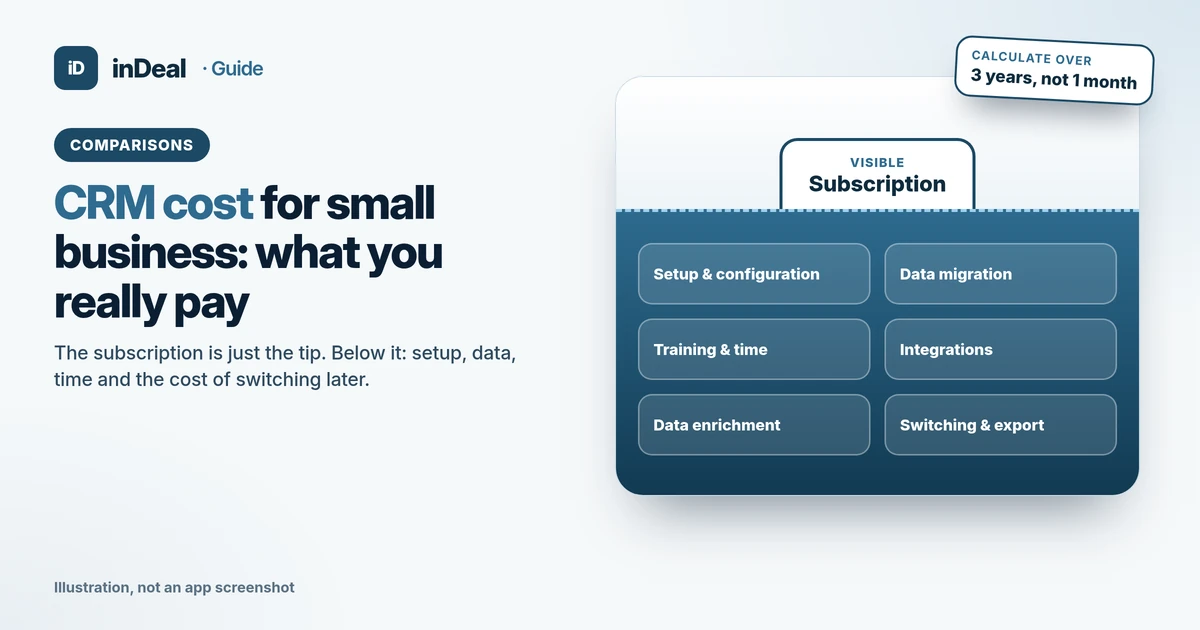
CRM Cost for Small Business (2026): What You Really Pay
CRM cost for small business: the cost blocks beyond the subscription, what SME spending data shows, and how to calculate your 3-year total cost of ownership.
 Comparisons
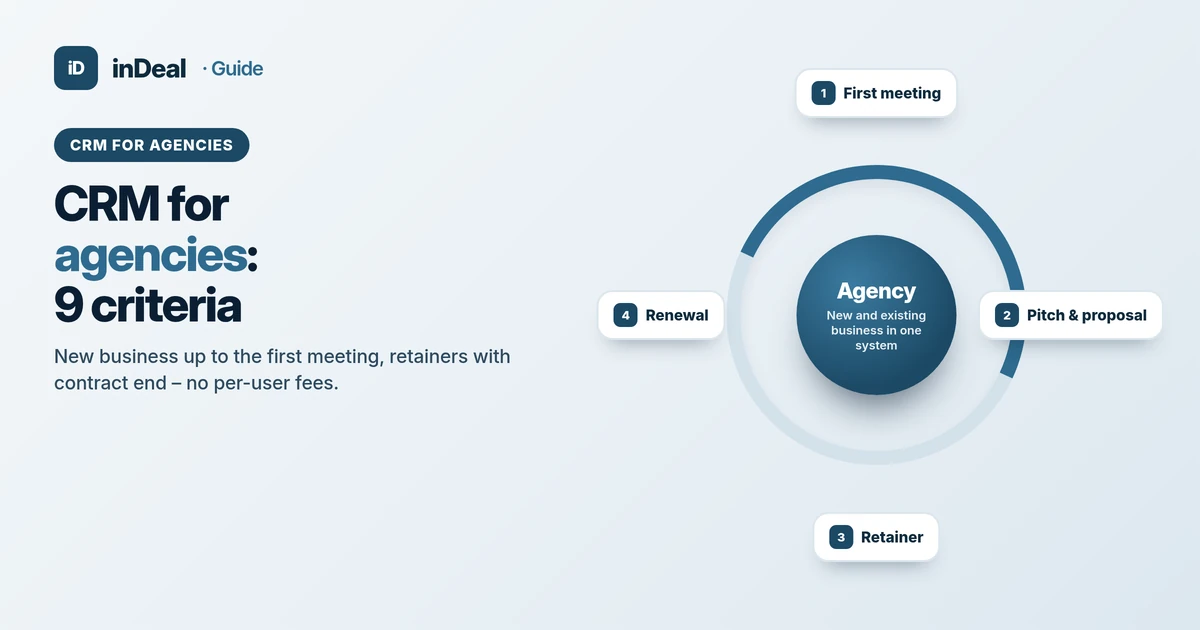
CRM for Agencies 2026: 9 Criteria for Small Agency Teams
CRM for agencies: 9 criteria for new business, retainers and team roles – a neutral guide for small marketing agencies, with a free start and no per-user fees.
 Comparisons
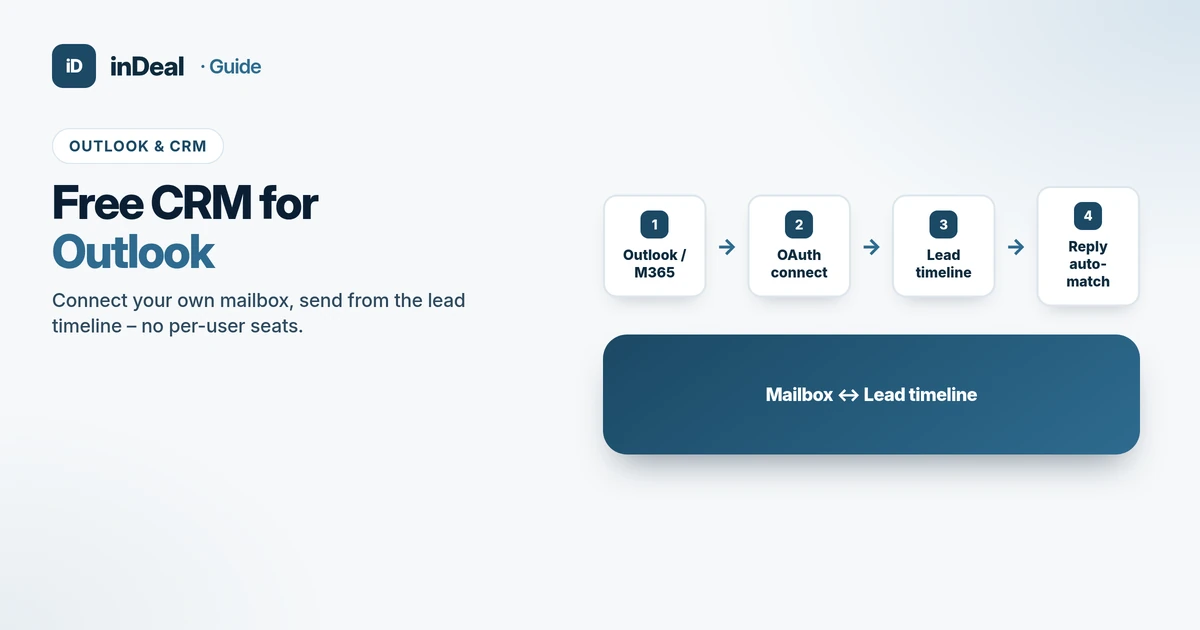
Free CRM for Outlook 2026: Mailbox & Timeline
Free CRM for Outlook: connect your own mailbox, send from the lead timeline, match replies automatically – a criteria checklist without per-user seats.