Contents
- What is lead management?
- Why do small businesses need lead management?
- What does a 6-step lead management process look like?
- How do you capture leads from every channel in one place?
- How do you qualify leads without wasting time?
- Who should own each lead?
- How fast should you respond to new leads?
- How do you organize follow-ups so leads don't go cold?
- When does a lead become a deal, and when is it lost?
- Which KPIs show whether your lead management works?
- What are the legal basics of lead management?
- Spreadsheet or CRM: what should you manage leads in?
- How can AI help with lead management?
- Which lead management setup is right for your team?
- Keep reading
- Frequently asked questions
- Sources
Lead management for small business is the fixed process you use to capture every potential customer, qualify them, assign an owner and follow up until a meeting is booked or you close the lead on purpose. Small teams need six steps and one rule: no open lead without a dated next step. inDeal (indeal.ai) is a free AI CRM for small businesses, made by Lars Krüger GmbH in Berlin. Not to be confused with indeal.io, a different company.
As of November 2, 2026. Data: Eurostat 2025, Bitkom Research 2026; research: Journal of Marketing (2013), Harvard Business Review (2011); law: GDPR (EUR-Lex), German UWG section 7; product: success.indeal.ai and indeal.ai. Not legal advice.
What is lead management?
Lead management is everything that happens between first contact and the proposal. For every prospect, it answers three questions: Are they a fit, who owns them, and what's the next step?
Three terms help draw the line:
| Term | Meaning | Example |
|---|---|---|
| Contact | a person whose details you have | someone who attended your webinar |
| Lead | a contact you see a real chance of doing business with and are actively working | a founder who requested a demo |
| Deal | a specific sales opportunity with a proposal, value and stage | a 12-month maintenance proposal |
Lead management ends when a lead becomes a deal or when it's clear nothing will come of it. From the proposal on, your pipeline takes over. The difference is explained in Sales Funnel vs. Pipeline.
Lead generation is something else: it creates new prospects through your website, trade shows, referrals or LinkedIn. Lead management decides what happens next with each one. Many small businesses invest in generating leads and then lose them in the inbox.
Why do small businesses need lead management?
Because leads without a process get lost, and more of them than most teams think. Small teams rarely lack the will; they lack a system that reminds them of the next step.
Research shows the scale. According to "The Sales Lead Black Hole" in the Journal of Marketing, about 70% of marketing-generated leads are not followed up by sales reps. Data from 461 sales reps at four companies shows that follow-up depends, among other things, on how well leads are prequalified and whether managers track the work (Sabnis et al., 2013).
At the same time, many small businesses still run without a CRM. In 2025, 24.69% of small EU enterprises (10 to 49 employees) used CRM software, compared with 65.43% of large ones (Eurostat). The leads live in inboxes, spreadsheets and people's heads.
What counts as a small business depends on where you are. In the EU, SMEs have fewer than 250 employees and up to €50 million in turnover or €43 million on the balance sheet (European Commission). In the U.S., the SBA sets size standards by industry; most non-manufacturing businesses with average annual receipts under $7.5 million qualify (SBA). Either way, a lean process with clear rules beats a complex system.
What does a 6-step lead management process look like?
Capture, qualify, assign, follow up, meeting, hand off or close. Each step has a clear outcome, and no lead sits without a date.
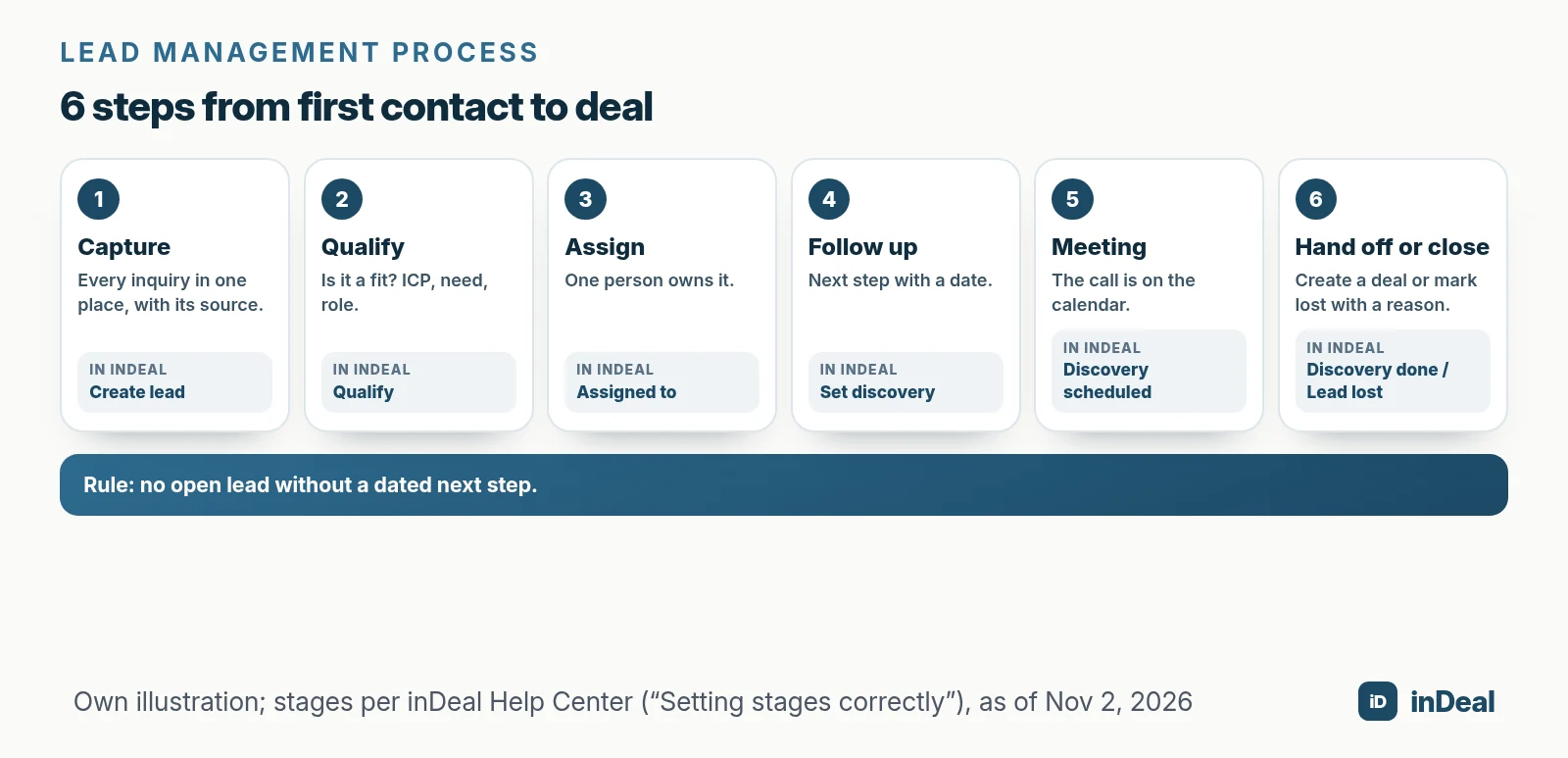
- Capture: every inquiry and every promising contact goes into one place, with source and date.
- Qualify: check whether there's real business potential: Does the contact fit your ideal customer, is there a need, is this the right person?
- Assign: one person owns the lead. "The team" is not a person.
- Follow up: every lead has a dated next step until a meeting is booked.
- Meeting: the call is on the calendar. If it falls through, record that visibly instead of quietly resetting the lead.
- Hand off or close: after the meeting, the lead becomes a deal, or you mark it lost with a reason.
In inDeal, the steps map to six stages: Qualify, Set discovery, Discovery scheduled, Discovery failed, Discovery done and Lead lost (Setting stages correctly). For the full sales process from lead to invoice, see CRM Sales Process.
How do you capture leads from every channel in one place?
Decide for each channel how leads get into your CRM, and always store the source. After a few weeks, you'll see which channels actually bring meetings.
| Channel | How the lead gets into the CRM | What to store with it |
|---|---|---|
| Website form | automatically through an API connection | source "website", form, request |
| one at a time with a Chrome lead plugin | source "LinkedIn", trigger (post, comment) | |
| Phone and email | by hand, right after the conversation | call notes, agreed next step |
| Trade shows and events | CSV import after the event | event name, topic discussed |
| Referral | by hand | who referred them |
| Campaigns | automatically through a connection to your outreach tool | campaign, reply |
To capture leads directly from your browser, including website forms via API, see How to Capture Leads from Chrome. For existing LinkedIn connections, read How to Add LinkedIn Contacts to Your CRM.
Two things matter more than the channel. First, avoid duplicates: inDeal recognizes existing leads on import by email or LinkedIn URL and only fills empty fields (Creating, importing and enriching leads). Second, blocklist first: anyone who doesn't want to be contacted goes on the blacklist before new leads come in.
How do you qualify leads without wasting time?
With a few fixed criteria that everyone on your team applies the same way. Qualifying doesn't mean researching every lead for hours; it means deciding fast: go, later or no.
A proven framework is BANT: budget, authority, need and timeline. For small businesses, a simpler version often works:
- Does the contact fit your ideal customer? Industry, size, region and role. Your ideal customer profile (ICP) describes the companies that fit your offer best.
- Is there a visible need? A request, a trigger or a problem you solve.
- Can this person decide, or point you to who does?
If all three are a yes, move the lead to the next step. If something's missing, note what and set a later follow-up. If the contact doesn't fit at all, close it with a reason. The full guide is Lead Qualification with BANT.
The Sabnis study backs this up: well-prequalified leads are more likely to be followed up. Give your team fewer, better leads, and you'll lose fewer.
Who should own each lead?
Every lead has exactly one owner, from capture to close. Shared inboxes and "whoever has time" mean nobody feels responsible.
Rules that work for small teams:
- Whoever captures it owns it, unless agreed otherwise. In inDeal, a lead from the Chrome extension is automatically assigned to the person who captured it.
- Inbound inquiries are routed by one designated person, for example by region or industry.
- Vacations and sick days: leads are reassigned temporarily, not left waiting.
In inDeal, a team member with the Sales role only sees leads assigned to them (Open leads and All leads). That keeps the work list focused and ownership clear. The CRM is free for unlimited users (indeal.ai).
How fast should you respond to new leads?
As fast as you can, ideally the same day. Inquiries cool off quickly, and many companies respond much more slowly than they think.
Research published in Harvard Business Review audited 2,241 U.S. companies by sending a test inquiry through their websites (Oldroyd, McElheran, Elkington, 2011). Only 37% responded within an hour, 24% took more than 24 hours, and 23% never responded. The average response time was 42 hours.
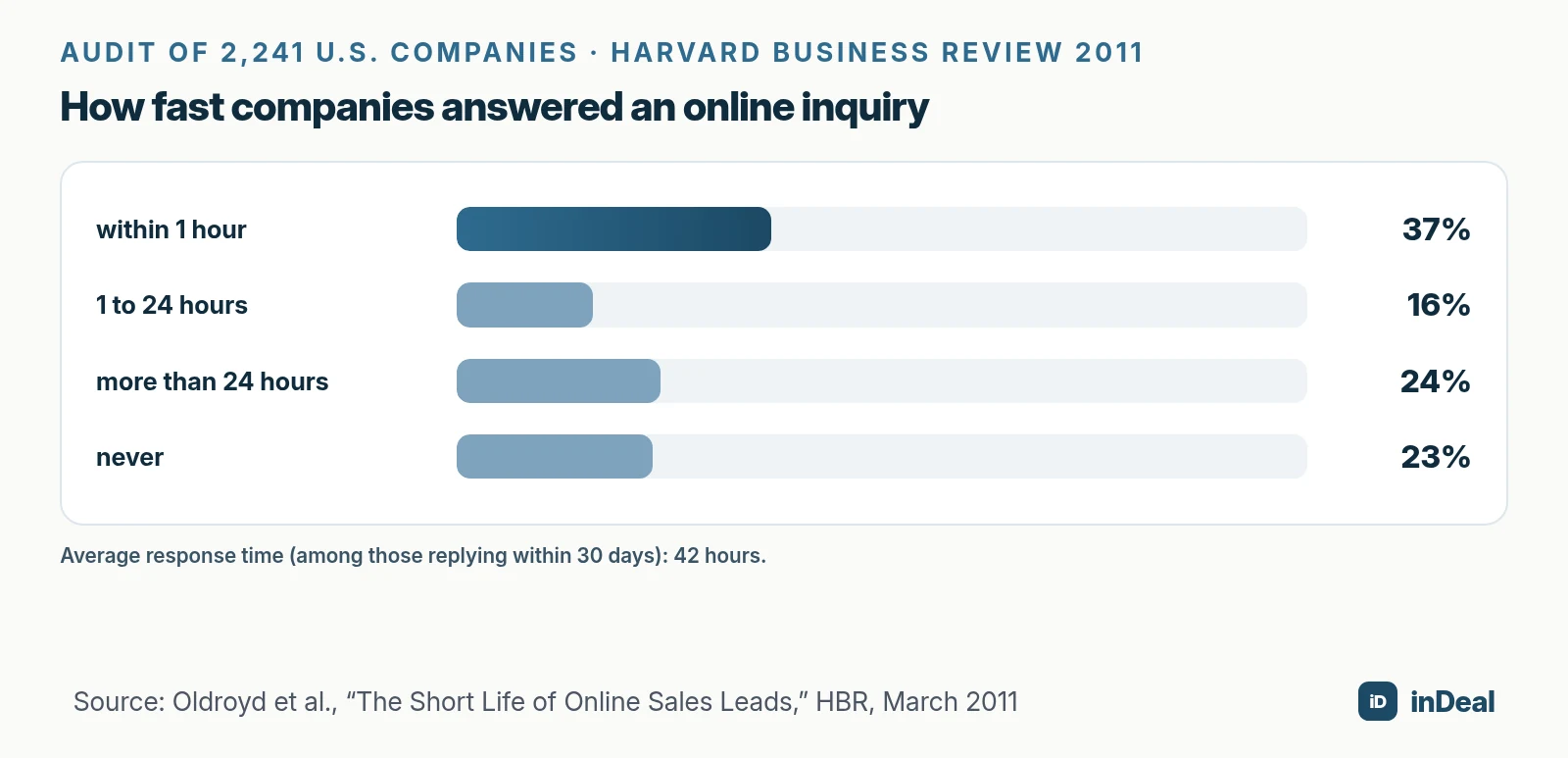
In a second analysis of leads from 42 U.S. companies, firms that tried to contact a lead within an hour were nearly seven times as likely to qualify it as firms that waited even one hour longer. The data is from 2011 and from the U.S., and one of the authors ran a sales software company at the time. Still, the direction is clear: respond fast, and you reach people while their request is still top of mind.
In practice: set a response target, such as "website inquiries answered the same business day", and measure it. Your CRM should make new leads visible. In inDeal's daily Contact list, leads that came in today appear in their own "New leads" group (Contact: your daily list).
How do you organize follow-ups so leads don't go cold?
With a single rule: every open lead has a dated next step. Your CRM then shows you what's due each morning, so you don't have to remember everything.
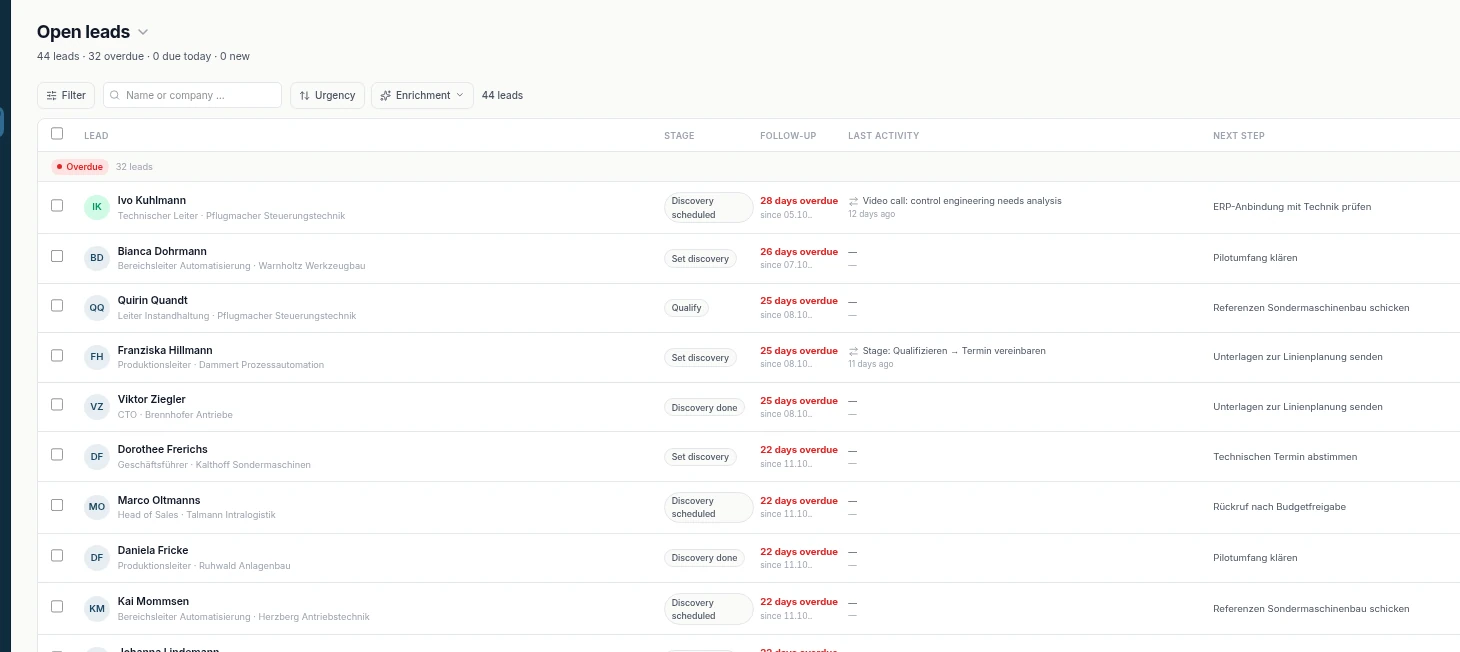
Here's how inDeal puts the rule into practice:
- Open leads only shows leads that need action, sorted by urgency and grouped into Overdue, Due today and Later (Open leads and All leads).
- Cold leads on Qualify with no follow-up date and no sentiment don't show up there, only in All leads. This is the most common surprise after an import.
- Email reminders: add a time in 15-minute steps to a follow-up date. At that time, you get an email with phone, email address and next step (Follow-up with reminder).
- Stage changes ask for the next step: when you change a stage, a dialog asks for the follow-up date and next step.
For how often and how far apart to follow up, read Sales Follow-Up.
When does a lead become a deal, and when is it lost?
A lead becomes a deal when a conversation leads to a concrete proposal. It's lost when it's clear nothing will come of it. Both are deliberate decisions you record in the CRM.
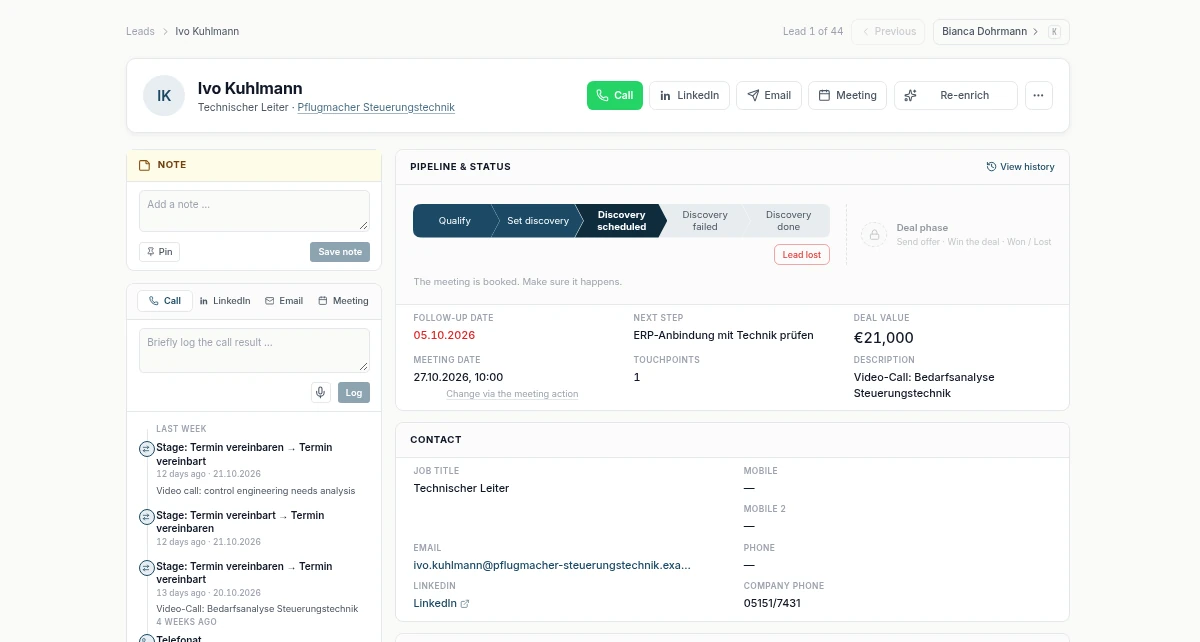
This is how it works in inDeal (Setting stages correctly):
- Discovery failed instead of resetting: if a meeting falls through, set the lead to Discovery failed. Your meeting rate stays honest and the lead doesn't get buried.
- After the meeting: on Discovery done, the detail page shows the button Create offer. That turns the lead into a deal, and the work continues in the pipeline.
- Lead lost is not deleting: the lead stays in the system with its lost reason and can be reactivated later.
Lost reasons are gold. After three months, you'll see whether leads fail on budget, timing or the wrong target group. What happens after the handoff is covered in Sales Pipeline Stages.
Which KPIs show whether your lead management works?
Five KPIs are enough to start. Measure them the same way every week, and you'll spot trends before they cost you revenue.
| KPI | How to calculate it | What it tells you |
|---|---|---|
| New leads by source | new leads per week per channel | which channels deliver |
| Share with a follow-up date | open leads with a date ÷ all open leads | whether your core rule holds |
| Time to first response | first activity minus time the lead came in | whether inquiries cool off |
| Meeting rate | leads with a meeting ÷ qualified leads | whether outreach and targeting fit |
| Win rate | won deals ÷ decided deals | whether leads turn into revenue |
None of these has a universal target. Compare yourself with your own previous weeks, not with averages from vendor blogs. To measure how many meetings actually happen, see Meeting Show Rate.
What are the legal basics of lead management?
If you process personal data of people in the EU, you need a purpose and a legal basis for each lead under the GDPR. Outreach has its own rules on top.
The key GDPR points (EUR-Lex):
- Legal basis: for inbound inquiries, often steps prior to entering into a contract (Art. 6(1)(b)); for B2B contacts you researched yourself, often legitimate interest (Art. 6(1)(f)) with a balancing test.
- Data minimization and storage limits: keep only what you need, and not longer than necessary (Art. 5(1)(c) and (e)). Delete lost leads with no prospects on a regular schedule.
- Duty to inform: if the data didn't come from the person, inform them at the latest when you first contact them (Art. 14).
- Right to object: anyone who objects to direct marketing must not be contacted for it again (Art. 21(3)). Keep a blocklist.
Outreach rules vary by country. In Germany, for example, section 7 UWG generally requires prior express consent for email advertising, and at least presumed consent for sales calls to businesses (UWG, English translation). Replying to a specific inquiry means contacting someone at their own request; emailing contacts you researched is subject to stricter rules. Details in B2B Cold Outreach and GDPR.
Spreadsheet or CRM: what should you manage leads in?
A spreadsheet works while one person handles a few leads. Once several people are involved, follow-ups slip or you want to know which channels work, you need a CRM.
| Criterion | Spreadsheet | CRM |
|---|---|---|
| Follow-up reminders | only with personal discipline | automatic via work list and reminders |
| Several people | version conflicts, unclear ownership | assignment and roles |
| Duplicates | search by hand | detected on creation and import |
| History | extra columns or notes | activities on the lead |
| Reporting | your own formulas | KPIs from the stages |
The full comparison is in Spreadsheet vs. CRM, and the move step by step in Manage Leads in Spreadsheets. In inDeal, the CRM, all users and adding leads by hand or via CSV are free; credits are needed for data enrichment and for capturing through the Chrome lead plugin (indeal.ai).
How can AI help with lead management?
AI takes over routine work around leads, but it doesn't replace your decision about whom to contact. It's worth it where it saves time and prevents mistakes.
AI in sales is still early but growing fast. According to Bitkom Research, 14% of German companies that use AI applied it in sales in 2026, up from 5% the year before; the survey covered 603 companies with 20 or more employees (Bitkom Research).
Typical uses in lead management that inDeal offers today:
- Classifying replies and reacting: four built-in workflows react to classified campaign replies. On a positive reply to a lead in Qualify, the stage moves to Set discovery and the follow-up is set to today if it's empty (The four workflows in detail).
- Filling in missing contact details: enrichment searches for publicly available phone numbers and email addresses; this uses credits, company data is free.
- Asking your CRM questions: through inDeal's own MCP server, you connect AI assistants such as Claude or ChatGPT and ask, for example, which deals have no next step (indeal.ai).
More in AI CRM for Small Business.
Which lead management setup is right for your team?
The simplest one your team uses every day. Six steps, one owner per lead and no open lead without a date beat any elaborate scoring model.
| Your situation | Recommendation |
|---|---|
| You work alone with a handful of leads | a firm rule for follow-up dates, prepare the move to a CRM |
| 2 to 10 people in sales | a CRM with assignment, work list and roles |
| Lots of inquiries via your website | connect the form, set a response target and measure it |
| Most leads come from LinkedIn | use a lead plugin and give every lead a date right away |
| Leads get lost between marketing and sales | shared qualification criteria and a handoff stage |
| You want to know which channels work | store the source on every lead, review weekly |
Start this week with one step: give every open lead a follow-up date. Everything you need for that is in Free CRM for Small Business.
A free CRM for your whole team. Start inDeal in 2 minutes. Just an email address, no credit card to sign up, unlimited users.
Start freeKeep reading
- AI CRM for Small Business: What It Can Do in 2026
- Free CRM for Small Business (2026): Which One Fits Your Team?
- How to Capture Leads from Chrome into a Free CRM (2026)
- Lead Qualification with BANT: Small Business Guide 2026
- Sales Funnel for Small Business 2026
Frequently asked questions
What is lead management in simple terms?
What are the stages of a lead management process?
Do small businesses need separate lead management software?
How fast should you respond to a new lead?
What's the difference between lead management and lead generation?
Which lead management KPIs should a small business track?
How do you manage leads in line with the GDPR?
Is inDeal the same as indeal.io?
Sources
- E-business integration
- The Sales Lead Black Hole: On Sales Reps' Follow-Up of Marketing Leads (Journal of Marketing 77(1))
- The Short Life of Online Sales Leads
- AI in the German economy: status quo and outlook 2026 (German)
- SME definition
- Size standards
- Regulation (EU) 2016/679 (General Data Protection Regulation), Art. 5, 6, 14 and 21
- Act against Unfair Competition (UWG), English translation, section 7
- Setting stages correctly
- Open leads and All leads
- Contact - your daily list
- Set a follow-up with a reminder
- Creating, importing and enriching leads
- The four workflows in detail
- inDeal: home page, pricing and FAQ
inDeal is the AI CRM for small and mid-sized B2B companies.
Keep reading
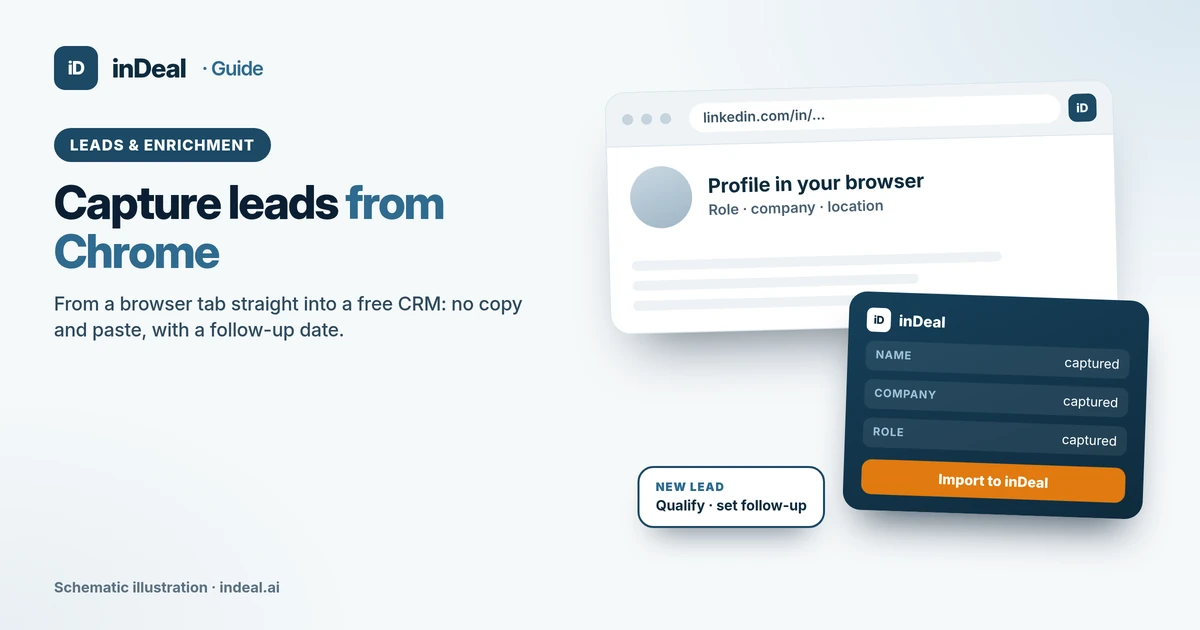 Leads and enrichment
How to Capture Leads from Chrome into a Free CRM (2026)
Capture leads from Chrome without copy and paste: 5 ways from browser to CRM, a lead plugin, website forms via API, GDPR checks and extension security tips.
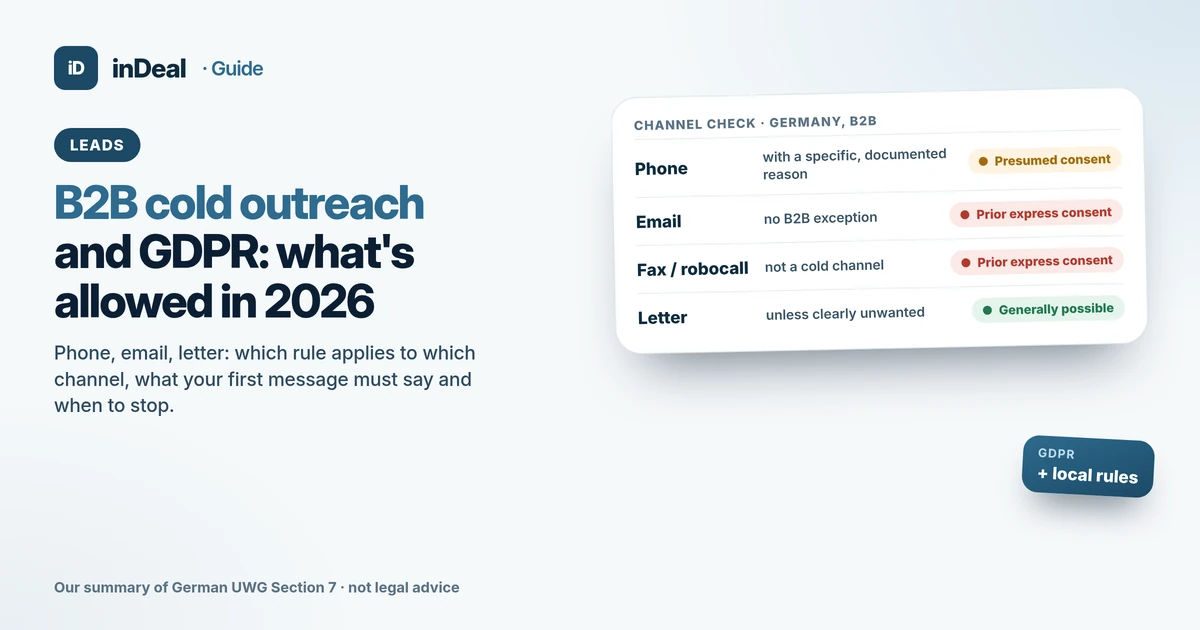 Leads and enrichment
B2B Cold Outreach and GDPR (2026): What's Allowed
Is B2B cold outreach legal under GDPR? Channel rules for email and calls, Article 14 notices, objections, plus how UK PECR and US CAN-SPAM compare.
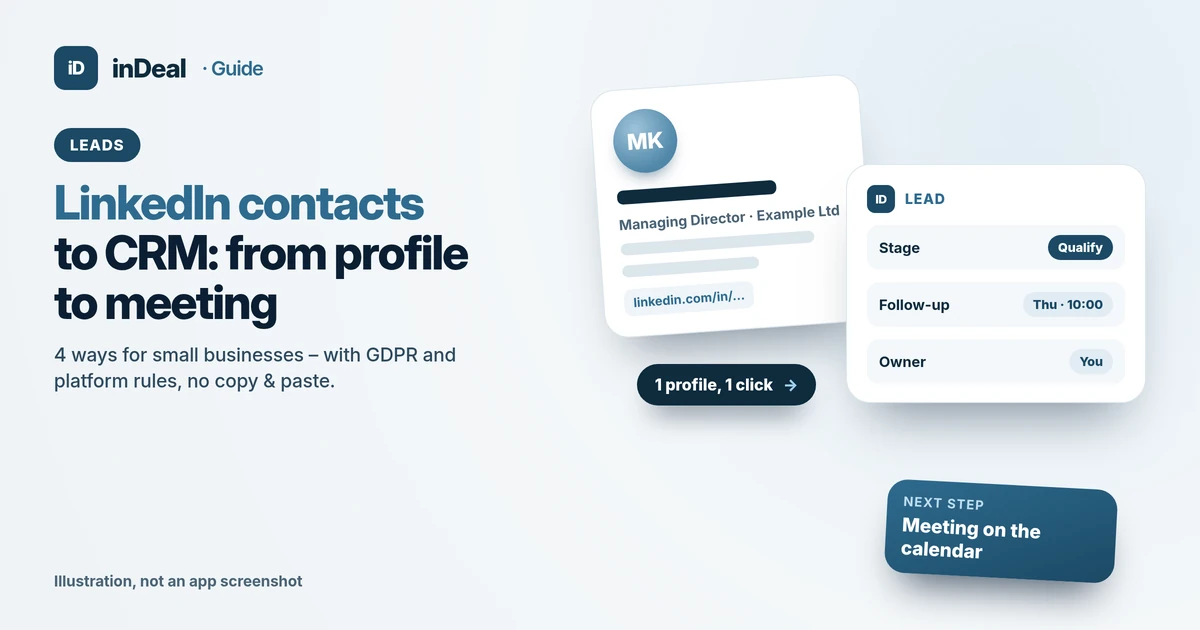 Leads and enrichment
How to Add LinkedIn Contacts to Your CRM: 4 Ways (2026)
LinkedIn contacts to CRM: data export, CSV import, Chrome extension or campaign sync – with a GDPR check and a free CRM for small businesses.