Contents
- What does it mean to digitize your sales process?
- Why should a small business digitize its sales process?
- How do you digitize a sales process step by step?
- Step 1: How do you map your current sales process?
- Step 2: Which sales steps should you digitize first?
- Step 3: How do you get clean data into your CRM?
- Step 4: How do you set up stages and rules in your CRM?
- Step 5: What should you automate in your sales process?
- Step 6: How do you get your team to use the CRM?
- How do you measure whether digitizing worked?
- How much does it cost to digitize sales with a CRM?
- Bottom line: how should you start digitizing your sales process?
- Keep reading
- Frequently asked questions
- Sources
To digitize your sales process with a CRM, you move the workflow that lives in spreadsheets, inboxes and notebooks into one system, step by step: map what you have, pick the steps that matter most, clean your data, set fixed stages, automate selectively and bring your team along. inDeal (indeal.ai) is a free AI CRM for small businesses made by Lars Krüger GmbH in Berlin, Germany. Not to be confused with indeal.io, a different company.
As of November 4, 2026. Data: KfW SME Digitization Report 2025 (Germany), Eurostat 2025, Bitkom Research 2026; research: Journal of Marketing (2002), MIS Quarterly (1989), Decision Support Systems (2008); law: GDPR (EUR-Lex); product: success.indeal.ai and indeal.ai. Not legal advice.
What does it mean to digitize your sales process?
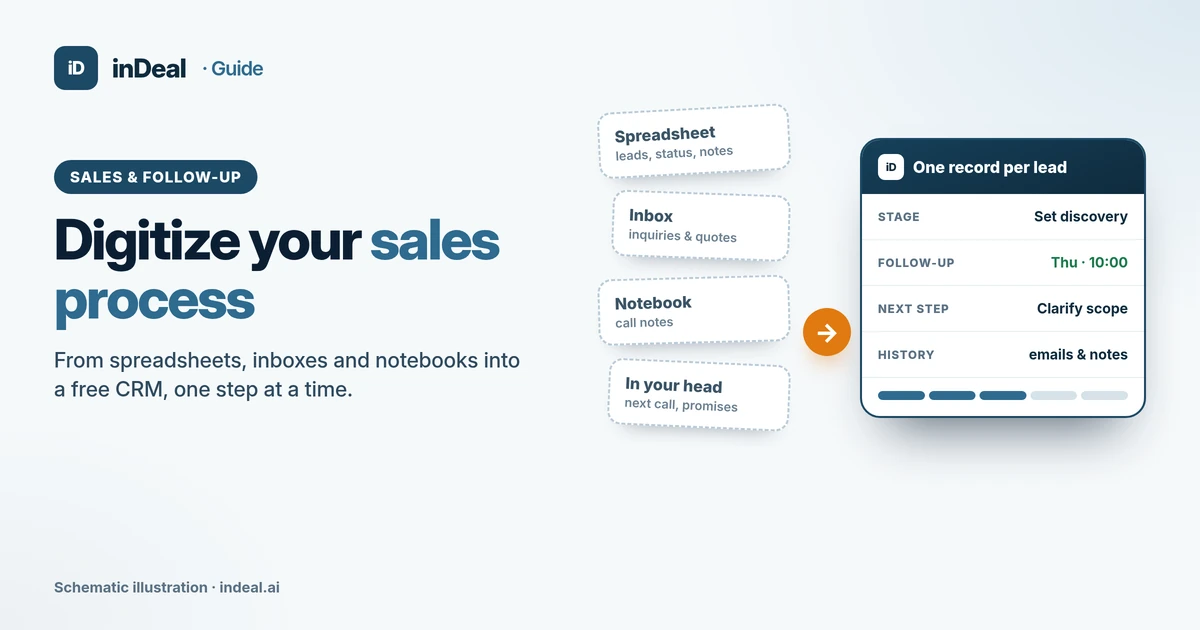
It means turning a process spread across many places into a process in one place. Afterward, every lead has one record, one stage, one owner and a next step with a date.
A CRM can only reflect what you've decided first. The target process, with seven steps and exit criteria, is covered in our pillar guide CRM Sales Process: 7 Steps for Small Businesses. This guide covers the road there.
Typical starting points for small B2B teams: a spreadsheet with a "notes" column only one person understands, inquiries and quotes buried in email threads, and call notes on paper or in someone's head.
Why should a small business digitize its sales process?
Because small companies often swap tools but leave the workflow untouched. That's where the leverage is.
In the KfW SME Digitization Report 2025, 53% of firms with fewer than 5 employees that completed a digitization project in 2022–2024 digitized their contact with customers and suppliers. Only 24% reorganized their workflows. Among firms with 50 or more employees, it was 52%.
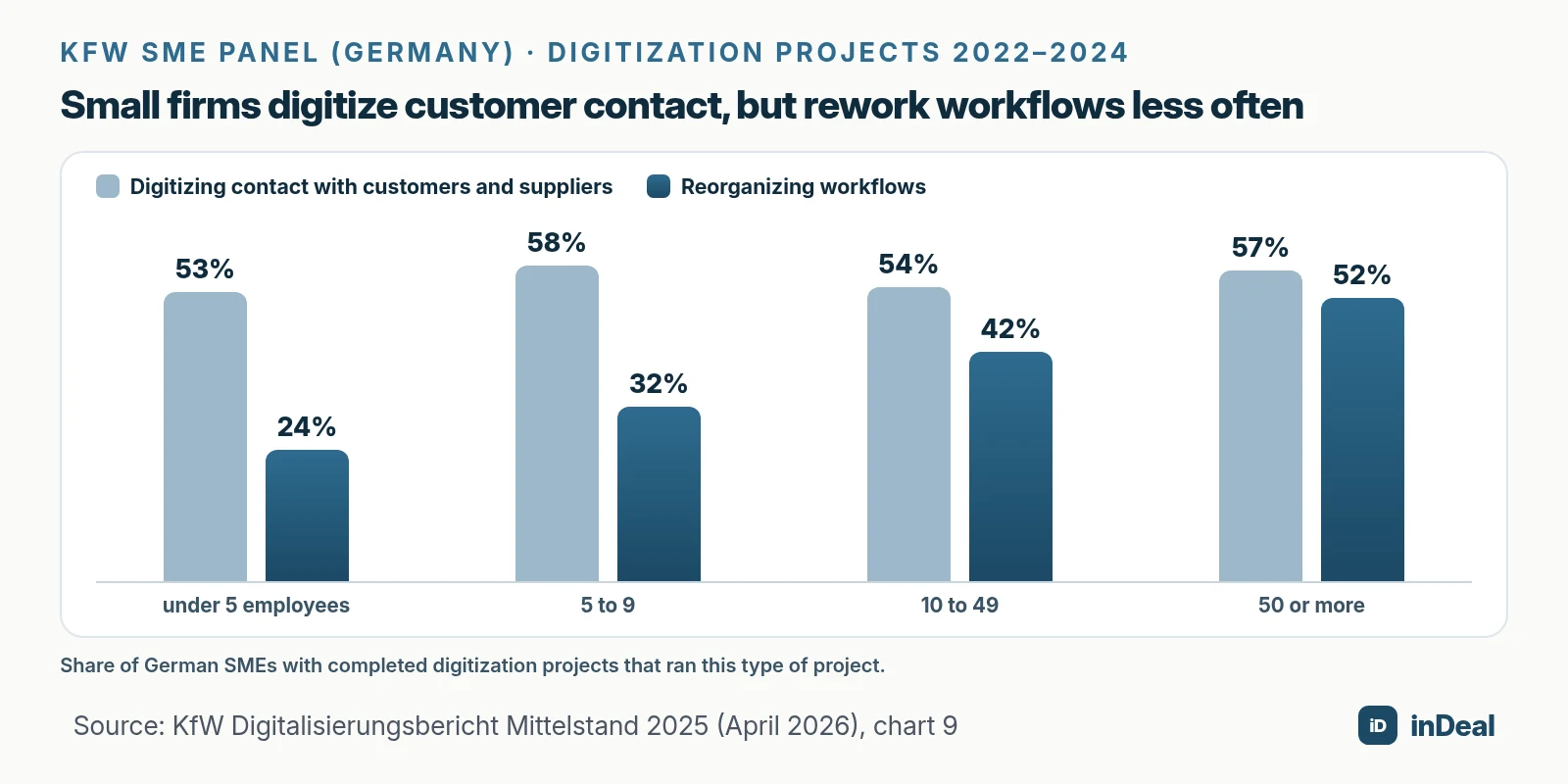
Overall, only 30% of German SMEs completed any digitization project in 2022–2024, down 5 points, per KfW. CRM shows the same gap: in 2025, 24.69% of small EU enterprises used CRM software, compared with 65.43% of large ones (Eurostat).
The EU wants more than 90% of small and medium-sized businesses to reach at least a basic level of digital intensity by 2030. In 2025, the figure was 71%, and 69% for small enterprises (Eurostat). Often the plan is missing: 22% of German companies with 20 to 99 employees have no digital strategy at all (Bitkom Research, 604 companies surveyed).
How do you digitize a sales process step by step?
In six steps, in this order. Start with automation and you automate chaos.
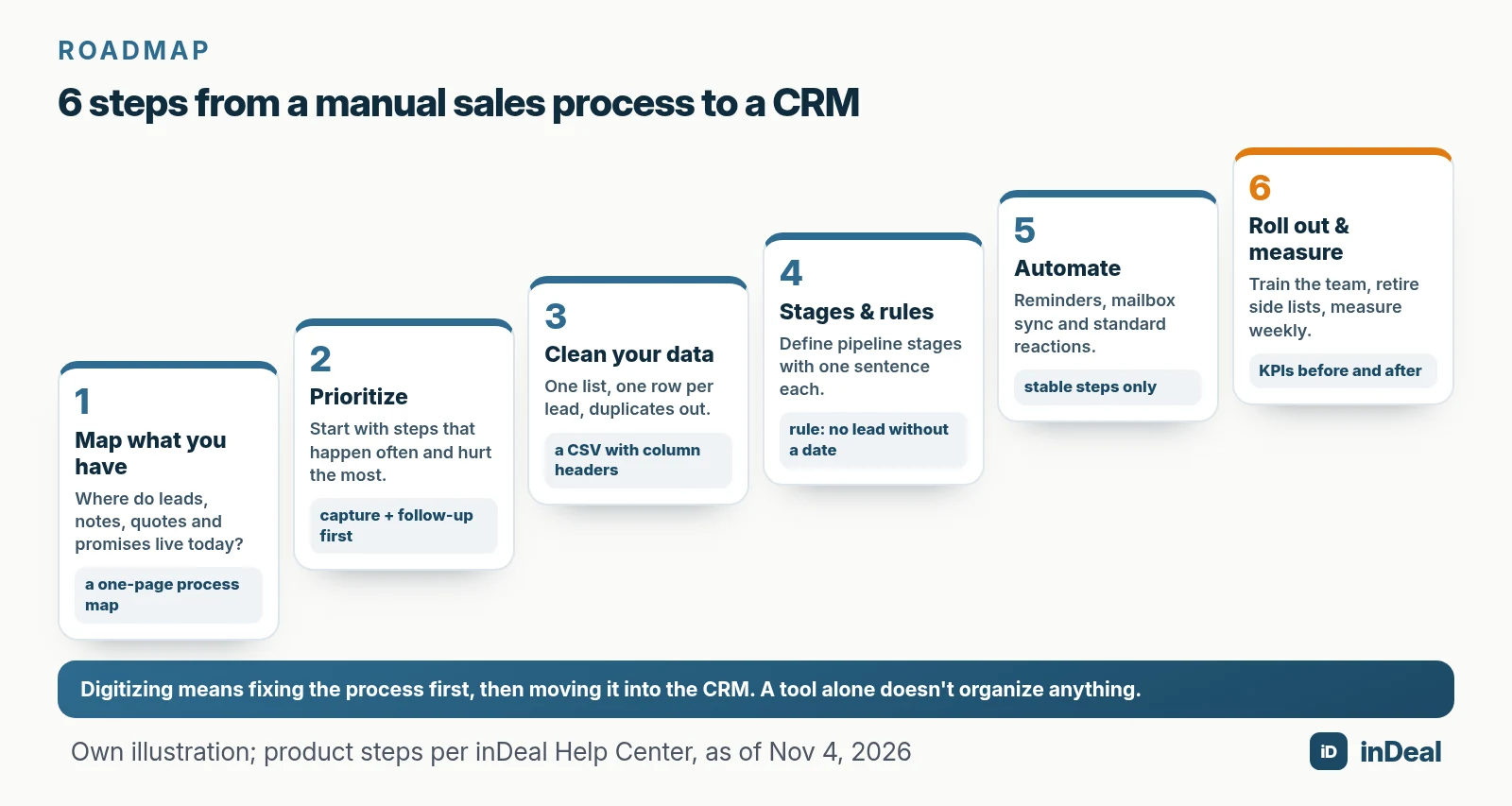
- Map what you have: where do leads, notes, quotes and promises live today?
- Prioritize: which steps happen often and cost the most when they go wrong?
- Clean and import your data: one list, one row per lead, no duplicates.
- Define stages and rules: pipeline stages with a clear meaning, plus a required next step.
- Automate: reminders, mailbox sync and standard reactions, but only for stable steps.
- Roll out and measure: bring the team along, retire side lists, check KPIs weekly.
Step 1: How do you map your current sales process?
Write down on one page where each piece of information lives today and who maintains it.
Walk one real lead from first contact to quote. At each step, note where the information sits, who enters it, and what happens when that person is out.
| Information | Where it often lives today | Typical problem | Where it goes in the CRM |
|---|---|---|---|
| New inquiry | inbox, contact form, business card | nobody feels responsible | lead with source and owner |
| Status | spreadsheet column, row color | everyone reads it differently | pipeline stage with a fixed meaning |
| Next call | calendar, memory, sticky note | gets forgotten | follow-up date with reminder |
| Call notes | notebook, Word file | impossible to find | note and history on the lead |
| Email thread | personal inbox | visible to one person only | emails on the lead's timeline |
| Quote and value | folder, quote PDF | no overview of open quotes | deal with value and stage |
| Reason for a no | nowhere | nothing learned | lost reason on the lead |
Every row that says "nowhere" or "memory" is a candidate for step 2.
Step 2: Which sales steps should you digitize first?
The ones that happen most often and cost the most when they slip. For small B2B teams, that's almost always two things: capturing new leads and setting a follow-up date.
Score every step from your map on two questions: how often does it happen, and does a miss cost a customer or just some time?
Daily, customer-critical steps go into the CRM in week 1. Quotes follow once the basics run; reports and automation come last. How to run leads from capture to handoff is covered in Lead Management for Small Business.
Example: at a small IT services firm, priority 1 isn't a quoting module. It's a rule: every inquiry becomes a lead the same day and gets a date.
Step 3: How do you get clean data into your CRM?
Clean first, then import. Every duplicate you carry over slows you down.
Powell, Baker and Lawson (2008) sum up the research this way: errors in operational spreadsheets are considered common, but the literature can't reliably say how common. So plan a cleanup:
- One source: merge all lists into one file, one row per person.
- Consistent columns: first name, last name, company, email, phone, source, status.
- Duplicates and dead weight out: merge duplicate contacts, delete contacts with no prospect.
- Translate your statuses: map old status values to the new stages, for example "hot" to Set discovery.
In inDeal, you import a CSV file from Setup (Creating, importing and enriching leads):
- File: up to 4 MB, at most 50,000 rows and 200 columns, column headers in the first row.
- Mapping: recognized columns are mapped already; others become a new field or a note.
- Preview: shows what will be created, filled or skipped before anything is saved.
- Duplicates: inDeal recognizes existing leads by email or LinkedIn URL. You choose whether the import fills only empty fields or skips them.
- Error report and undo: failed rows land in a CSV with the reason; a whole run can go to the trash from the import history.
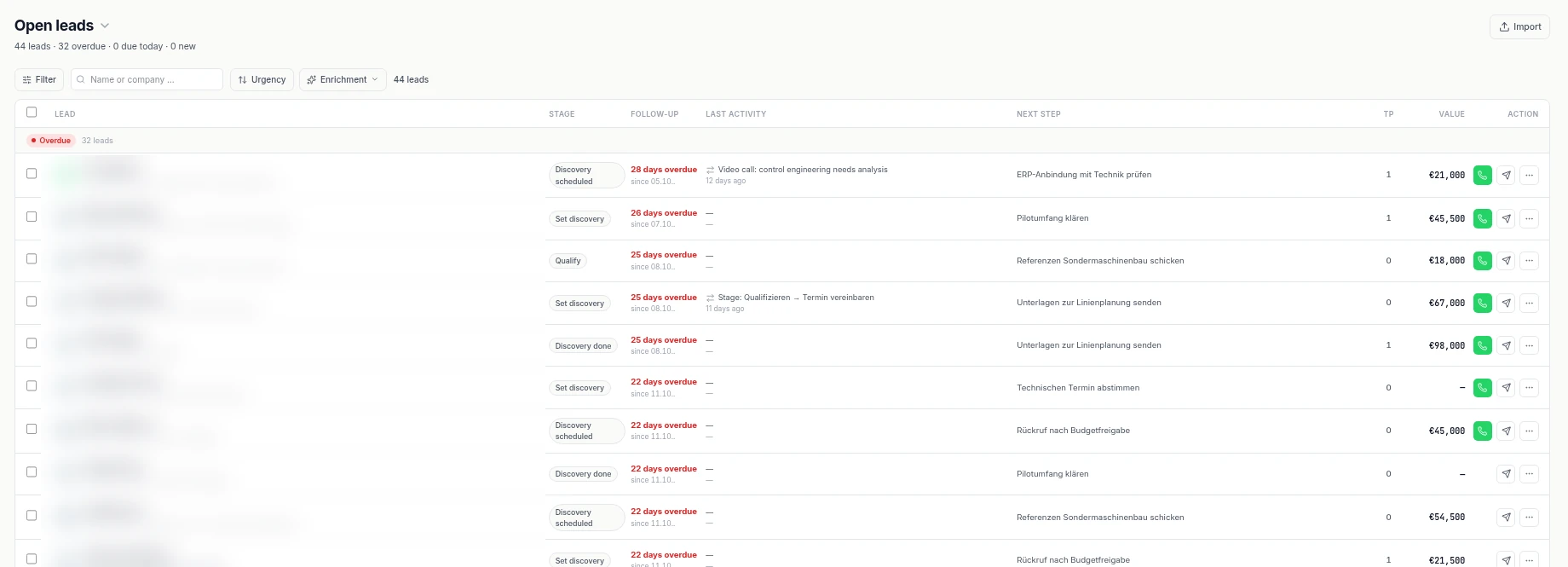
One catch: imported leads start out cold. They sit on Qualify with no follow-up date and only show up under All leads, not in your work list. So give every active lead a date right after the import. When it's time to leave the spreadsheet is covered in Spreadsheet vs. CRM and Manage Leads in Spreadsheets. Coming from another CRM? Use the CRM Migration checklist.
Step 4: How do you set up stages and rules in your CRM?
Write one sentence per stage that says what it means, plus one rule for everyone: no open lead without a dated next step.
inDeal comes with six lead stages: Qualify, Set discovery, Discovery scheduled, Discovery failed, Discovery done and Lead lost (Setting stages correctly). When you change the stage, a dialog asks for a follow-up date and a next step. After a meeting, "Create offer" turns the lead into a deal that continues in the pipeline.
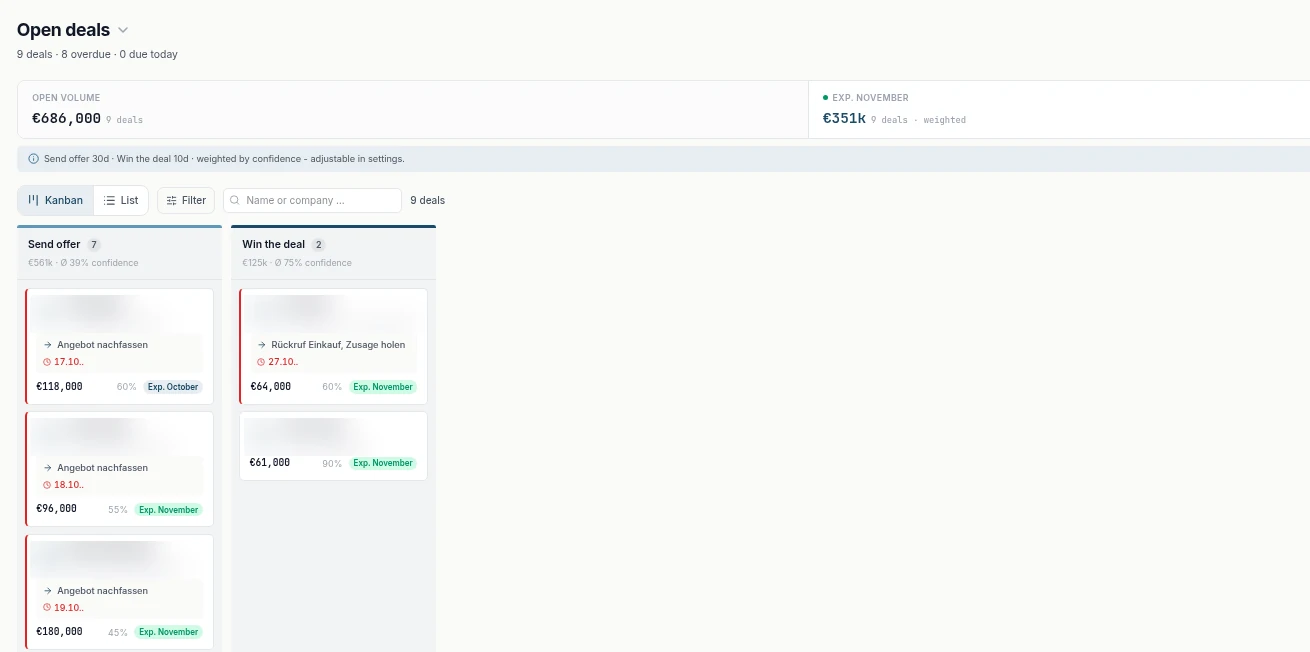
Three rules that work well for small teams:
- Stages by outcome, not by feel: "Discovery scheduled" means the meeting has a date, not "sent a calendar link."
- Failed, not reset: if a meeting falls through, mark it Discovery failed. That keeps your show rate honest.
- Lose, don't delete: dead leads get a lost reason, so you learn why deals die.
Which stages you need and what triggers each move is covered in Sales Pipeline Stages.
Step 5: What should you automate in your sales process?
Only steps that already run reliably by hand. Automation speeds up a good process and multiplies a bad one's mistakes.
Good first candidates, as inDeal supports them today:
- Reminders: set a time on the follow-up date in 15-minute steps. At that time you get an email with phone, email address and next step (Set a follow-up with a reminder).
- Mailbox sync: Outlook or Microsoft 365, Gmail or Google Workspace. Replies land on the right lead automatically; optionally, emails from the past 3, 6 or 12 months are pulled in for existing leads (Connect your mailbox).
- Standard reactions: four built-in workflows respond to classified campaign replies. A positive reply to a lead on Qualify moves it to Set discovery with a follow-up today. A neutral reply only triggers a notification (The four workflows in detail).
Don't automate decisions that need judgment, like pricing talks or a no after a meeting. Nine concrete workflows to copy are in CRM Automation for Small Business, and the mailbox setup in detail in Free CRM for Outlook.
Step 6: How do you get your team to use the CRM?
Make sure everyone feels a benefit on day one, and retire the old lists after a short transition.
In a study of 454 salespeople at two companies, teams rated a new sales tool positively right after training. Six months after rollout, it had been widely rejected, and absenteeism and voluntary turnover had risen significantly (Speier & Venkatesh, 2002).
Perceived usefulness is what counts. In Davis (1989), a study with 152 users, system use was more strongly linked to usefulness than to ease of use. For your team:
- Show value, not features: the morning work list shows who to call.
- Few required fields: stage, follow-up date and next step are enough.
- Clear roles: in inDeal, Admin has full access including import, while Sales sees and edits only their own leads (Managing the team).
- Retire side lists: after a set date, only the CRM counts.
How do you measure whether digitizing worked?
With a handful of KPIs you estimate before the move and measure the same way every week. Compare against your own previous weeks, not vendor-blog averages.
| KPI | How to calculate it | What it tells you about the rollout |
|---|---|---|
| Leads with a follow-up date | open leads with a date ÷ all open leads | whether the core rule sticks |
| Overdue leads | leads with a date in the past | whether the work list gets worked |
| Lead conversion | leads with a meeting ÷ leads | whether contacts turn into conversations |
| Show rate | meetings held ÷ meetings with an outcome | whether meetings actually happen |
| Pipeline conversion | offers ÷ meetings held | whether a quote follows the conversation |
| Side lists | number of spreadsheets still maintained | whether the CRM is the single source |
inDeal shows lead conversion, show rate, pipeline conversion and deal conversion on Home for the past 30 days, each with the change in percentage points versus the previous period (Conversion funnel and business outcome). How to follow up with clear next steps is covered in Sales Follow-Up.
How much does it cost to digitize sales with a CRM?
The software doesn't have to cost much; your time for mapping, cleanup and rollout does.
With inDeal, the CRM, all users and capturing leads by hand or by CSV are free. You need credits for data enrichment and for capturing leads with the Chrome lead plugin. According to inDeal, data is stored on servers in the EU (Frankfurt), and a data processing agreement is included (indeal.ai). Other cost blocks: CRM Cost for Small Business.
Bottom line: how should you start digitizing your sales process?
With one page of process mapping and one rule. Sort out workflow and data first, automate afterward, and within a few weeks the whole team runs the same process.
| Your situation | Recommendation |
|---|---|
| Everything lives in one spreadsheet | clean it, import it as CSV, give every active lead a date |
| Inquiries arrive mostly by email | connect your mailbox, log every inquiry as a lead the same day |
| Several people, each with their own list | define stages together, assign roles, set a cut-off date for side lists |
| You're switching from another CRM | check the export, map fields, run a test import with preview |
| The CRM exists, but nobody updates it | cut required fields, start the day with the work list, review numbers weekly |
| You want to automate right away | run the process by hand for two weeks first, then add reminders and standard reactions |
Basics: Free CRM for Small Business; with AI: AI CRM for Small Business.
A free CRM for your whole team. Start inDeal in 2 minutes. Just an email address, no credit card to sign up, unlimited users.
Start freeKeep reading
- CRM Sales Process 2026: 7 Steps for Small Businesses
- AI CRM for Small Business: What It Can Do in 2026
- Free CRM for Small Business (2026): Which One Fits Your Team?
- Spreadsheet vs. CRM: When Small Businesses Should Switch
- CRM Automation for Small Business: 9 Workflows to Set Up First
Frequently asked questions
What does it mean to digitize a sales process?
Where should a small business start when digitizing sales?
How long does it take to move a sales process into a CRM?
Can I import my spreadsheet into a CRM?
Is a free CRM enough to digitize a small business's sales process?
What shouldn't you automate in sales?
How do I get my team to actually use the CRM?
Is inDeal the same as indeal.io?
Sources
- KfW-Digitalisierungsbericht Mittelstand 2025 (KfW SME Digitization Report 2025, German)
- E-business integration
- Towards Digital Decade targets for Europe
- Kleine Unternehmen zu oft planlos in der Digitalisierung (Small companies too often lack a digital plan, German)
- The Hidden Minefields in the Adoption of Sales Force Automation Technologies (Journal of Marketing 66(3))
- Perceived Usefulness, Perceived Ease of Use, and User Acceptance of Information Technology (MIS Quarterly 13(3))
- A critical review of the literature on spreadsheet errors (Decision Support Systems 46(1))
- Regulation (EU) 2016/679 (General Data Protection Regulation), Art. 5 and 28
- Creating, importing and enriching leads
- Setting stages correctly
- Set a follow-up with a reminder
- Connect your mailbox
- The four workflows in detail
- Managing the team
- Your first week with inDeal
- Conversion funnel and business outcome
- inDeal: home page, pricing and FAQ
inDeal is the AI CRM for small and mid-sized B2B companies.
Keep reading
 Sales and follow-up
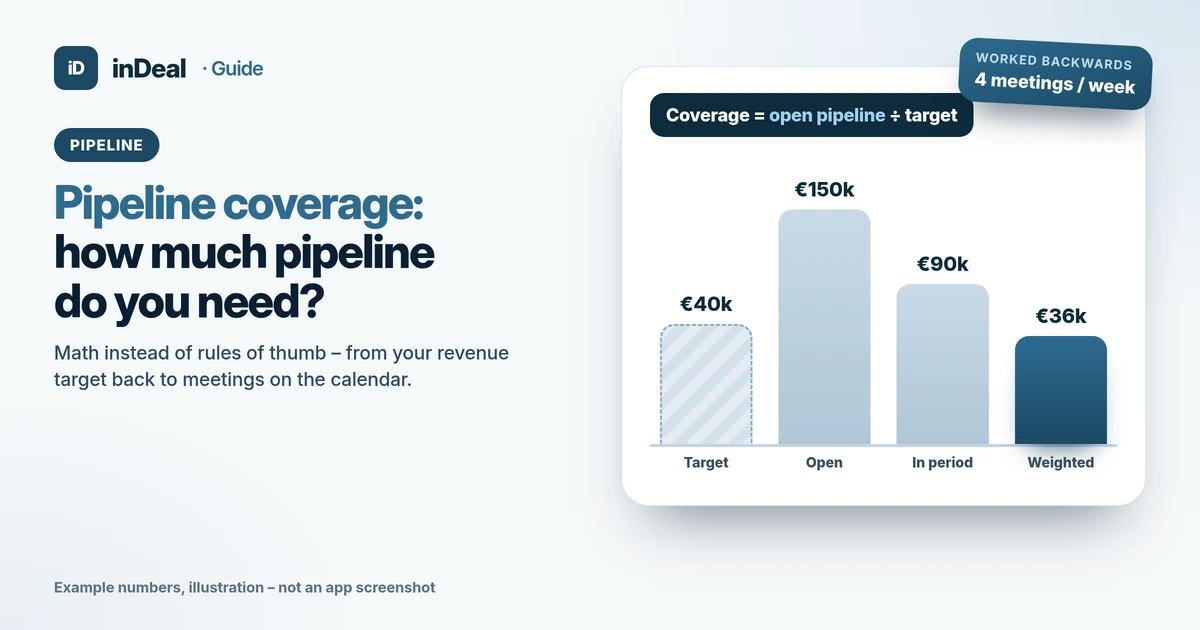
Pipeline Coverage: How Much Pipeline Do You Need? (2026)
Pipeline coverage ratio explained: the formula, why 3x is not a rule, and how to work back from your target to meetings – with a free CRM for small businesses.
 Sales and follow-up
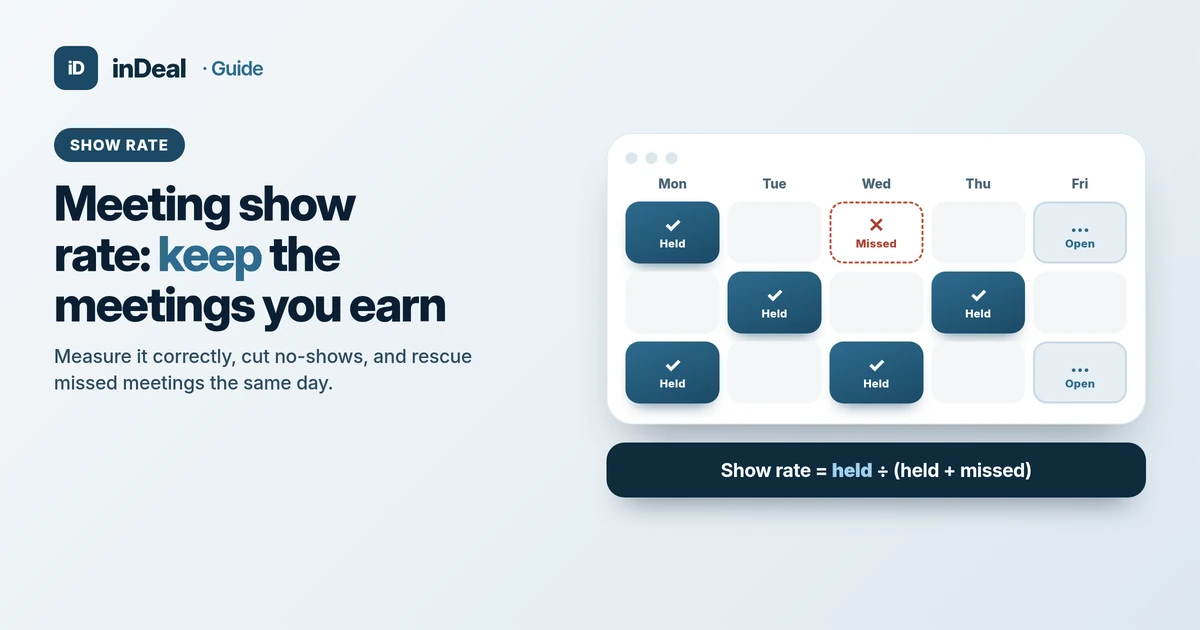
Meeting Show Rate 2026: How to Measure and Reduce No-Shows
Meeting show rate explained: the right formula, what really reduces sales no-shows, and how to rescue missed meetings – a guide for small businesses.
 Sales and follow-up
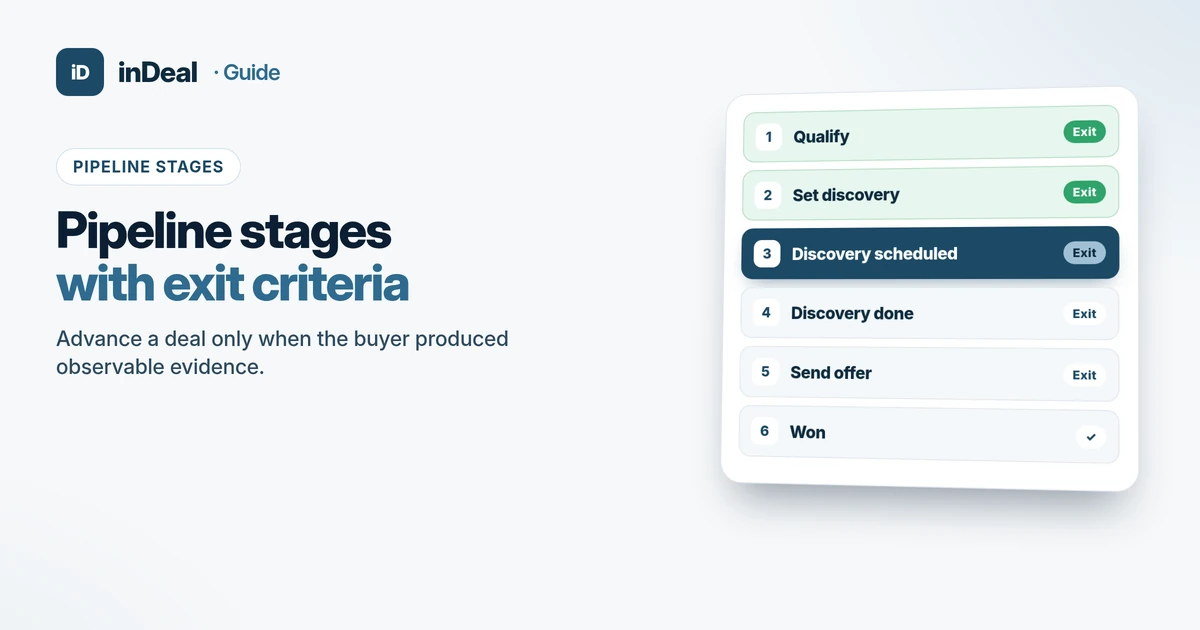
Sales Pipeline Stages 2026: Exit Criteria for SMBs
Sales pipeline stages for small teams: lead and deal stages with exit criteria, a hygiene checklist, and current inDeal labels – evidence over optimism.