Contents
- What is lead generation?
- What are 9 ways to generate leads for a small business?
- Why are existing contacts the fastest start?
- How do you get leads from referrals?
- How do you generate leads from your website, search and AI assistants?
- How do you use LinkedIn and signals to find leads?
- What are the rules for cold outreach?
- How do you choose the right channels for your business?
- Why do generated leads get lost?
- Which metrics show your lead generation is working?
- How does inDeal help you generate leads?
- Which lead generation channel is right for you?
- Keep reading
- Frequently asked questions
- Sources
Lead generation for small business means finding people or companies that may need what you sell and capturing them so you can reach them and follow up until there is a meeting. The fastest way is through warm channels like your network, current customers and referrals; your website, content and direct outreach add to that. inDeal (indeal.ai) is a free AI CRM for small businesses by Lars Krüger GmbH in Berlin, Germany.
As of November 23, 2026. All product details checked in the inDeal Help Center and on indeal.ai. Not to be confused with indeal.io, a different company.
This guide gives you the overview of channels. How to manage leads once you have them is covered in Lead management for small business. What applies to direct outreach under EU rules is in B2B cold outreach and GDPR.
What is lead generation?
A lead is a person or company that fits your target customer and that you have a way to contact. Lead generation is everything that brings new leads like that into your sales process.
There are two basic forms. With inbound, the prospect comes to you, for example through your website or a referral. With outbound, you reach out to companies that fit, for example at a trade show, by phone or by message.
A lead is not a customer yet, and not a qualified contact either. Whether they really have a need, budget and timing is something you find out next, for example with BANT. Who you want to reach in the first place is set by your ideal customer profile.
What are 9 ways to generate leads for a small business?
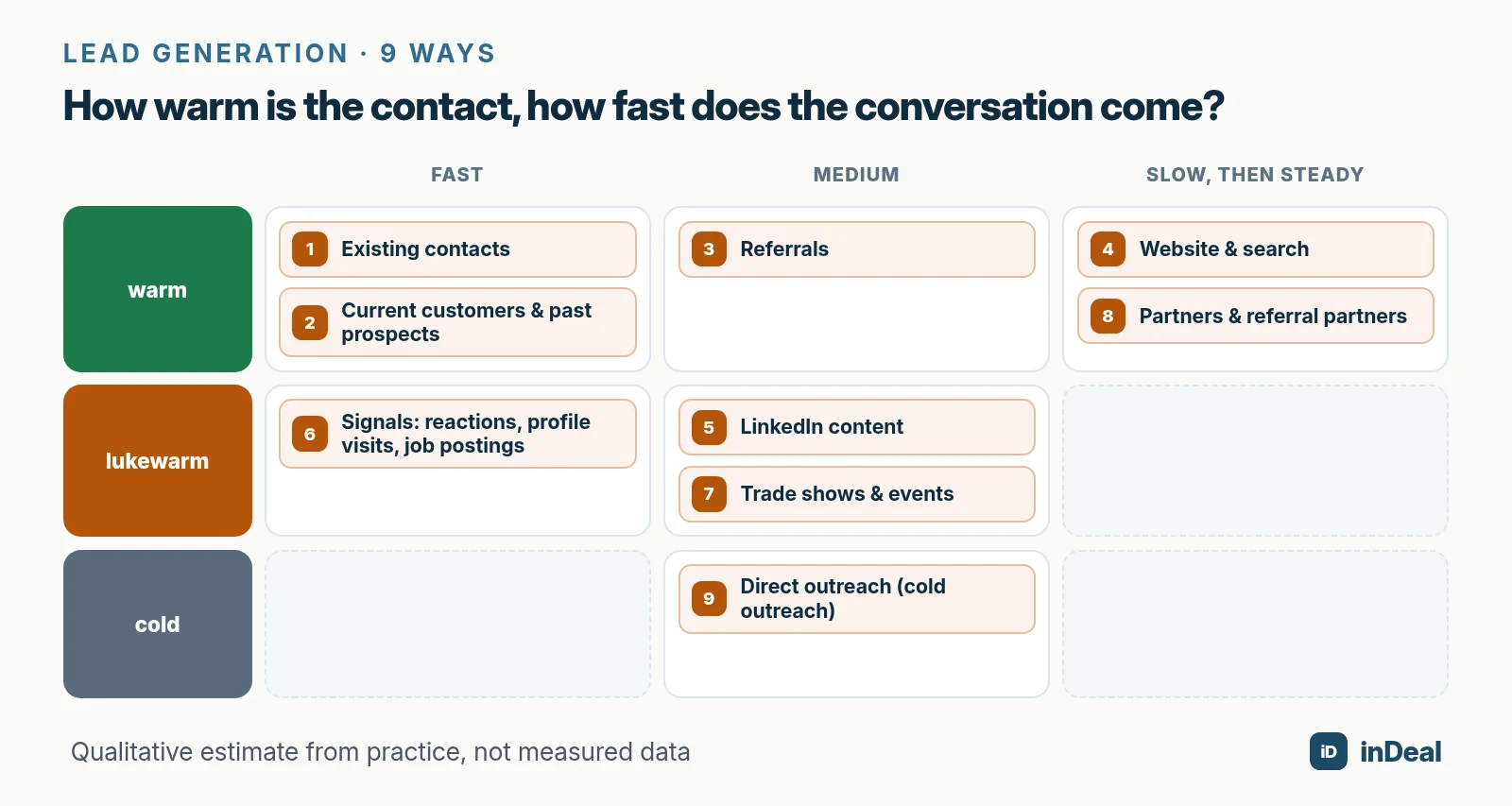
Nine channels work well for small B2B businesses. They differ mostly in how warm the contact is, how fast the first lead comes in, and which rules apply.
| Channel | Warmth | Time to first conversation | Key rule |
|---|---|---|---|
| 1. Existing contacts | warm | fast | Only contacts that fit your target customer |
| 2. Current customers and past prospects | warm | fast | Email marketing only within the applicable consent rules |
| 3. Referrals | warm | medium | Ask actively and regularly |
| 4. Website and search | warm (inbound) | slow, then steady | Answer the real questions of your audience |
| 5. LinkedIn content | lukewarm | medium | Post regularly, follow up on reactions |
| 6. Signals (reactions, profile visits, job postings) | lukewarm | fast | Refer to the signal, follow platform rules |
| 7. Trade shows and events | lukewarm | medium | Follow up the same or next day |
| 8. Partners and referral partners | warm | slow | Agree clearly who contacts whom |
| 9. Direct outreach (cold outreach) | cold | medium | Follow GDPR and local email and calling rules |
The speed column is a qualitative estimate from practice, not measured data. How fast a channel works for you depends on your industry, offer and how well known you are.
Why are existing contacts the fastest start?
Because trust is already there. People who know you are more likely to reply, and you don't have to explain who you are first. For most small businesses, this is the biggest untapped source.
Work through it in three steps:
- Review your network: export your contacts or go through them on LinkedIn and flag everyone who fits your ideal customer profile.
- Revive past prospects: offers that stalled months ago on "no budget" or "not now" are often relevant again today.
- Ask current customers: about further needs, other locations and referrals.
How to move LinkedIn contacts into your CRM cleanly is shown in How to add LinkedIn contacts to your CRM.
How do you get leads from referrals?
By asking actively instead of waiting for luck. Referrals are the most important channel for many small businesses, but they usually come in irregularly because nobody asks for them systematically.
A long-term study shows it pays off. Tracking about 10,000 customers of a German bank for almost three years, researchers found that referred customers had a higher contribution margin, stayed longer and were on average at least 16% more valuable than comparable other new customers (Schmitt, Skiera & Van den Bulte, 2011). The study is from consumer banking; the direction is plausible for B2B, the size is not transferable.
Turn it into a process:
- Fixed moment: ask after a successful project or positive feedback, not at some random point.
- Specific question: "Who do you know who's in the same spot you were in a year ago?" works better than "Do you know anyone?"
- Record the source: note who referred each lead. That's the only way to see later how much the channel brings in.
How do you generate leads from your website, search and AI assistants?
By having your website answer the questions your audience actually asks and say clearly who you help with what. This works slowly but steadily: one good guide brings in inquiries for months without you spending new time on it each time.
Most businesses already have the basics. According to Eurostat, 76.67% of small EU enterprises (10–49 employees) had a website in 2025 (Eurostat, E-business integration), and 60.59% used social media (Eurostat, Social media). The gap is rarely having a website, it's what's on it.
Three things turn a website into a lead source:
- One page per problem: a page for each typical customer question, not just a list of services.
- Clear next step: a meeting, call-back or contact form on every page.
- Quotable answers: short, clear definitions and numbers with a source. AI assistants are more likely to pick up answers like these.
How do you use LinkedIn and signals to find leads?
With content that gets reactions, and with fast follow-up on those reactions. A like, a comment, a profile visit or a new job posting at a target company is a signal that there is a reason to talk right now.
What matters is the connection. Someone who reacted to your post gets a message that picks up on exactly that post. A company hiring for sales may have a capacity problem right now, and that's your opening.
Collecting signals by hand is tedious. How signals and network contacts come together automatically in inDeal is covered further down.
What are the rules for cold outreach?
Direct outreach is allowed, but regulated, and the rules depend on where your recipients are. GDPR applies to anyone who processes personal data of people in the EU, also in B2B. A common legal basis is legitimate interest under Art. 6(1)(f), together with the information duty under Art. 14 and the right to object under Art. 21 (GDPR, EUR-Lex).
Germany adds strict marketing rules. Under § 7(2) UWG, promotional email without prior express consent counts as unreasonable harassment, even toward businesses, and a sales call to a business needs at least its presumed consent (§ 7 UWG).
There is a narrow exception for your own customers: if you got the email address in connection with a sale, you may promote your own similar products or services, as long as the customer hasn't objected and is told in every email that they can object (§ 7(3) UWG).
How do you choose the right channels for your business?
With three questions: who do you want to reach, how many leads do you need, and how much time do you have each week? For most small teams, two or three channels run consistently beat nine run halfway.
- Define your audience: ideal customer profile first, channels second. Where do these companies spend time, and whom do they trust?
- Do the math: an example with made-up numbers: you want 10 new customers per quarter, win one in four offers, turn every second meeting into an offer, and every tenth lead into a meeting. Then you need 40 offers, 80 meetings and 800 leads per quarter. Run it with your own rates in How to write a sales plan for a small business.
- Split your time: one warm channel for fast conversations plus one that builds up slowly, such as your website or content.
Why do generated leads get lost?
Because nobody works them in time. That's the most expensive gap in lead generation, and it isn't in marketing, it's right after.
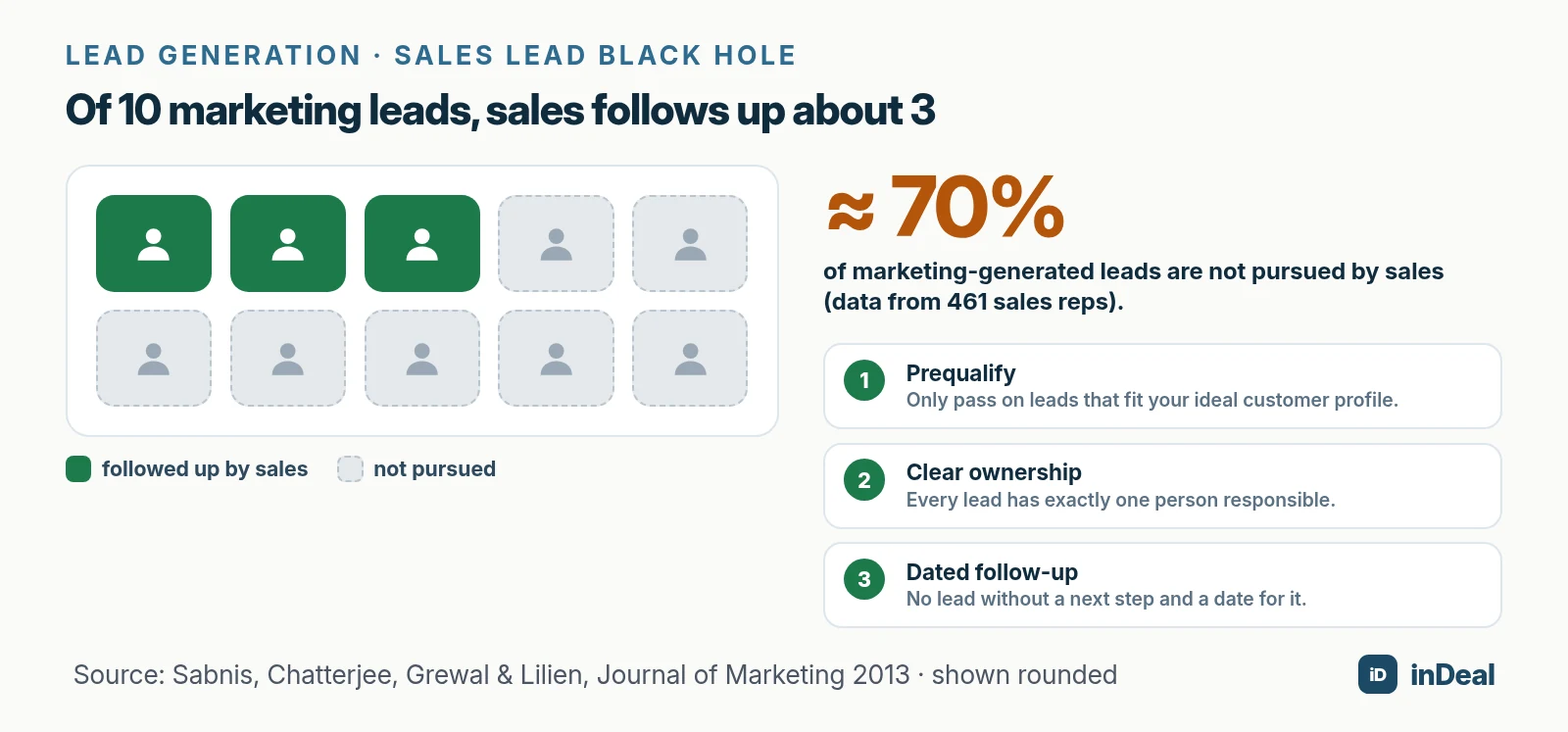
A study using data from 461 sales reps at four companies describes the "sales lead black hole": sales reps do not pursue about 70% of marketing-generated leads (Sabnis et al., 2013). How much time reps gave marketing leads depended, among other things, on how well leads were prequalified and how consistently managers tracked follow-up.
Tools are often missing too: only 24.69% of small EU enterprises used CRM software in 2025 (Eurostat). If your leads are spread across inbox, spreadsheet and sticky notes, you lose them. How fast you should respond is covered in Speed to lead; how to keep leads warm that aren't ready yet is in Lead nurturing for small business.
Which metrics show your lead generation is working?
Not the number of leads, but what becomes of them. Measure per channel how many leads turn into meetings and deals.
| Metric | Formula | What it tells you |
|---|---|---|
| Leads per channel | new leads per week, by source | Which channel delivers at all |
| Lead → meeting | meetings booked ÷ leads | Whether leads fit your audience |
| Show rate | meetings held ÷ meetings booked | Whether meetings are committed enough |
| Meeting → deal | deals won ÷ meetings held | Whether the channel brings buyers |
| Follow-up rate | leads worked ÷ all leads | Whether leads vanish into the black hole |
A study of automated lead nurturing in B2B shows that the same tactic works very differently from lead to lead, depending for example on sales cycle length, expected sales volume and the existing relationship (Habel et al., 2025). For you, that means: compare channels with your own numbers, not with vendor promises.
How does inDeal help you generate leads?
inDeal keeps every lead in one place, wherever it came from, and takes each one through to a meeting. According to indeal.ai, the CRM is free for unlimited users.
- Capture for free: adding leads by hand or by CSV costs no credits.
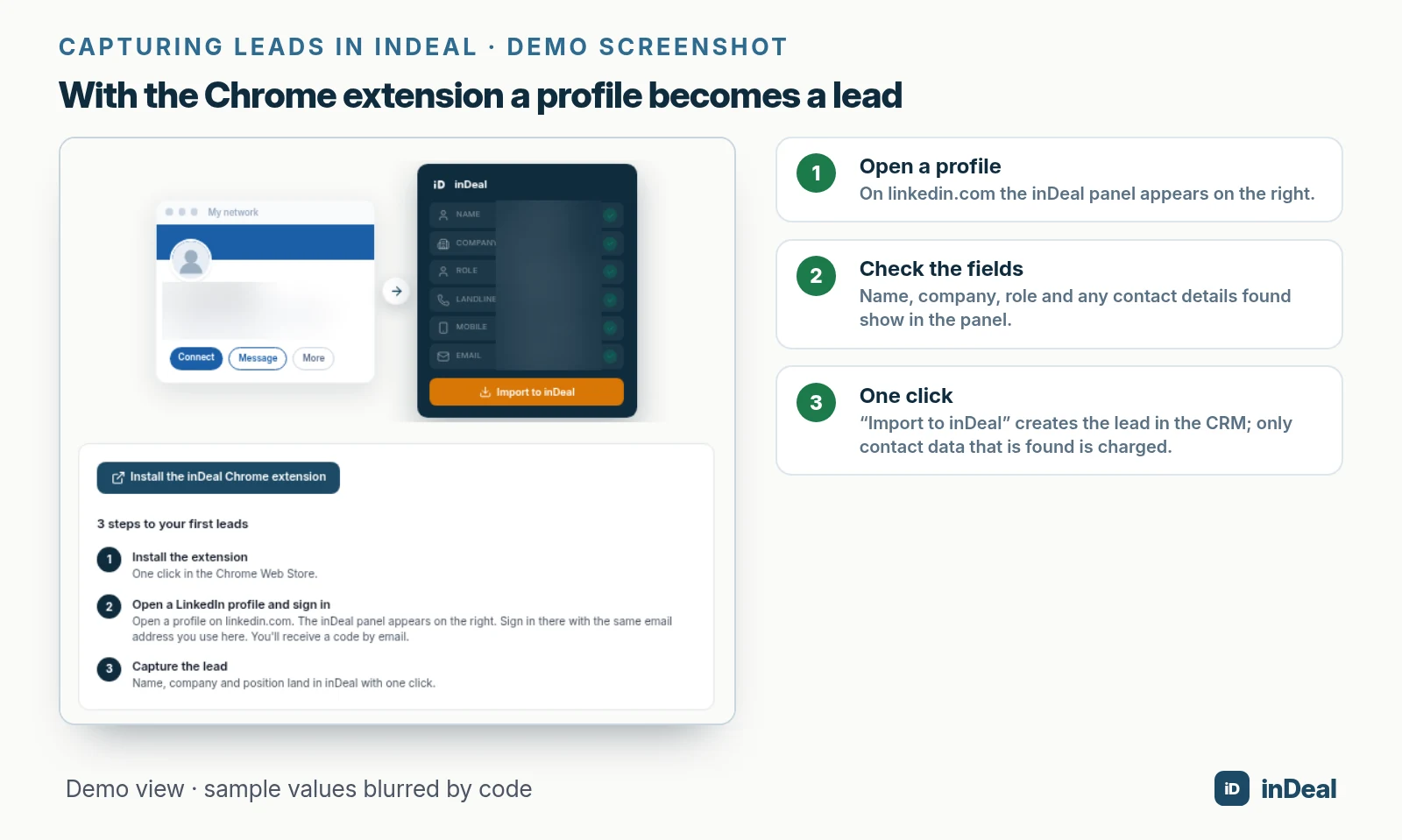
- Lead plugin for Chrome: take over name, company and position with one click; this needs a credit balance, and only contact data that is found is charged. 10 credits are included.
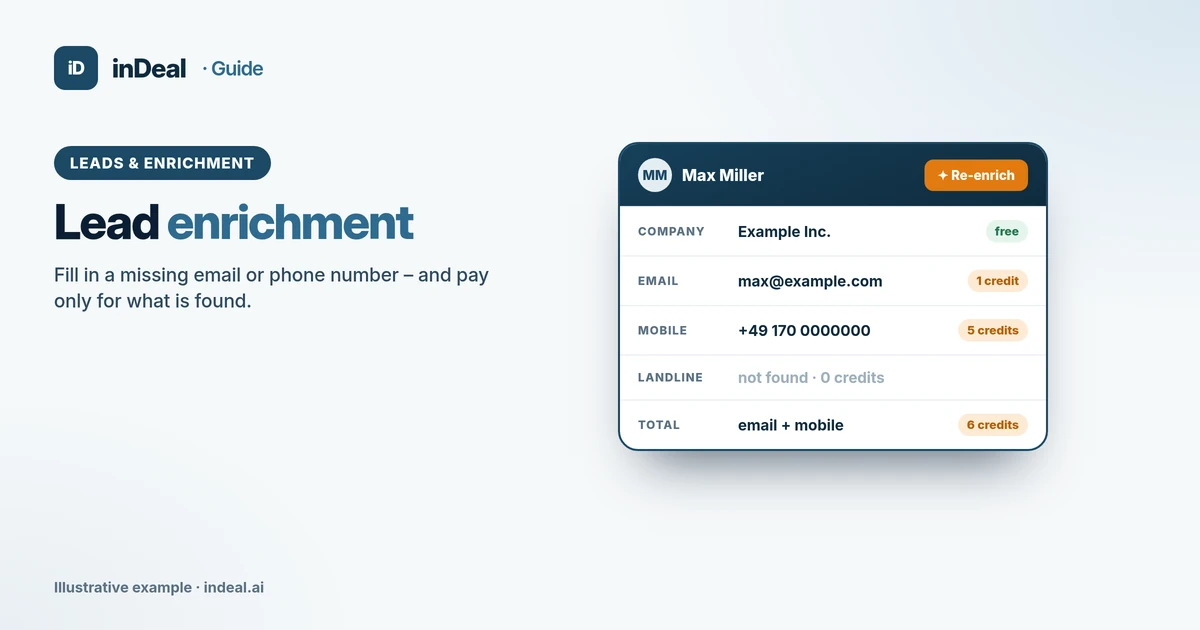
- Enrichment: email 1 credit, mobile 5, landline 0.5, only when found. More in Lead enrichment.
The optional meeting agent adds to that: try it 14 days for 5 €, then 49 € a month. Every week it pulls matching people from your existing contacts, from new contacts and from people who visit your profile or react to your posts, writes each one a personal message and takes the reply through to a meeting. You see the first messages in advance and approve them.
As sources, the Help Center lists existing contacts, signal leads, new leads from your audience, CRM leads, CSV import, website visitors, job signals and lookalikes, among others. Which ones you can use depends on your plan. More about the agent is in AI appointment agent.
Which lead generation channel is right for you?
The right mix depends on where you are today. Start small, record the source from the first lead on, and grow what works.
| Starting point | Recommendation |
|---|---|
| You need conversations in the next few weeks | Existing contacts, past prospects, referrals |
| You have little time but a website | Two or three pages on real customer questions, clear next step |
| You're active on LinkedIn | Follow up on signals, build on reactions |
| You want to open new markets | Direct outreach within the legal rules, plus trade shows |
| Leads come in but nothing happens | Fix follow-up and ownership first, then add more leads |
Lead generation is the start of your sales process, not the goal. What happens after the lead is shown in The perfect CRM sales process. What a free CRM for small business should do and how an AI CRM for small business takes over routine work is covered in the two core guides.
A free CRM for your whole team. Start inDeal in 2 minutes. Just an email address, no credit card to sign up, unlimited users.
Start freeKeep reading
- Lead management for small business
- B2B cold outreach and GDPR: what's allowed
- How to build an ideal customer profile
- Speed to lead: how fast you should respond
- Sales cycle length: how to shorten your sales cycle
Frequently asked questions
How can a small business get leads fast?
What is the difference between lead generation and cold outreach?
Can I email B2B leads without permission?
How many leads does a small business need per month?
What is the best lead generation channel for a small business?
Can I generate leads for free?
Is inDeal the same as indeal.io?
Sources
- Referral Programs and Customer Value (Journal of Marketing 75(1), 46–59)
- The Sales Lead Black Hole: On Sales Reps' Follow-Up of Marketing Leads (Journal of Marketing 77(1))
- Sales Pipeline Technology: Automated Lead Nurturing (Journal of Marketing 89(5))
- E-business integration
- Social media – statistics on the use by enterprises
- § 7 UWG – Unreasonable harassment (German Act against Unfair Competition)
- Regulation (EU) 2016/679 (General Data Protection Regulation), Art. 6, 14 and 21
- Create an agent and choose a source
- inDeal: home page, pricing and FAQ
inDeal is the AI CRM for small and mid-sized B2B companies.
Keep reading
 Leads and enrichment
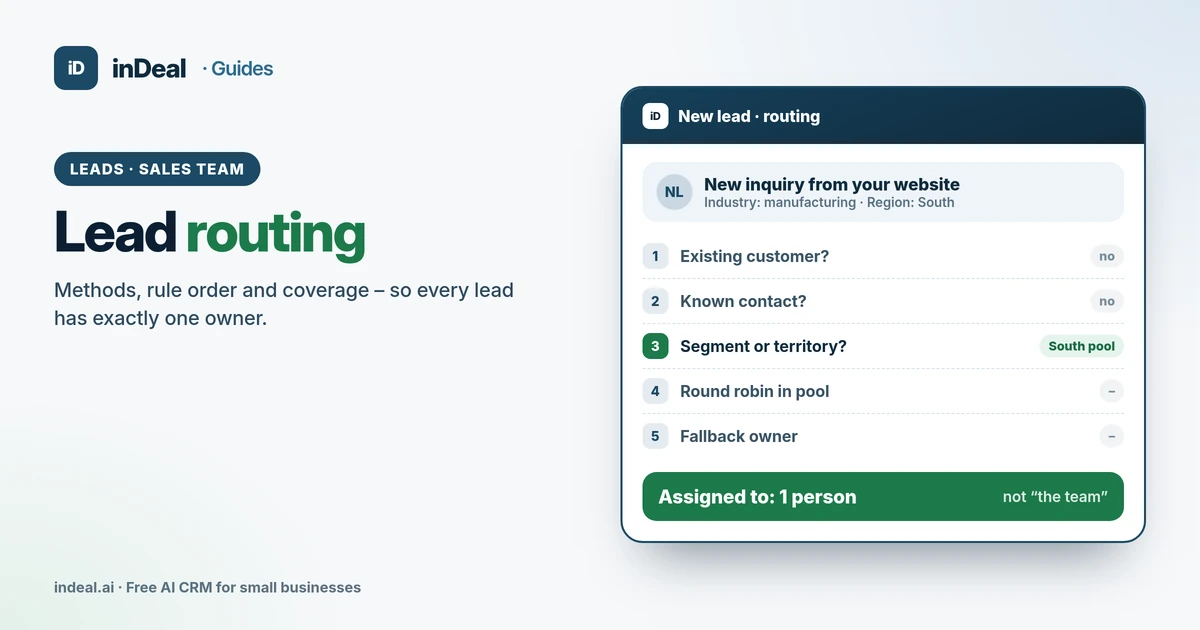
Lead Routing for Small Businesses: How to Assign Leads (2026)
Lead routing for small sales teams: assignment methods from round robin to territories, the right rule order, time off and access – with a free AI CRM.
 Leads and enrichment
Lead Enrichment 2026: How It Works, Costs and GDPR
Lead enrichment explained: which data you can add, what it costs in credits, what GDPR and marketing rules require and how to do it in inDeal.
 Leads and enrichment
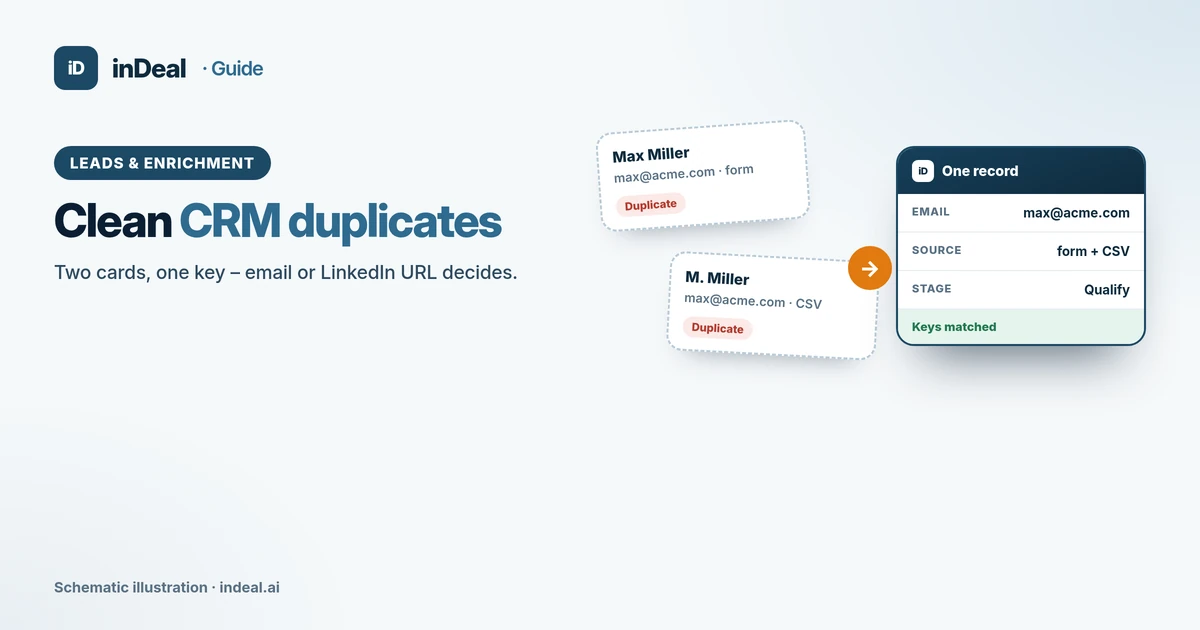
CRM Duplicate Contacts 2026: How to Clean Your Data
CRM duplicate contacts: how to spot doubles, what GDPR accuracy requires, and how import dedupe, error reports, and blacklists keep data clean.